
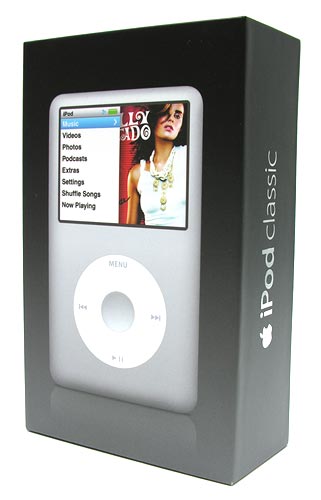
The globally popular Apple iPod video has been updated with a new face, a new interface, higher storage capacity and even a new name. It’s now called the iPod classic, which may sound like a name that would be given to a low end model, but this isn’t the case with the new iPod classic. This classic may not be tiny like the new “fatty” nano, or have a touch screen like the new iPod touch. But neither of those devices are available in capacities of 80 or 160GB, enabling you can carry your entire music and video library with you in your pocket. Today I’m going to tell you about the 160GB version of this device.
Hardware Specs
- Storage:80GB-160GB hard drive
- Display: 2.5-inch (diagonal), 320 x 240 pixels
- Frequency response: 20Hz to 20,000Hz
- Audio formats: MP3 (16 to 320 Kbps), MP3 VBR, AAC (16 to 320 Kbps), Protected AAC (from iTunes Store), Audible (formats 2, 3 and 4), WAV, and AIFF
- Video formats: H.264 video up to 1.5 Mbps, 640 x 480 pixels
- Audio: 3.5mm stereo headphone minijack
- Power: Rechargeable lithium polymer battery (up to 40hrs of audio playback time and 7hrs of video playback time)
- Size: 4.1 x 2.4 x .53in (103.5 x 61.8 x 13.5mm)
- Weight: 5.7oz (162g)
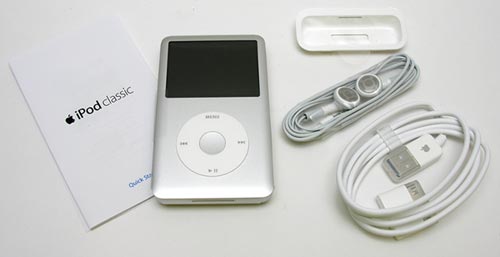
Package Contents
- iPod classic
- earphones
- USB 2.0 cable
- Dock adapter
- Quick start guide
- Apple stickers
I’ve been waiting for what seems like forever (ok, almost 2 years) for Apple to come out with a new full-sized iPod so that I could replace my fifth generation 60GB iPod video that was “borrowed” by Jeanne (the person I live with). I didn’t really want to buy an 80GB version of the same device as the replacement because the 60GB was already totally full and I was afraid that it wouldn’t take long to fill an 80GB model. There was also the fact that as soon as I would have ordered one, Apple would have
probably announced a product refresh. That’s why I was so happy when I learned that Apple
was offering the new classic in a 160GB model. That’s huge! I really can’t think of any other audio / video player on the market right now that is as small as the classic and has the same capacity (please correct me if I’m wrong).
Hardware Changes
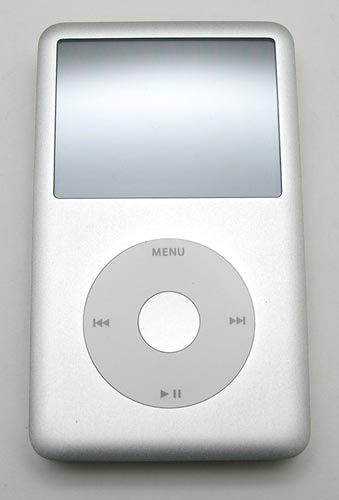
The classic now has a brushed aluminum face (Silver or Black) like the nano and shuffle. The top has edges that are slightly rounded instead of being completely flat. Another update is that the middle select button, also made of aluminum, is slightly indented instead of flat. The back is still made of shiny chrome and still attracts smudges and scratches. I think mine scratched as soon as I breathed on it. I sure wish they would have used the brushed aluminum on the back as well as the front. :o(
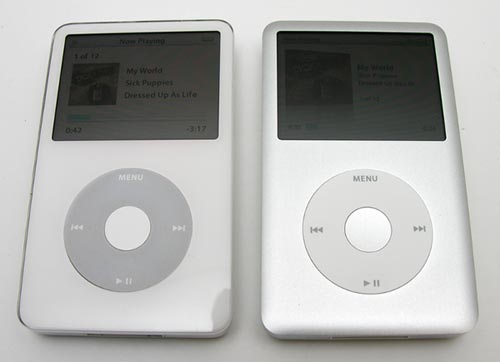
Left to Right: 5G iPod video, 6G iPod classic
Here we see the previous version 60GB iPod video next to a new iPod classic. The 160GB classic has almost the exact same dimensions as the 60GB model. I’m guessing that cases might fit without any modifications.
In hand, the classic feels familiar and has no problems passing the Gadgeteer squeeze test. This thing is solidly built, with absolutely no flexing, creaking or cracking.
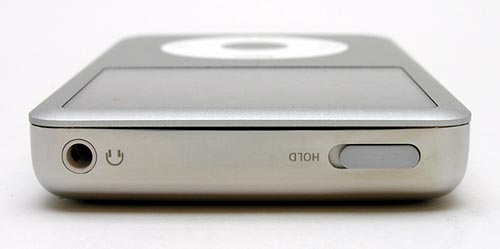
The top of the iPod has the Hold switch and headphone jack.
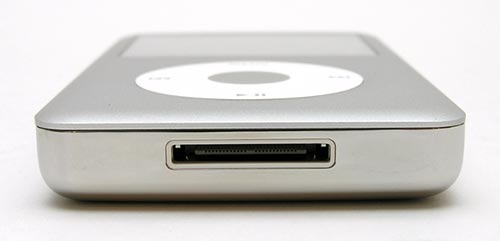
On the bottom you will find the universal dock connector. Nothing has changed with this connector, so most existing accessories will continue to work with this new iPod. I say most because there is an issue with accessories that have a video out feature. More about that in a bit.
User Interface Update
Besides the new aluminum shell and 160GB storage capacity offering, the biggest difference between the prior iPod video and the new iPod classic is the updated user interface.
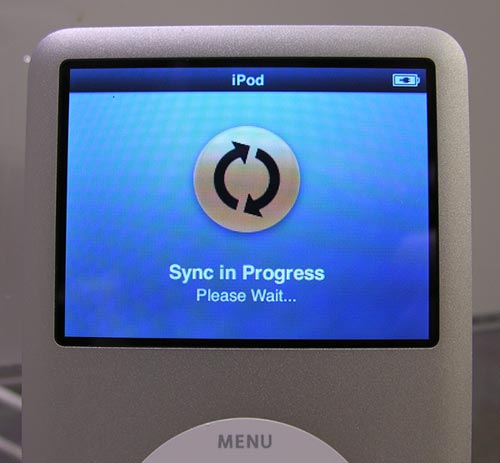
I noticed the difference immediately upon plugging the iPod into the dock to sync with my iMac. The status screen looks completely different and is even animated.
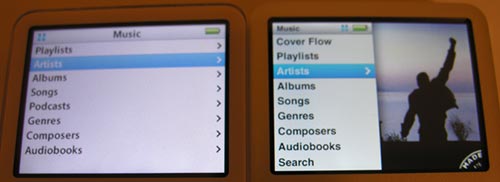
The menu system is basically the same as it was before, as you will still
navigate to your music and videos in the same way that you have been accustomed
to doing for years. The menus are just a bit prettier now. Check out the image
above. On the Left you see the previous iPod video’s Music menu. On the Right the same menu
is displayed on the iPod classic.
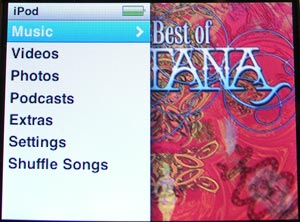
To the Right of the menu, you can see a random slide show of album cover art,
video art, photos, etc., that use a Ken Burn’s style transition effect.
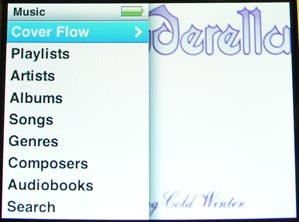
One of the new features to be added to the music menu is Cover Flow. This feature was first introduced in iTunes and then recently on the iPhone. It’s a graphical method of viewing your music collection by flipping through album covers.
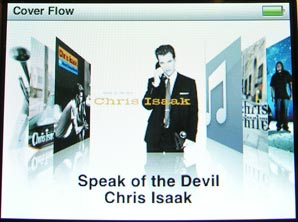
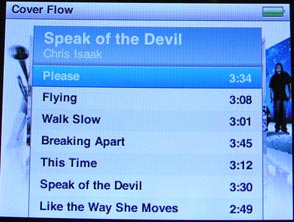
To scroll, you just run your finger around the touch wheel. Pressing the select button will display the songs contained in the center facing album. From this screen you can start playing the desired album or individual songs inside it.
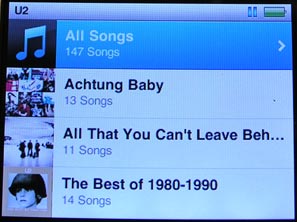
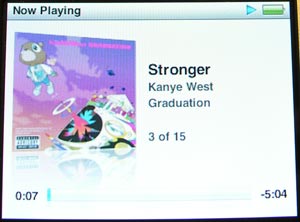
When you search via artist, you will see thumbnails of the albums for that artist and their titles. The interface can feel a bit slow loading these thumbnails. The same is true for the cover flow feature. Sometimes you’ll just see a musical note icon as a place holder until the thumbnail is loaded from the hard drive. If a thumbnail doesn’t exist for an album, the musical note icon will be displayed in its place.
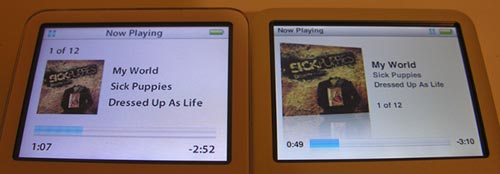
Not a lot has changed on the Now Playing status screen from the old version of the interface. You will notice in the image above that the album art on the classic is a bit larger and has a mirror effect. The text is arranged a bit differently as well.
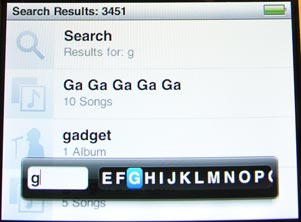
There’s a new search feature that you can use to search for artists, albums and song titles. As you type words, the search list filters to show only the items that match what you’ve typed. When you see what you want, you just hold down the select button to get out of input mode. From there you can select items in the search list.
There is no learning curve to using the classic to listen to your tunes. It’s as intuitive as it has always been. Audio quality seems to be the same as far as I can tell and I have no complaints in that area.
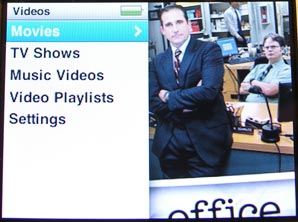
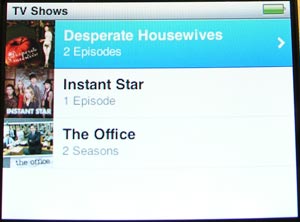
The video menus are setup up similarly to the music menus in that they have the same thumbnails and Ken Burn’s style previews.
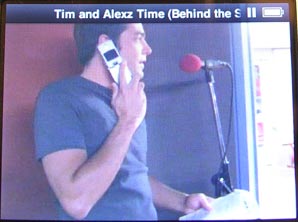
When a video is paused, the title of the show is displayed at the top of the screen.
Speaking of the screen, I will say that the classic’s display is noticeably brighter than the iPod video’s display when both are set to max brightness. Clarity and color are very nice as well. All of the screen shots that you see in this review were taken with the display set to only 75% brightness.
Remember earlier in the review when I said that existing accessories that have video-out features
and were made for previous iPods won’t work with the classic? At the moment, only the old universal dock (with s-video) will allow you to connect your iPod classic to your TV to view video. Third party stuff doesn’t work. The old video cable (the one with a headphone connector and video plugs) available from Apple does not work by itself on the new iPods, because the new iPods don’t have the video output in their headphone jacks any more.
Apparently, there are now two models of the universal dock. One of them has supposedly been discontinued… The previous version is the one called “iPod Universal Dock” has a S-video jack on the back. The new version is called “Apple Universal Dock” and does not have an S-video jack. If you have a “iPod Universal Dock” you can get video out to your TV from the S-video jack or from the old video cable using the iPod Universal dock’s headphone jack. If you have the “Apple Universal Dock” you can get video out using the new $49 cables that Apple will be selling soon (they are not available yet). The new video cables work either with the “Apple Universal Dock” or directly on the classic/new nano through the dock connector. The new video cables come in Composite and Component. S-video is no longer available from the new hardware, so you either have to use crummy old composite, or jump up to component 480p. Confusing huh?
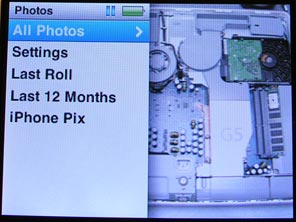
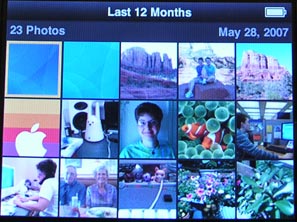
Like the previous iPod video, you can also sync your iPhoto images to the iPod classic.

For some reason Apple cut back on the types of transition effects for slide shows. Now you can just choose from Random, Cross Fade, Fade to Black, Zoom Out, Wipe Across and Wipe Center.
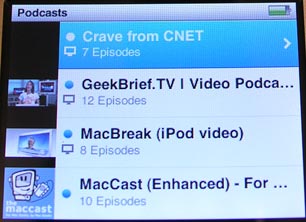
The Podcast menu has been moved out of the music menu and into a menu all its own, which combines video and audio content into one list. Items with Blue dots next to them indicate content that has yet to be viewed or listened to.
Now let’s check out all the changes to the Extras menu.
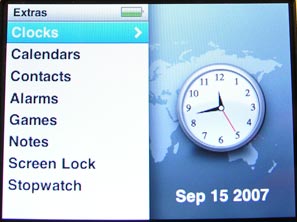
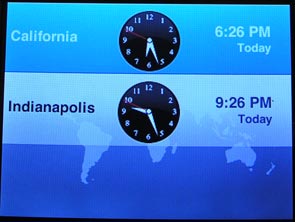
The Clocks feature is prettier now, but has the same basic function of listing the time in various locations.
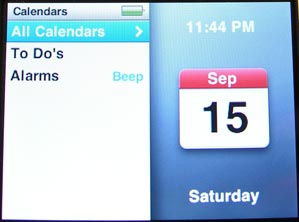
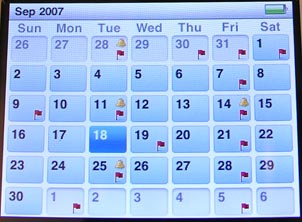
The Calendars feature remains unchanged. You can still sync your desktop calendar with the iPod, creating a sort of pseudo PDA.
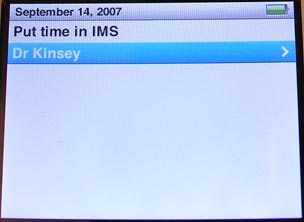
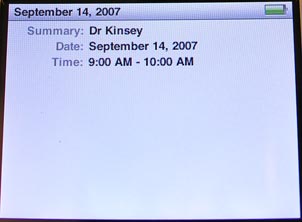
Clicking on a date that has a flag on it, will show you the appointments and associated info for that date.
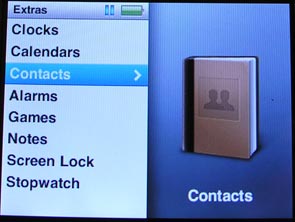

The Contacts feature also remains pretty much unchanged. Too bad that the search function doesn’t find
contacts entries too.
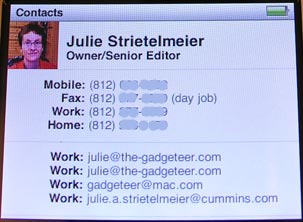
Contact photos sync as well as all the contact info.
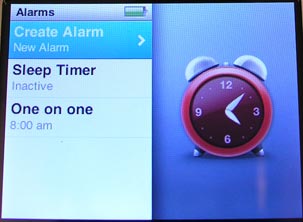
The timer feature was buried down in the old clocks menu. In the new interface,
it’s been pulled out to be in its own stand alone menu. It’s now much easier to
access.
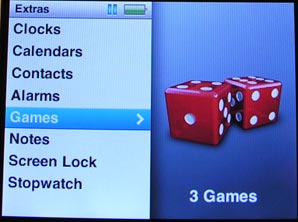
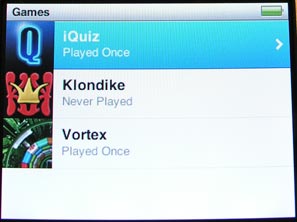
Yay, games! The classic comes with three games: iQuiz – a music, TV show and movie trivia game, Klondike – a solitaire game, and Vortex – an arcade style game. There is some bad news regarding games though… I’ve not tested this, but apparently, any games that you may have purchased for your previous iPod, will not work on the classic. You have to buy them again. Not good Apple…
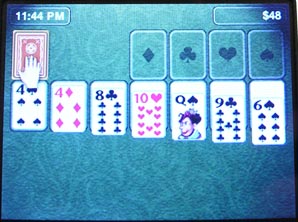
Of all three games, I’m best at Klondike :o)
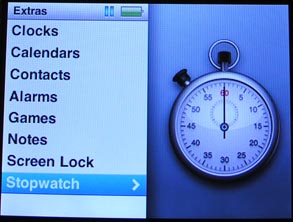
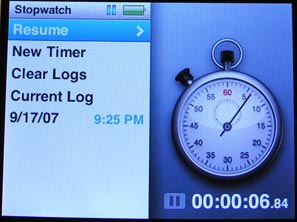
The Stopwatch feature has the same abilities as before, it’s just been graphically updated to match the rest of the interface changes.
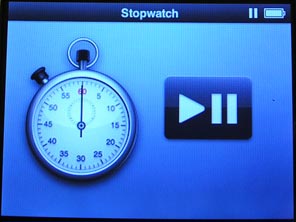
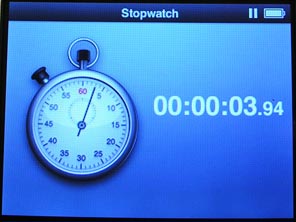
This feature has actually come in handy for me on numerous occasions.
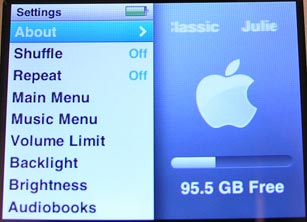
The Settings menu has also been beautified.
Battery life on the classic has been greatly improved. Apple states that you should get up to 40hrs of audio playback time and up to 7hrs of video playback time. That’s a big improvement over the iPod video. I’ve not done any real testing with regards to battery life as I’ve had the classic in and out of the dock all week during my review. I hope to do some tests soon and will report back if the claims of 40hrs are greatly inflated.
Bottom Line
While I do like all of the graphical updates to the user interface, I have to say that navigating through the menus now feels considerably slower than before. I also notice the hard drive clunking as I maneuver through the menu structure. It’s like it’s trying to keep up with my travels. That makes me curious to know if the 160GB hard drive has a slower RPM than the older 60GB drives in the iPod video. I’d also be interested in hearing if new 80GB classic owners also notice sluggish performance. Besides the somewhat slow interface, I’m happy with the iPod classic so far. And at a whopping 160GB capacity, I don’t think I’m going to outgrow it anytime soon.
Questions for all of you
What kind of iPod user are you? One that wants your entire media collection with you, or one that only carries a subset?
If you also own an iPod classic, do you find the interface to be sluggish?
Update 03/19/17
I gave this iPod to Jeanne years and years ago. I don’t even remember when at this point. I just know that she continues to use it almost every day with the mStation Orb speaker that I also reviewed. The iPod contains our music library from back in the day when we actually bought CDs and ripped them to MP3 format. We no longer add new songs to this iPod or sync it to a computer, but she likes being able to listen to her favorite albums anytime she likes while she’s at work.

Google Review Tap Cards (3-Pack) by TapFive - Tap for Instant Reviews - All Phones Compatible - Reusable Smart Tap NFC & QR - Boost Business Reviews - Powered by TapFive (3 Card Pack)
(as of June 12, 2026 18:44 GMT -05:00 - More infoProduct prices and availability are accurate as of the date/time indicated and are subject to change. Any price and availability information displayed on [relevant Amazon Site(s), as applicable] at the time of purchase will apply to the purchase of this product.)
Google Review Tap Card Stand | Boost Online Reviews and Google Rank with Fast Zappy NFC Tap QR Code Stand Works Like Digital Business Card | Compatible with iPhone and Android Devices (1 Large Stand)
(as of June 13, 2026 04:18 GMT -05:00 - More infoProduct prices and availability are accurate as of the date/time indicated and are subject to change. Any price and availability information displayed on [relevant Amazon Site(s), as applicable] at the time of purchase will apply to the purchase of this product.)Product Information
| Price: | 349.0 |
| Manufacturer: | Apple |
| Requirements: |
|
| Pros: |
|
| Cons: |
|

Gadgeteer Comment Policy - Please read before commenting
Post your comments here on the Apple iPod classic review.
http://the-gadgeteer.com/review/apple_ipod_classic
Just click the POST REPLY button on this page.
Excellent review, as always, Julie.
As for your question…I’m in the minority of not being an iPod owner. I had one once, a 4G model, but got rid of it years ago. Their lack of support for other formats (ogg vorbis, flac, etc.) has turned me off of the hardware.
Still, I prefer to just have a few songs with me, let me pick and choose as I need to. In this case, smaller is definitely better. 🙂
onestar:
What device do you use to listen to your music?
It’s funny you should ask…
I’ve a Samsung YP-MT6 (since discontinued) player that I’ve used for awhile now. Small, sleek and plays MP3 and OGG files, as well as a FM tuner and voice recorder.
I do have one of the Pioneer Inno XM players. I use it to record songs off of XM. Just love the thing.
I just started using, of all things, a Jornada 520 Pocket PC! They were throwing a bunch of them away at work, so I grabbed one, along with the sync cable (serial only, but I had a USB to Serial converter) and a charger.
Bought a 1GB CF card for about $15, and installed TCPMP, the old freeware version. It doesn’t handle some of the high bitrate OGG files I have, but it works great for MP3s and even does decent (not great, but decent) job on videos!
I would love to get my hands on the new Trekstor Vibez, but I’m trying to save my money for other things…
I like to carry my favorite songs with me, some short home video clips, a couple of TV shows and maybe a movie. I have just gotten an 8 GB nano “fatty”, and I adore it.
I have an 8GB Model as well…and I love it. The best iPod I have ever owned. I’m still keeping my 1GB shuffle though :-). The 8GB model is actually enough to keep my entire library with me (even with CDs ripped at 256K AAC), so it’s a great option for me. I actually wrote up a review for it on my site. I’m sure Julie is typing away working on hers as we speak!
Julie,
have you run the updates to your 160-giger? Cuz i heard the sluggishness is a known problem, and apple has already released an updater that will greatly decrease the lagtime, and make the interface much snappier.
anson22:
Yes, my classic has the latest firmware as of today 1.01. I believe I made the update before I even started using the classic. So the interface could have been much worse out of the box. As is, it’s slower than my iPod video. But for the most part this sluggishness is most noticeable when it’s updating thumbnails.
Does it by any chance have Adelaide, South Australia time zone? We are GMT +9.30 which is 30 minutes behind Sydney. Same as Darwin. For some reason iPods have never had this added. It’s in the Mac OS X so I never understood this or more generally the lack of a custom time zone option on the iPod.
Thanks – Michael
mmurray:
You’re in luck. Adelaide is a pick in the clocks app. 🙂
That’s great. Thanks Julie. It seems like a trivial thing but if you sync calendars and the time zone is wrong your appointments end up at the wrong times which kind of defeats the point of a calendar …. 🙂
Regards – Michael
Great review but having just bought myself the Classic 160Gb version I’m bitterly dissapointed at not being able to use any of my excisting cables or docing accrs. Basically you can’t output video from the top jack like you could in previous versions, you can’t select TV out in the menu as it’s locked so the only way of outputting video is from the 30pin docking connector on the bottom. The Apple website doesn’t tell you this, in fact it tells you (in the classic manual) that the AV cable that connects to the headphone/video jack on the top can be used!
4 phone calls to Apple, 3 emails and numerous posts to their support guys and I’m now losing the will to live! Does anyone else have this problem?
Darryl UK
Darryl:
I actually explain these annoying issues in my review of both the classic and the nano:
Great review as usual Julie!
^_^
I just got a new IPod 6G Classic (80GB) and I have noticed the sluggishness of the UI as well…
My previous IPod was the 3G 15GB model (before the introduction of the click-wheel) which I upgraded to 30GB. I have also used the IPod Mini, Nano, fat Nano before and the UI is definitely faster with the older devices.
When I borrowed a fat Nano 8GB which has the same UI (before I got my 6G classic), I noticed that when I play a song, the album art appears as soon as the song starts playing. The Cover Flow mode also displays the album art quickly, with the covers at the edges displaying their album art last.
When I started playing with my 6G classic, the slowdown in the UI was immediately noticeable. When playing songs, the song would be playing 2-3 seconds before the album art comes up to replace the default “musical note” icon. When using Cover Flow, you can easily outpace the system’s capability to populate the album art when browsing through your collection. You have to stop for 2-3 seconds to let the system catch up and show the album art before continuing (ideally slowly…).
I guess the more complicated UI (the update software is around 55MB now…..) is the cause of this. The flash-drive based Nano can cope with the increased complexity of the UI but the hard-drive-based Classic is hard-pressed to keep up.
[Edited at February 08, 2008 23:00:00 PM.]
[Edited at February 08, 2008 23:00:12 PM.]
Ive got the 120GB version. I dont find the hard drive to be sluggish at all. In fact it shouldn’t. If you can hear the hard drive there is probably something wrong with the mounting and you should get it exchanged.
I believe (it’s been awhile…) that the sluggish issue was due to software. A subsequent update fixed that issue and it’s snappy as can be now. 🙂
I recently purchased the IPOD 120 CLASSIC. I noticed it is sluggish, but only when loading cover art, especially with the COVER FLOW. Has any one who has the same IPOD as me, had a problem with freezeing when you are bring up your games. It’s funny I downloaded MONOPOLY and when I tried to play it a third time the main screen for that game freezed on me and I had to wait until the battery drained in order for it to clear?
Any idea what this could be? Is this normal or are some game files just to big or too fast for the CLASSIC there fore making it freeze?
HELP!!!!
– DAVID
David:
Have you applied the latest software updates through iTunes?
No. I hope I don’t sound like a dummy. This is my frist IPOD so I’m new at all this. So every little thing that does not seem normal, I freak out HAHAHAHAHHA
When ever I plug in my IPOD and ITUNES comes up a message appears stateing something to the effect of ‘WE HAVE NEW UP DATES OR VERSION WOULD YOU LIKE TO DOWNLOAD.
Is this the udate I should download. Will this fix the freezeing problem? Was that normal because I did not do the updates.
PLEASE let me know.
– DAVID
David:
Yes, it’s always a very good idea to do the updates to iTunes and the iPod software when it prompts you. This will give you new features and bug fixes 🙂
Hi, to all
I have some questions to ask and I hope you can help ease
my anxiety. Last n ight, i was using my classic 160 gig and was able
to discover a t tiny bit sounds of the hard drive running while I my classic ipod to my ear.. is it normal and ok? sounds heard while I’am changing a new songs… but at the end it disappears too. Iam soo worried about it But, everything is functioning well only i could hear the hard drive running while iam looking for a song in the playlist.
pls.email me thank you,
nena
@nena: It’s normal to hear some spinning and head access sounds from the iPod’s hard drive while you are changing tracks. It has a physical hard drive inside with moving parts.
How and what do I need to get and do to connect my IPOD Classic to a TV to watch movies stored on it?
Thanks
Gary
@Gary You can spend $50 on a cable like this one: http://store.apple.com/us/product/MB129LL/B?fnode=MTY1NDA0OQ&mco=MjE0NTAzOA
Or $150 on something like this: http://the-gadgeteer.com/2007/05/11/dlo_homedock_deluxe/
Hi there!
First off, great review.
I own an 120GB iPod Classic. I just want to ask, is its screen scratchproof? ‘Coz mine doesn’t have a screenshield on it. (The clear plastic which you usually put on the LCD screen of cellphones, PSP, etc.).
Please get back to me. Thanks for your time in reading this.
hey julie ,
Wondering what crossfading software are compatible with the ipod classic 160GB?
I have just purchased a used 6th gen 120gb classic. I have not noticed any clunking of the hard drive, however i think i do agree that the menu navigation is a bit slower then the video ipod – which i replaced with this, due to the doc port as far as syncing goes died. I do wish that they did use an aluminum backing (i had a mini) before the video came out too, and it had that. I am not sure if apple decided to do it for style, weight, or cost. I am suspecting all three.
Even with that said, its still a good unit, and even though what i bought was a used 120, its still pretty large – and even more so i was able to replace it and save a few bucks over a new one. I’m happy… I also have a case, that came with it, i may though get another tough skin case , that is meant for the classic though in the near future. its a really good case IMHO. I have been even complimented at the Apple store when i brought the video in for service etc, they liked it too.
73
I’m on the 160GB (09/09/09 Release 7th Gen?) Classic -can’t believe they still haven’t instituted a way to delete a track or album directly on the iPod using the center button or something.
Also – anyone else notice the glaring oversight in not being able to enter numbers in the search function! What numbnuts forgot to add numbers in addition to the alphabet – it should be an alphanumeric search function so I can look for an album by JJ Cale called ‘5’ and another by the same man titled ‘#8’ -I’m sure there are many tracks and albums out there that are titled with numeric digits. Doh!
hey there …
just wanted to know that for adding songs on the 160GB Classic … do we have to sync with the library or we can just add new songs one after another. I’m asking this ‘coz i had a nano with me … and if the songs present in the ipod are not on your library, then they get deleted from the player.
So i have this ipod 160 gb classic purchased in feb 2008 that stop working . i had a visit at the apple service center in Dubai .
The tech told me that the hard drive is spoilt and there is nothing they can do to fix it and suggested that i buy a new one.
I have managed to open the ipod and i find a samsung 160 gb hdd in it.
is there any place i could purchase a similar hdd to replace it for my ipod?
Hey, you know I got a Classic of my own and like carrying my whole library with me, but with almost 15,000+ songs on my pocket I NEED something that would crossfade them like when using my iPod at a party. I’ve been searching for some update or add-on that can be added to the iPod Classic but… still unable to find any answer. Does somebody know if Apple will release an update soon or anything that can be helpful?
Hi,
I was just googling on what to do with my iPod Classic when this article came up. I think your assessment rings true. I also own a 160gb iPod Classic and very happy with it. I know what you mean about the hard drive clunking. I hear it sometimes especially after I just turned it on. And yeah, it takes a few moments for it to access the next set of menus. Despite all that, I still love it very much. 🙂
Hi,
I have a question: while I use SEARCH toll, I can’t see any cover preview.
On the left of all songs of the list on SEARCH RESULT there are a kind of pictures as you can see in this web page.
Is it correct?
Why can’t see any preview?
Thanks.
what is the use of the dock they give with the ipod classic? it does not even stand straight!!
hi, i want to know if i can change my ipod video battery for an ipod classic battery… ??