
In October of 1993, I bought what was then my ideal computer. It fit in my pocket, had a full QWERTY keyboard with dedicated numeric keypad, had lots of built-in apps, ran all my DOS programs with ease, had a gorgeous monochrome LCD screen and ran for 20 hours on two AA batteries. It was the HP 200LX. For years I used this machine for PIM storage, keeping grades for my students, writing a diary and keeping my important text documents on hand for easy reference. I moved to a new Windows-based grading program a year and a half ago, but I had used my 200LX for all that time. It still sits in my gadget cabinet, one gadget that will never see the light of Ebay.
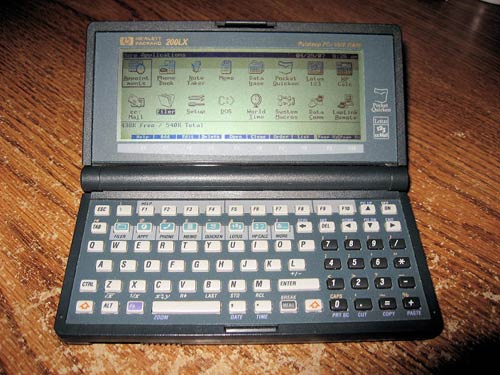
Since then, I have been on a quest to find the perfect replacement for my 200LX. It would preferably have a color screen, have the same form factor and easy-to-use chiclet keyboard. I found the IBM PC110 (imported from T-Zone in Japan), a 486 handheld that was not terribly stable. It was the first machine I ever had with a CF slot! I returned it after crash after crash. I embraced the Psion 5 and 5mx, but there were always connection issues with my desktop computers. I had several models of the Jornada clamshell series, the 660, 680 and 720, but all were larger than I really wanted, had a low screen resolution and the built-in web browser was worse than useless. I realized that only a fully Windows compatible system would serve. Why not the Zaurus? Because I don’t know Linux and I want a machine that will work out of the box, not one I have to tinker with to get to work. Then came the Flipstart, but after years as vaporware, I gave up on it. The Nokia 770 was nice, but it was slow and quite limited.
Then came the OQO Model 01+.
It was the ideal size, ran XP and seemed loaded enough to do the job. I bought it from Ebay and marveled at the engineering of the tiny device. My joy was short-lived, however. The screen was difficult to see, the battery life was dismal, the keyboard was unusable, the screen was mushy to the touch and not terribly accurate with the digital pen. I sold it on Ebay and the buyer apparently still enjoys its use today.
Then came January 7th, 2007.
This is the day when I opened up Engadget.com and saw that OQO had unveiled a new model at CES. There were video clips of this new wonder, and it took me days to mop the drool off my keyboard. They were available for preorder right away, and I ordered one, despite the promised 8-12 week wait time to receive it. I ordered it, and waited.
I called OQO to ask them when I would be billed for the unit, and they told me right away. I had gone with the Bill Me Later option, so I could pay off the not-inconsiderable bill over the course of a year. I promptly canceled my order on the basis of this information. No point in paying for a few months for a unit I didn’t even have yet! It turned out that this information was in error, and it was February 26th before I found out differently,. I placed a new order for the Best model (1 GB RAM, 60 GB 4200 RPM hard drive, XP Pro, no EVDO module) with the Road Warrior accessory pack (mesh cable bag, AC adapter, car/plane adapter, Stronghold metal case, extended battery, Bluetooth folding keyboard, portable USB mouse, which has still not shipped as of the time of this review), a digital pen, a spare pack of screen protectors and some spare mouse nubs. The unit shipped out after only 8 weeks and took five days to reach me due to a customs problem (the units ship from Singapore) and a weekend. I saw the Fedex truck pulling up to where I work and I ran downstairs to the main office faster than an Olympic sprinter. You should have seen the grin that cracked my face from side to side as I carried the tiny, unassuming box back up to my classroom.
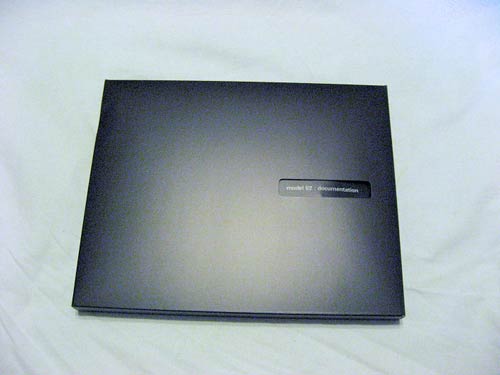
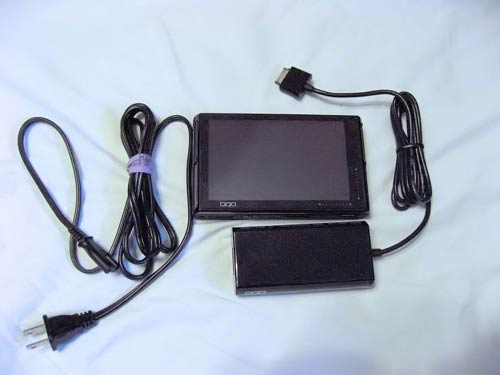
The box is a small one, black, sealed in plastic. Breaking the plastic reveals a lid that opens, disclosing the slick black OQO unit, protected in a swaddling of plastic. Lift up this top compartment, and you see the middle boxlet, which contains the AC adapter, power cable and a dongle that attaches to the docking port on the bottom of the OQO, and provides Ethernet, VGA and power. This dongle is really neat, because it swivels on its cable to adjust to any workable angle you want without putting undue stress on the cable connection to the dongle. It’s a very intelligent design, and just one example of the fine engineering that went into this package.
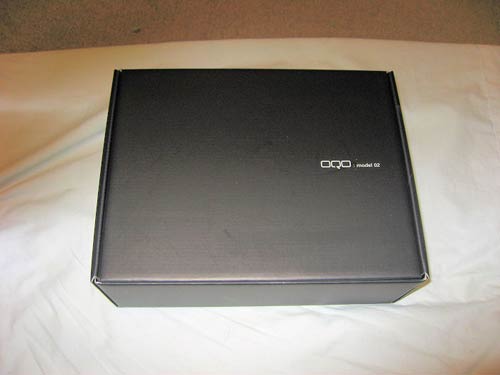
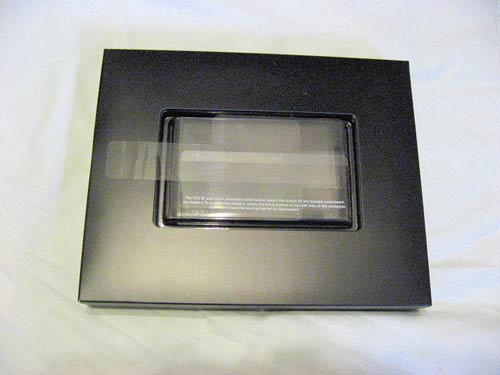
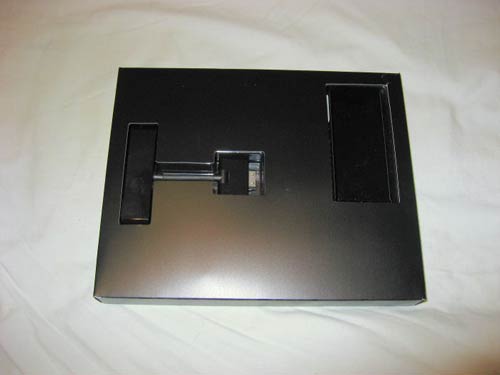
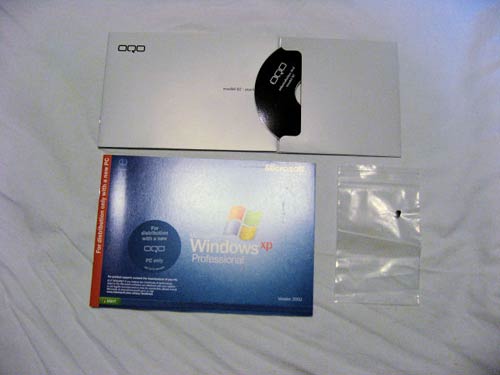
Underneath the accessory boxlet is the documentation boxlet. This has the sparse quick-start guide with a restore DVD safely ensconced in the rear of the booklet, a Windows XP certificate of authenticity and a spare mouse nubbin in a little ziplock bag.
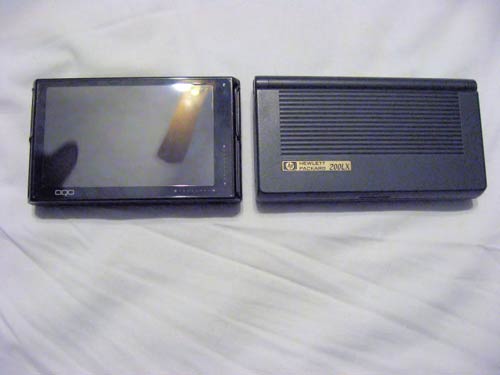
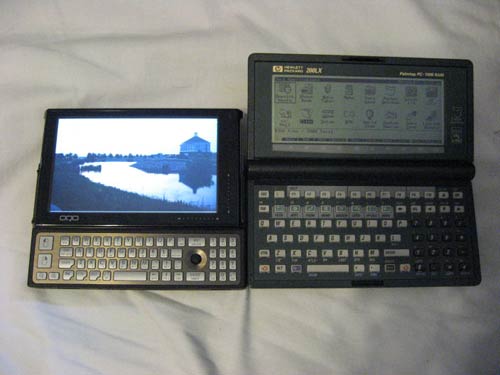
Now, to what you have all been waiting for, the tiny little marvel of cutting-edge design and engineering known as the OQO Model 02. It is a small, black brick, measuring 5.6″ long (curving outwards for the last third of an inch on both sides), 3.3″ wide and 1″ thick with the standard battery. The extended battery adds ¼” to the thickness. This is exactly the same as the HP 200LX, but half an inch SHORTER! It fits perfectly into the leather case that held my 200LX for 14 years. It weighs one pound, but it feels deceptively heavy for its size.
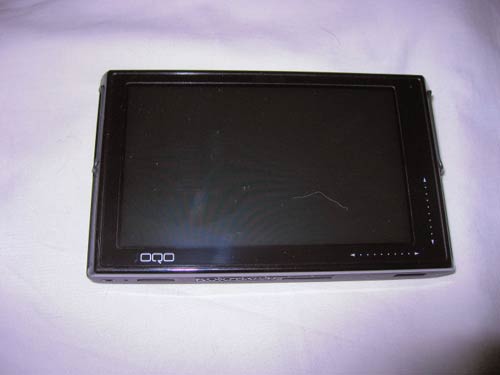
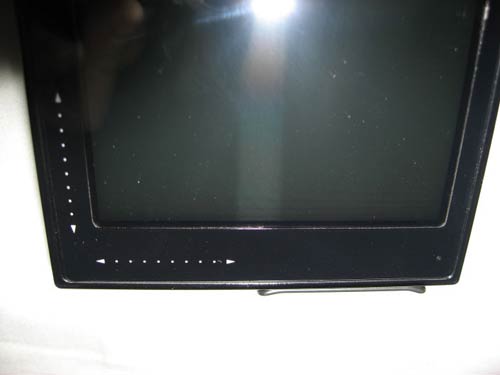
The screen bezel is made of black plastic (with metal on the back), and there is no more mush factor with the screen itself. The screen is solid. Not being a touch-screen, they really made it durable this time. The 02 comes with a screen protector installed. I had to squeeze one bubble out, and it has not returned. The protector covers the screen all the way out to the edge of the bezel, including the OQO logo on the lower left, the light sensor on the upper right and the capacitive touch scrollers on the lower right. It smudges easily, but it appears to be quite durable.
On the bottom of the unit, there is an HDMI port on the right, so you can connect it directly to an HDTV! Not MY HDTV, though. In their infinite wisdom, Samsung did not incorporate support for HD HDMI into the 24″ model I bought, despite the HDMI port.
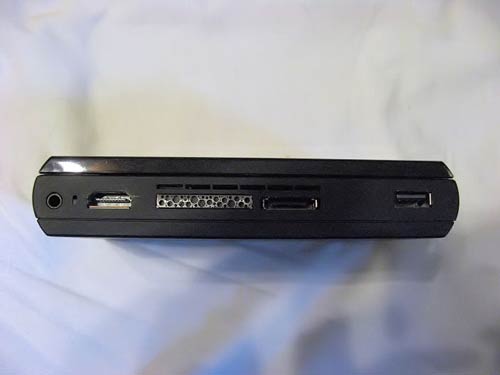
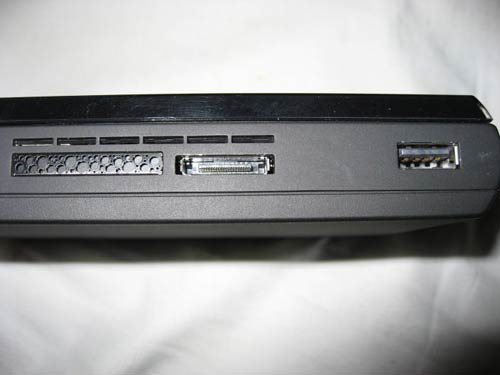
There is also a vent for the fan, the power/docking port and a single USB 2.0 port. It will drive a USB hub, so no worries there.
The right side is bare, except for a vent. Since I did not opt for the EVDO WWAN module (I have a Treo 700p with EVDO and PDANet), a solid piece of black plastic covers where the module and pull-out antenna would have been. It would have been nice for them to engineer a slot for storing the optional pen where the antenna would have gone, but they didn’t. If you get the unit with XP Tablet installed, you get a digital pen for free. But there is nowhere on the unit to stow it. This is one of only a few design flaws I found with this unit. There is also a metal wire that appears to be a guide for the sliding screen on the top side of the unit, there is an identical one on the other side. It would be interesting to find out if these wires double as the WiFi and Bluetooth antennas. In the Model 01+, the antennas stuck out to either side of the unit. If these are doubling as antennas, they are totally out of the way when holding the unit in two hands. In the WWAN units, there is an antenna that comes out of this side and then can be swiveled into an upright position for increased reception in poor coverage areas.
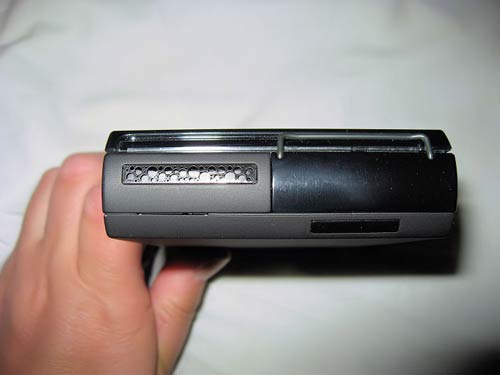
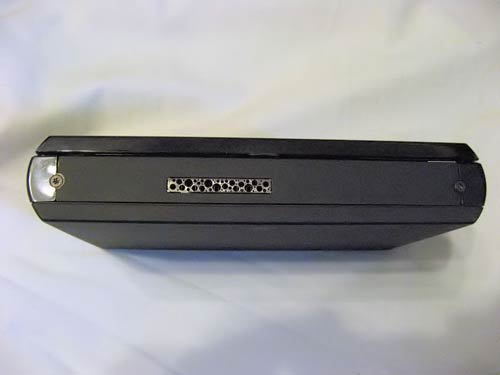
The top of the unit has one vent. This is one well-ventilated unit, and it runs a LOT cooler than the 01+ did. It still gets warm, and the fan can get pretty loud, but at least you can’t fry eggs on this one.
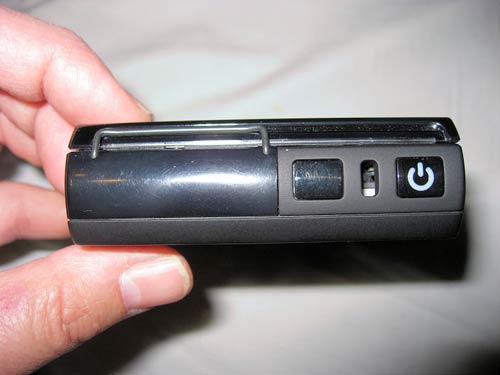
The left side is vent-free. It has the battery release button, a Kensington lock slot and the power button. Like the 01+, the power button glows white, and pulses white when the unit is in standby mode. I appreciate the Kensington lock slot, but I never let this leave my sight or side. I work in a high school, and this thing would disappear faster than a feather in a tornado if I turned my back on it for a second.
Now, about all those vents… There is a fan inside this unit that keeps the innards cool. You can adjust the fan to be louder (higher CPU performance) or quieter (slower CPU performance). I keep it in the middle, and after I installed all of my apps, I hardly ever hear the fan. It can get quite loud, but unless you are in a dead quiet room, you would likely not notice the noise. It sounds like a small hair dryer when it really gets going. It does do the job, though. While the unit can get warm with use, it is not the scorching brick of death that the 01+ was. The AC adapter also stays relatively cool. The 01+ adapter had a tendency to get hot, so this is a nice improvement.
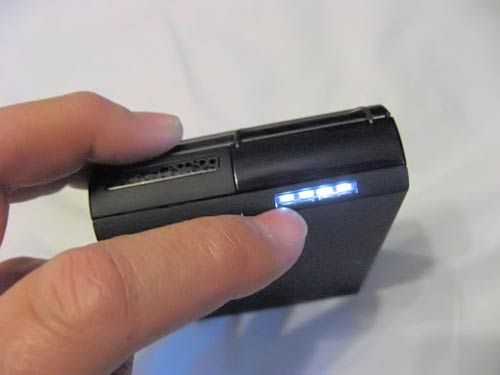
The battery attaches to the bottom of the unit. It is the entire bottom of the unit, and is released by the battery release button on the left side of the 02. There is a built-in battery gauge, a series of four rectangular white LEDs, While not as elegant as the tiny LED’s on the 01+’s battery, it gets the job done. When recharging, the lights go on, cycling up through the number of LED’s corresponding to the current charge. When the battery is full, it shows four LED’s, and then it shuts off. When in use, pushing the long rectangular button that houses the LED’s lights them up so you can see how much power is left. I love this feature on my Sony Handycam’s battery, and I don’t love it any less on the OQO. The standard battery is good for about 2.5 hours of real-world use, some browsing with Wifi on, keyboard backlight on, work in productivity apps. I recommend letting the battery charge overnight the first day you get it for optimum results. The extended battery should get you about five hours of continuous use, on average, and adds only 1/4″ to the thickness of the Model 02. As my extended battery has not yet arrived, I cannot give you real-world results on this.
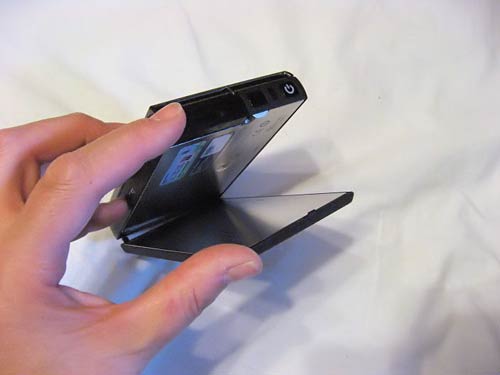
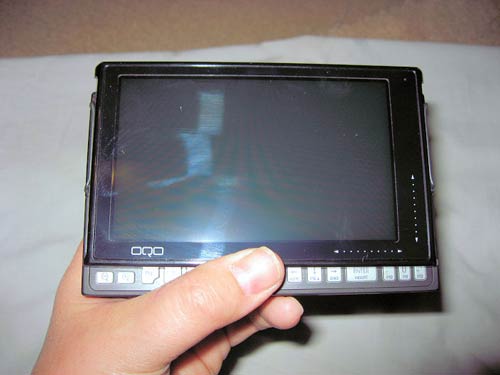
OK, now for the real fun. Slide open that screen. Push upwards with your thumbs on either side on the bottom. Feel the initial resistance and then it slides upwards smoothly and clicks into position. With the 01+, the screen would sometimes threaten to slide closed. No problem with that here. When it’s up, it stays up. There is no wiggle in the screen when the unit is shaken.
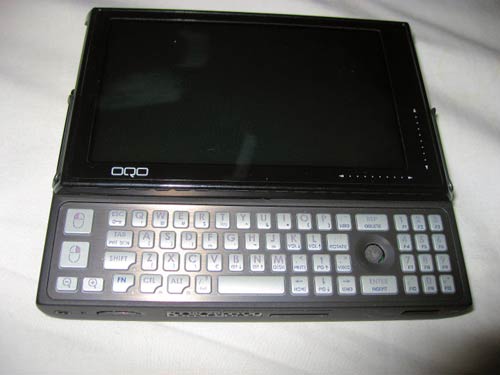
Oooh, look! A keyboard! And not a silly membrane job, but a real keyboard with real individual keys! They press easily, as they have slightly rounded tops, and they have tactile feedback!!! Just like the keyboard on my HP200LX, even a similar feel. The keys are a little wider top to bottom, and are closer together than on the 200LX, but look, there’s the dedicated numeric keypad! The layout is opposite of what you would find on a calculator or a desktop keyboard’s keypad, which is, in my opinion, design flaw number two. The number keys double as function keys F1-F12 with the help of the Fn button. There are -/_ and =/+ keys flanking the 0 key.
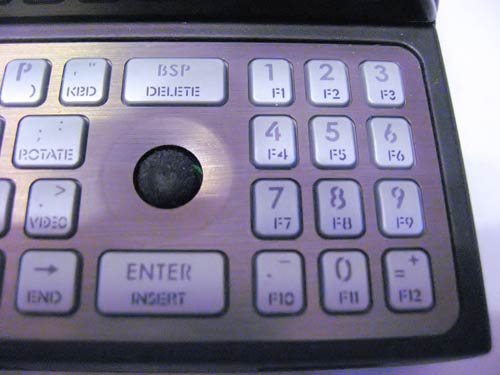
The mouse nubbin lies between the QWERTY pad and the numeric pad. Above it is the Backspace/Delete key and below it is the ENTER/Insert key. This keyboard will take a little getting used to, but it doesn’t take long! The mouse is very responsive and its action is tight. The cursor can tend to wander after you let the nubbin go, but no more than any other notebook with this style of mouse control. Just let the cursor slide until it’s done and happy, and then it’s no problem! The mouse buttons are on the left side and are large and the whole mouse control feels natural and easy.
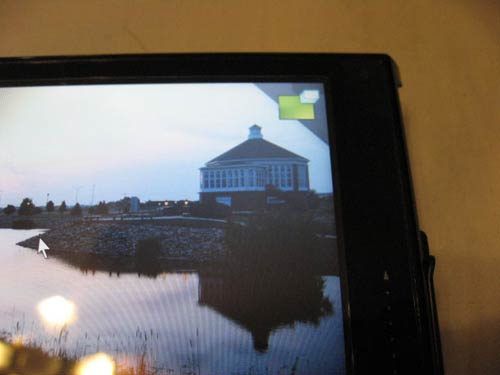
There are no Windows or Menu keys on this keyboard, but there are several specialty keys that help to make up for it. Fn+DESK takes the place of Windows + D in bringing up the desktop. While in DESK mode, there is a green rectangle in the upper right corner of the screen. Clicking on this will restore your open windows.
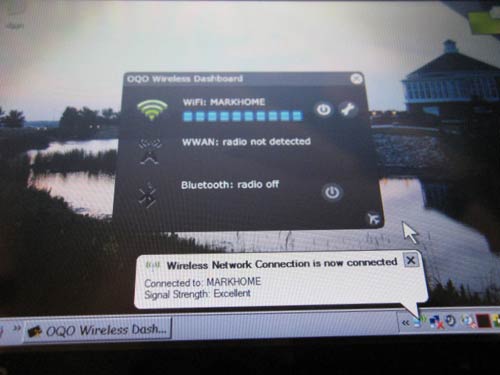
Fn+KEY brings up the Ctrl-Alt-Del Task Manager! Fn+((i)) brings up the OQO Wireless Control Panel. From here, you can power on or off your WiFi (a.b and g), Bluetooth or WWAN (if installed). You can also hit the little airplane icon to put the unit into flight mode!
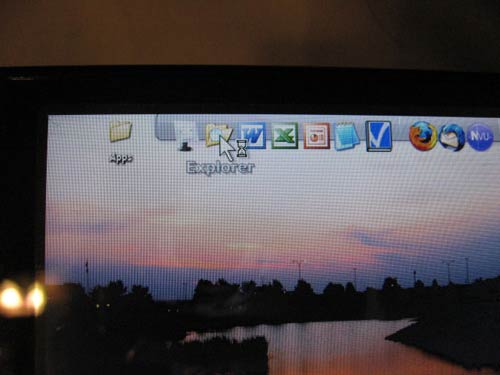
I am used to using Windows+E to bring up Windows Explorer, and you cannot do that on this model. I simply made a shortcut from C:/Windows/explorer.exe and pasted it into RocketDock. More about that nifty app later.
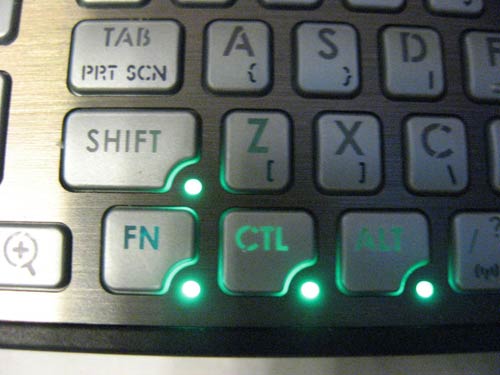
The Shift, Ctrl, Fn and Alt keys are all sticky. Press them once and a little green light lights up on the key’s lower right corner. You can then press the next button without having to hold down the previous button. There is no Caps Lock, so what you do is press SHIFT twice in rapid succession, and that locks the Caps.
Speaking of the keyboard, turn down the lights, and the keyboard backlighting comes on! The light sensor in the upper right corner detects when the light falls below a certain level (adjustable from the control panel) and turns the blue backlight on. The keys are labeled with letters that are nice and wide, so reading the backlit keys is VERY easy. Beats the heck out of my Treo 700p’s backlit keyboard. The Treo’s might be brighter, but the OQO’s delineates each character clearly, even the Fn-activated characters and functions! You can also turn the backlight on and off manually using Fn+KBD. This is one area where OQO really came through over the 01+. They took the keyboard from useless to perfect in one model iteration.
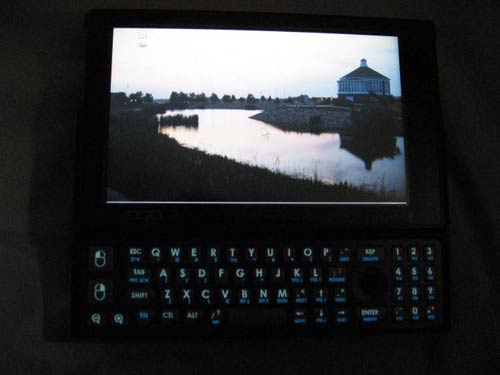
Now, push that power button on the lower left side and watch the machine boot up. The first thing you see is “OQO” on the screen and it doesn’t look real. It is so crisp and clear that you might think you are looking at a silkscreened logo instead of a tiny LCD screen. The 02 boots up quite fast. Much faster than my Fujitsu P1510D! Before long, you are greeted by your typical XP screen. But MUCH smaller! I customized my screen to use a theme I put together a few years ago, based on the Classic Windows theme. No matter what you decide to make your theme, it will look great on this bright, clear and crisp display. Bright? BLINDING. The 01+ was dull, dim and dismal. The 02’s screen is brighter than my P1510D’s screen, which is pretty bright! It has the best screen I have ever seen on a laptop. At first, one of the pixels was stuck (visible in gray areas as I installed software), but the pixel unstuck and now the screen is perfect all the way across. There is a brightness control on the keyboard using an Fn key combination. Even turned down to half brightness, it is still more brilliant than the 01+ screen. It is a transflective screen, so it is visible in bright areas, but washes out in direct sunlight. I blame this mostly on the glossy screen protector they use. Perhaps someone can make a matte screen protector for the 02?
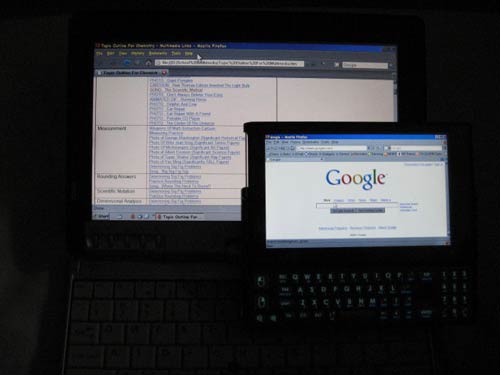
Compared to the Fujitsu P1510D at full brightness for both machines:
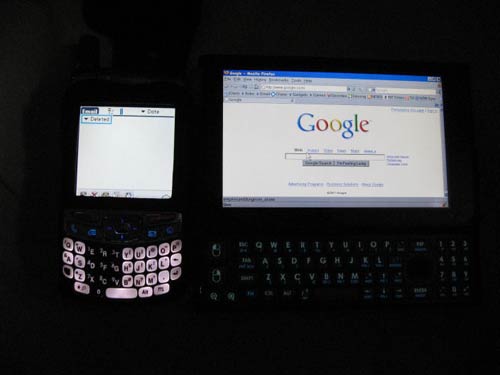
Compared to the Palm Treo 700p, both at full brightness:
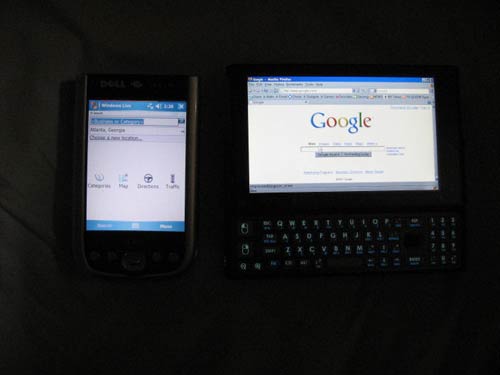
Compared to the Dell Axim x51v, both at full brightness:
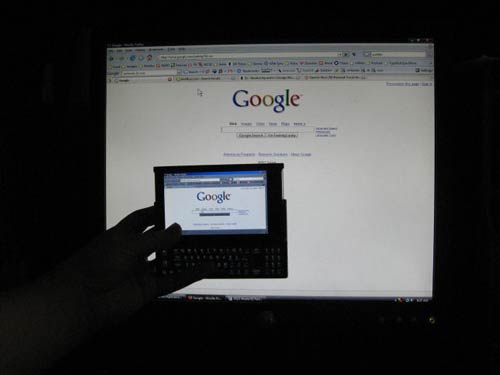
Compared to my Dell desktop 19″ LCD monitor:
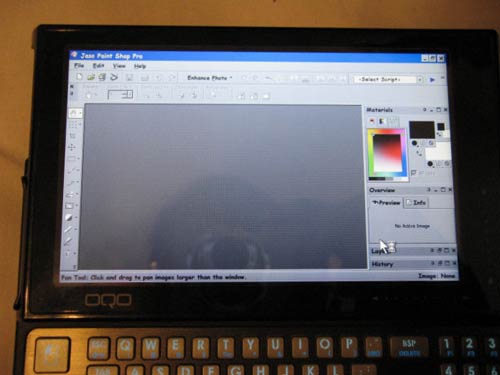
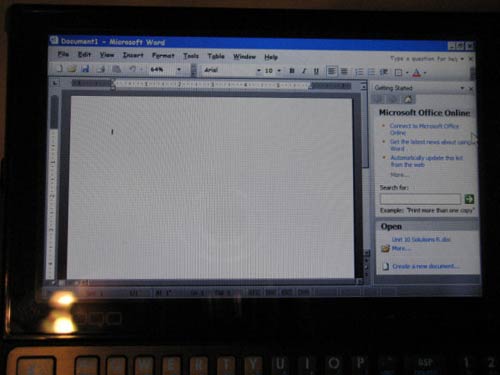
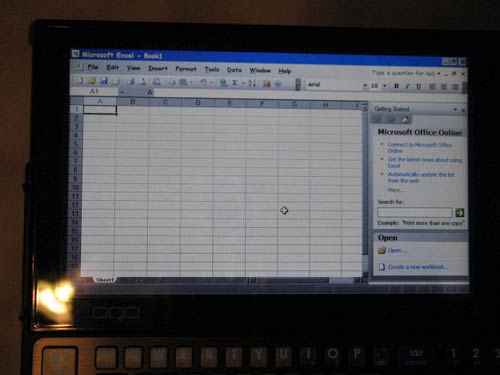
OK, now it’s time to load up on apps. I used an external DVD drive, which the OQO recognized instantly. I installed all of the apps I wanted to use, and then came the moment of truth. How long would it take to start a program? Actually, programs start right up. The 1.5 GHz VIA processor may be rated as being slower than the 1.2 GHz Pentium D on my P1510D, but the OQO is actually more responsive in opening programs. Powerpoint opened immediately. Word opened quickly. The slowest apps to open were Paint Shop Pro and Firefox, and even they opened up faster than they did on my P1510D.
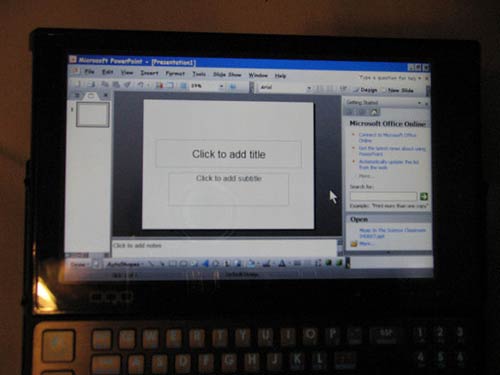
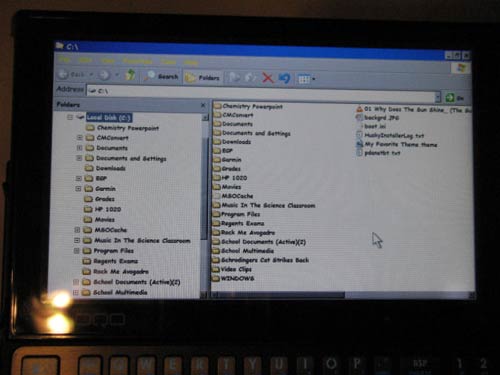
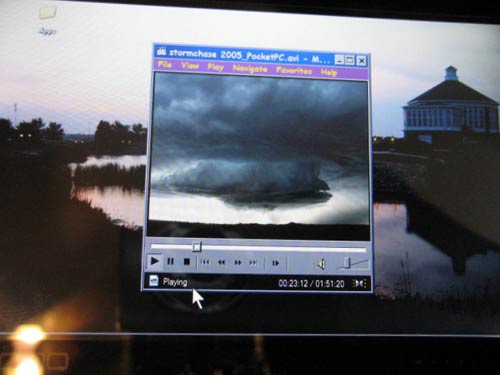
I keep a repository of hundreds of multimedia files that I put together for my chemistry classes, and organized them into an HTML file for easy browsing. I installed RealPlayer Alternative and Quicktime Alternative, both of which open their respective files in Media Player Classic. Since this program has a lot less memory overhead than the players it was designed to replace, video clips open very quickly and play stutter-free. In Powerpoint, embedded video plays smoothly. I used my 02 to give a presentation to an educational conference, and it played the video and music files stutter-free.
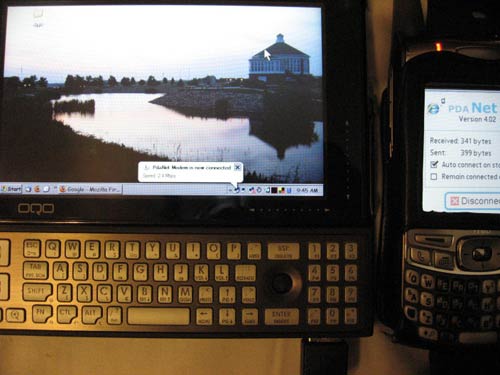
How about internet? I am running Firefox with the Littlefox theme. This makes the menus and toolbars smaller, increasing your browsing real estate. The scroll bars work well to go up and down your web page, although there is the occasional lag. This does not significantly impact your browsing experience. To further enhance the speed of this unit, I installed RealPlayer Alternative and Quicktime Alternative, which use Media Player Classic to play video clips and avoid the overhead of Quicktime and Real Player. Video clips open almost instantly and play very smoothly. I have over a hundred clips I culled from online sources to show my chemistry students, and the OQO 02 handles them all with no trouble at all! I connect using my 802.11.g router at home, and the speed is just as fast as with my Fujitsu P1510D on the same router. On the road, I connect to the web using PDANet with my Treo 700p on a USB cable connection. It is very fast!
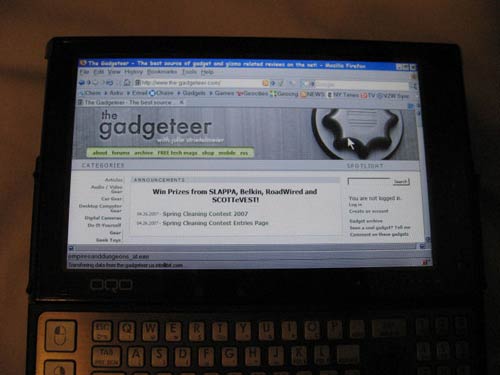
The battery attaches to the bottom of the unit. It is the entire bottom of the unit, and is released by the battery release button on the left side of the 02. I cannot speak to the double-capacity battery, as OQO is not shipping the accessory packs yet, as of the writing of this review (despite an email that it had already shipped).
Other applications that make using the OQO 02 a joy:
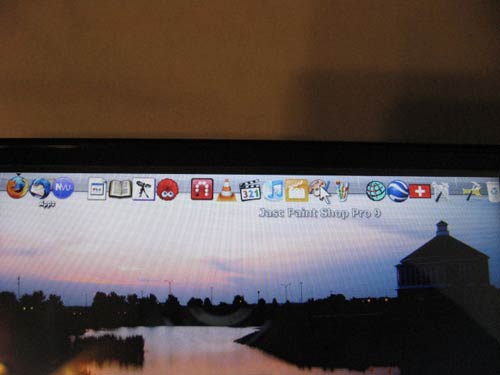
1) RocketDock: places a app launcher bar anywhere on the screen, it is highly customizable and designed to emulate the Mac OS X launcher bar. I do not use the Start button at all!
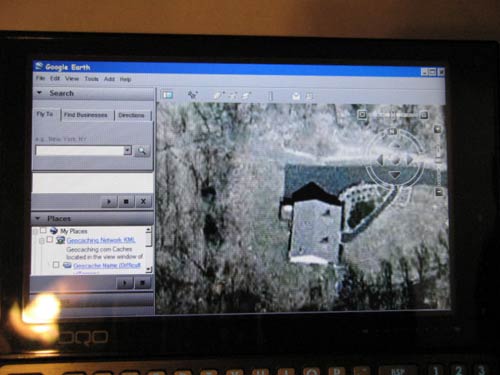
2) Google Earth: Actually works on the 02! Best results when zoomed out to 1000X600 resolution. Very responsive using OpenGL rendering. ActiveX rendering gives flickering images. Not pretty! That’s my house!
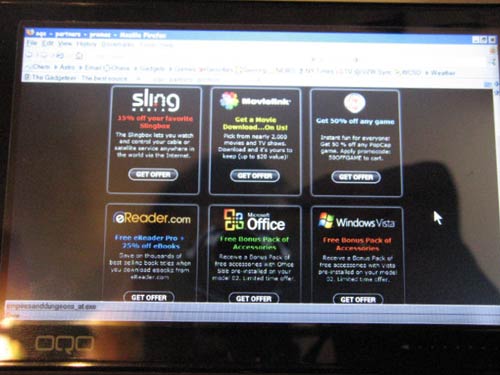
3) Candy: The 02 comes with an icon labeled “Candy”. Double-click it and you are brought to a partner’s page with special offers for 15% off the price of any Slingbox or accessory, special accessories for those who ordered with Vista, 50% off the price of any Popcap game (I have Chuzzle installed), free Ereader Pro for Windows, and some other special offers! A nice bonus from OQO!
4) Nvu: an open-source WYSIWYG HTML editor that I use to maintain my website. Very simple and not a lot of overhead to bog the system down.
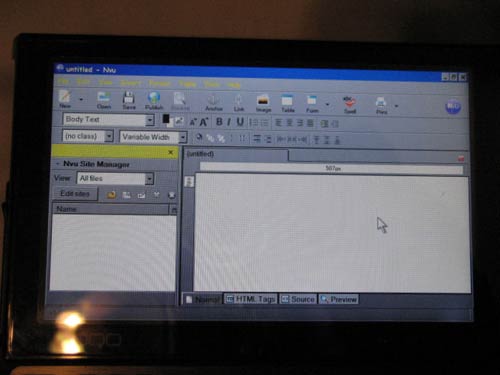
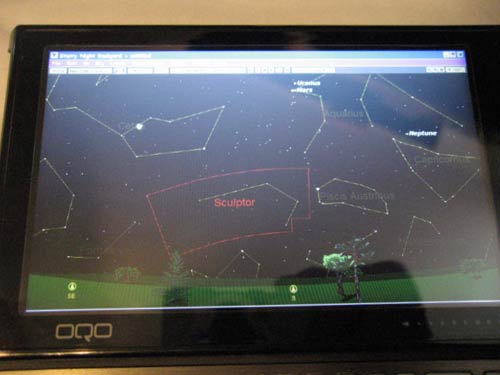
5) Starry Night: What a great portable night-time reference guide for amateur astronomers! The OQO 02 would make an excellent accessory for anyone who does digital photography with their telescope, or wants to do computer control of a telescope with that capability.
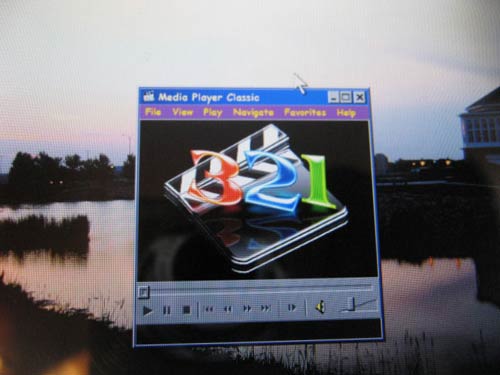
6) Media Player Classic: A nice, small open-source audio and video player. It works great in XP! I recommend downloading the XP Codec Pack to make sure you are covered. It plays my AVI video clips with aplomb!
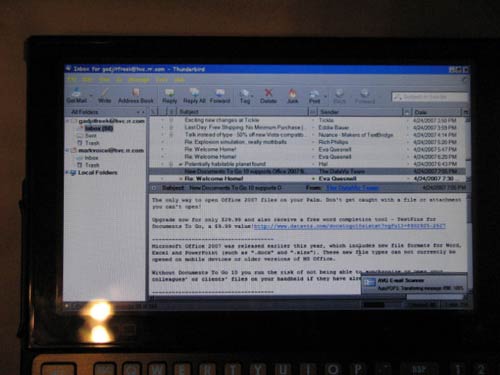
7) Thunderbird: a great complement to Firefox, I use this instead of Outlook for my email.
8) GSAK: Geocaching Swiss Army Knife. It allows me to collect geocache waypoints from geocaching.com and upload them to my handheld GPS! Perfect for geocaching while on vacation!
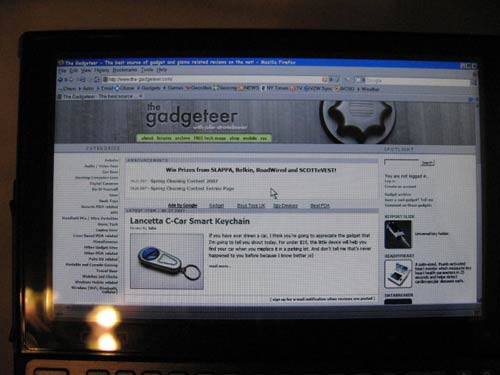
Don’t like the cramped screen real estate? Change it! You can use the (+) and (-) magnification buttons to change the resolution from 800X480 to 1000X600 or 1200 X 800. These higher resolutions are interpolated. The characters have some artifacting at these higher resolutions, but at 1000X600, text is still very readable.
Zoomed in, you can use the mouse and the screen will move to where you want it to, so you have use of the whole screen. I never use it in this mode, but someone who is having trouble seeing tiny characters might find this useful.
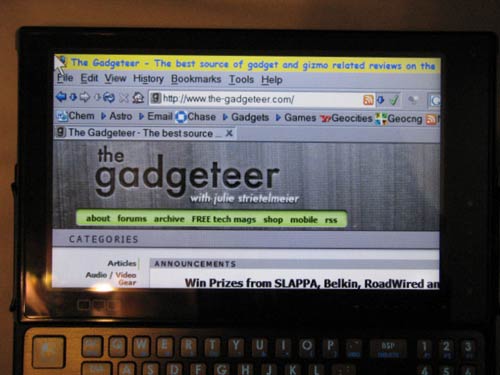
At normal 800X400 resolution:
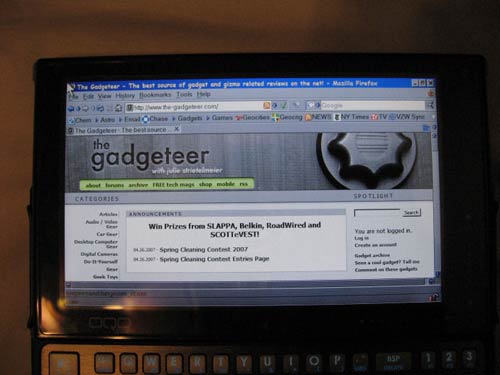
At 1000X600 interpolated resolution:
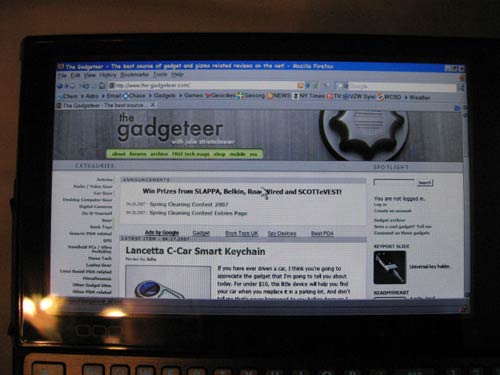
At 1200X 800 interpolated resolution:
I was going to review the unit with accessories, such as the double capacity battery, Bluetooth keyboard and car adapter, but OQO has dropped the ball pretty badly with their communicating delays to customers. They have also had some quality control issues with their manufacturers. There has been a lot of talk about defective docking stations, batteries that don’t fit properly, scuffed and scratched units right out of the box. My own unit had a couple of tiny scuffs on one side when I first got it. I believe that OQO should not have released this machine for order until they were sure they could actually deliver a product in a timely fashion. They have been good about taking care of problems, but they have not been terribly forthcoming about expected ship dates for units running Vista or for the accessory kit packages. This has been the one down side of this unit. I hope that it will not remain so for long, or OQO will lose their customer base on an already niche product despite their innovative and exceptional handtops.
So what am I using this OQO Model 02 for? Well, while it is possible to do document creation with this unit, especially if you have a Bluetooth keyboard, it is primarily an information storage and retrieval device. I can keep my lessons on hand at all times, the multimedia files I show my students, copies of every Regents exam in PDF format, MSDS data for hundreds of chemicals, web browsing, email, basic photo editing and storage while on the road, basic video editing and storage while on the road, storing audiobooks, maps, backing up my Treo phone, uploading waypoints to my GPS, reading a book, playing a simple puzzle game, as an astronomy reference, a geocaching tool…and the list goes on. The vast majority of my time on the computer is not spent in document creation. The OQO is perfect for making changes to existing documents and as a repository for your entire information library, on the go, at all times. The fact that it goes into and comes out of standby almost instantly and uses almost no battery power while in standby mode makes it every bit as useful as a PDA for on-the-spur-of-the-moment use. I would recommend getting the extended battery to stretch your use of this highly portable device.
The OQO Model 02 can be many different things to many different people. To me, it fits the purpose I bought it for perfectly. I rate this tiny marvel a 9.8 out of 10. How you like it will depend on your preconceptions of what it is. It is not a desktop replacement. It is not really a laptop replacement, though I will be using it in place of my P1510D for my school work. It is a solid, zippy, pocketable way to take your computer with you anywhere you might want to go.
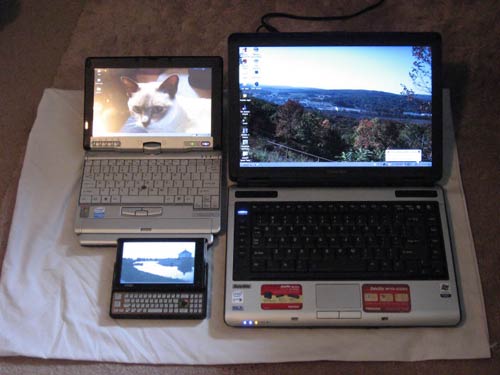
Size comparison: OQO 02 (5″ screen), Fujitsu P1510D (8.9″ screen) and Toshiba M115 (14.1″ screen)
Price: $1499 (XP Home, 512 MB RAM, 30 GB HD, 1.2 GHz VIA processor)
$1699 (XP Pro, 512 MB RAM, 60 GB HD, 1.5 GHz VIA processor)
$1849 (XP Pro or Vista Business, 1 GB RAM, 60 GB HD, 1.5 GHz VIA processor), as reviewed.
Product Information
| Price: | |
| Manufacturer: | OQO |
| Retailer: | OQO |
| Pros: |
|
| Cons: |
|

Gadgeteer Comment Policy - Please read before commenting
Post your comments here on the OQO Model 02 Ultra Personal Computer Review.
http://www.the-gadgeteer.com/reviews/oqo_model_02_ultra_personal_computer
Just click the POST REPLY button on this page.
thanks for the trip down memory lane with the HP200LX. I still have 2 of them. They were the best! Nothing since from HP has come close.
I think I’ll stay with my Palm TX; it does much of what the OQO does and has a card slot…
How does the battery life compare to the “dismal” OQO Model 01?
I never got more than 1.5 hours out of the 01+…and the 02 can go for about 2.5 hours on a charge. It’s not great, battery technology has lagged significantly behind the rest of computer technology, but with the extended battery, that should really help.
Mark
How do you think the font (screen) view is as compared with the Sony VGN UX
i had a terrible time seeing the tiny words on just about any screen with the Sony also my fear in buying an OQO. (50 year old eyes)
Is the difference quantifiable different (e.g. 10% – 30% 50% ??) better. Sadly they only way to know is to order as I am sure no stores will have them to look at.
Kevinw:
I’m sure Mark will respond too, but I wanted to offer my 2 cents… I was very impressed by the upgrade in screen clarity that this new OQO has over the original model. Much much brighter and clearer. 🙂
The 02 is both easier to read and easier to control than the UX. I played with a UX in the local CompUSA, and while the screen is sharp, I can see where people would have a hard time reading it. The UX’s screen is 4.5″ and has native 1024X600 resolution. The OQO is a 5″ screen, and has 800X480 resolution. It is much more readable.
here is y i picked Sony ux280p over Oqo 2:
sony resolution is 1024×600 VS 800×400 on oqo2 (yak!),
higher resolution on sony means LESS SCROLLING! if 1024×600 text is too small for u to see, there is also a 800×600 mode on sony!
another thing oqo turns me off is NO TOUCHSCREEN!, it has digital screen but not every accurate with digital pen.
if u dont have a digital pen, your thumb will get tired from keep moving that mouse stick!
on sony, u use your stylus just like on a pda(phone)!
the 1 thing i like about oqo 2 is the design over sony.
Actually, the interpolated 1000X600 resolution on the OQO is outstanding. And as far as scrolling is concerned, the capacitive touch scrollers on the OQO are phenomenal. In addition, I have found that the pen is unnecessary, as the mouse is so precise and easy to use, it is more of a pain to use the pen than not!
Also…the Sony machine is bulkier, has poor battery life, and its extended battery only adds to the bulk. The OQO’s extended battery doesn’t add much of anything to the bulk.
I got so frustrated waiting for my 02 to arrive, I nearly canceled the order and got the UX280, despite these shortcomings. I am very glad now that I did not.
Mark
Does anyone have the tablet version of the OQO 02?
I’m looking to replace mt tc1100 with this as my portable sketchbook, but so far I have yet to see a review of the tablet version.
I’d love to know how apps like ArtRage work at the interpolated higher resolutions.
I installed Artrage 2 and played around with it for a while…you don’t need Tablet PC to use it. All you need is a Wacom pen. It works fine at all modes. One advantage of the digital pen over the digitizer is that it does not matter what the screen resolution is, the pen is automatically calibrated. I have a problem on my P1510D…when I change resolutions, it throws the calibration so far off that the pen is unusable. Not so with the OQO.
Yeah, I have no use for a passive screen (touch screen), I need active digitizer only. Pressure sensitivity is the only way to go for art.
By Tablet PC I mean that the photos you used show a standard XP Pro disk, not the tablet edition, so I’m assuming you can’t use all the great ink options on the OQO.
Are you saying that even with XP Pro on the OQO, you can use the wacom pen on the screen?
That is EXACTLY what I am saying. You have to pay extra for the pen unless you order with Tablet, but the pen works just fine with XP Pro. You won’t have use of all of the tablet features, such as out-of-the-box HWR, but the pen itself works just fine! And Artrage recognizes it and acts accordingly.
Mark
Excellent!
Could you possibly post a screenshot of what artrage looks like in both portrait and landscape modes with the default res?
I’m wondering how much space you can eek out at that low res.
Ya know, I have not even tried portrait mode yet! I have to figure out how to get to it. I have the unit set to go to standby when I slide my screen back to closed.
I’m pretty sure the rotate key is on the keyboard next to the “L”.
Any chance a head – to – head could be done with the Fujitsu P1610?
I don’t own a P1610…just the 1510D. The OQO is faster in pretty much ever respect in the applications I use than then 1510D.
Between the OQO 02 and sony ux, which has the better screen for use outside especially in sunlight please?
I have only ever seen the UX in a store, so I cannot speak to its outdoor quality. The OQO is great in a car, as long as it is not catching the glare of direct sunlight. Apart from my Garmin GPS screens, the OQO has the best outdoor-readable screen of any device I have ever owned. The only thing that renders it unreadable is direct sunlight…which is one area where the Garmin units shine.
Mark
Many thanks for your ultra fast reply!
Hey, I got no life! 🙂 Actually, I get up at 4:20 every morning and I got your question just before heading down to ride my bike! 🙂
Mark
Does the OQO have a mic or line in jack? Have you seen any belt holsters? Everything I’ve seen says image not available….
There is a belt holster in the works, but OQO has been having trouble getting some of the accessories for the 02. As of now, the Stronghold case, the belt clip case and the air/auto adapter are still holding things up, on more or less indefinite backorder. And here it is, five months after the supposed release of the 02. The jack is a combo line-in/out jack. It is not amplified enough to make use of a wired headset (for doing voice recognition, for example) as it is, but people have been having good luck hooking up a USB microphone to do the trick.
Not sure what you mean by “everything I’ve seen says image not available”…do you mean on this review, or just on when you search for the accessories?
Mark
Hi Mark,
Great review.
Could you note whether there is an alternative keyboard shortcut for Ctrl + C/V.
I do a lot of doc editing especially cut and paste and would really like to know how the Oqo2 handles such keyboard short cuts.
Could you also comment on how clearly PDF doc’s are rendered on the screen. I currently use an Orange M5000 WM5 device and pdf’s are rendered almost unreadable with out excessive (imho) scolling.
I’m considering purchasing an OQO2 for daily use were I would use it for data input in to a propriety database.
Note taking using the keyboard.
Basic doc editing
Carrying around my legal ref PDF doc’s (just in case a client has a tricky question).
Playing games while waiting around for clients/meetings, late trains etc
Surfing the net
Firing off quick e-mails
GPS navigation
Watching movies/listening to music during (infrequent) quiet periods.
Generally the size of the device (just slightly larger than the Orange M5000 WM5 ppc) and of course the style is my main reason for going with the Oqo2 over say a Samsung Q1.
The great thing about the Ctrl, Alt, Shift and Fn keys is that if you hit them twice, they become sticky…so pasting a single item multiple times requires you to double-tap Ctrl, then press V when you want to paste the object. They stay sticky until you press them once more to deactivate them. PDF’s look just fine on it. I am still waiting on the extended battery, which is the one accessory that turns the OQO into a truly all-the-time mobile device.
I found a great carrying case for it at Staples. It’s a Case Logic hard drive case, and I strap the OQO into the lower half with the elastic band, put a thin section of neoprene mousepad over it (I use that as a base for the unit when sitting it on my classroom lab bench), then the top half has a thick section of mousepad stuffed into the little mesh pocket there. It works like a charm!
http://www.caselogic.com/compact_portable_hard_drive_case/product_detail/index.cfm?modelid=80400
GREAT review. can you comment on:
1.The Screen readability native view and the KEYBOARD? vs. say a regular Motion tablet LS800 ..smallest in the tablet pc class close to it.
2. How do SKYPE (on sprint EVDO) and dragon N.speaking work?
3. Is the via processor not slow? with lots of people opting for the intel platform, there must be some reason for it?
4. Between Win Tablet PC edition and Vista which would you recommend for the oqo and why?
5.How good is writing? i intend to use it mostly for taking and keeping notes in ink format. along with voice notes.
6.is the DVD/the docking station really needed? cant one install apps from a external HDD?
Since I don’t own said tablet, all I can do is comment on how it compares to the Fujitsu P1510D, a 2.2 pound mininote/tablet PC. The screen is brighter on the OQO. Obviously typing will be better on any machine with a larger keyboard, but I don’t use the OQO for document creation. I use it for document editing and reference. The OQO’s screen is fantastic. There simply are no other words to describe it. I am very glad that it is not a higher resolution natively. Since getting it, I hardly ever have a reason to up the resolution.
No idea. I have not installed Dragon, and I have never done SKYPE and I got this model with no EVDO module, since I have a Treo 700p that I connect via PDANet. I do know (from http://www.oqotalk.com) that standard external microphones do not work with the 02…it’s a line in/out, not a mic in port. There have been many reports of success with a USB microphone or a regular mic connected to a small USB sound card dongle. I have DNSP9, but have not installed it as of yet.
It is not a blazing fast performer like my dual-core Athlon desktop, but the 1 GB RAM helps overcome a lot of performance issues. It is not a machine for hard-core computing. Stick with apps like Office, email, web and other reference software, and it performs like a champ. Start loading major processor-intensive stuff, and you will see the VIA processor’s Achilles Heel.
Vista edition is not yet shipping. And unless you intend to actually use the 02 AS a tablet PC (which is not how I use it), XP Pro will be just fine. The least amount of overhead necessary. Once OQO gets the kinks out of running Vista, I would recommend it over Tablet. Why? Because Vista has the Tablet features built into it already, and costs nothing extra. It will cost you an extra $100 just to have Tablet installed instead. True, you also get a free Wacom pen, but you can just buy the pen from them for $29 and save yourself some dosh.
I have not tested those capabilities. At the time of the review, I had not yet gotten the pen, and since getting the pen, I find myself never using it. The mouse is actually fantastic on this thing. As for voice notes, remember the limitations stated above.
No, the dock is not really needed. I built myself a dock made of Legos with a 4-port USB hub built in that I have been using. I did manage to get a dock for free (arrives today), as I had an 01+ and qualified for their customer loyalty program, so I will post here my observations of life with the dock. Would I have bought it if I hadn’t gotten it for free? We’ll see. I installed everything from SB memory sticks and an external USB CD-ROM drive.
Mark
thanks Mike.
would you terribly mind checking out Skype, Pen inking (yes i intend to use it by and large as a tablet), and DNSP please and telling us how they perform?
as regards voice notes, r u saying it does not have an in built mic at all? thats not possible if it supports Vistas voice recog.
i have a friend in oqo who would be happy to ship a vista version.
rgds the screen, im sure it is brighter but isnt the font too small to read as compared to the fujitsu u have?
Who the heck is MIKE???
I do not have Vista or Tablet PC, so I cannot speak to the inking capabilities, and I am not going to get started with the whole Skype thing. I just installed Dragon 9 Pref and will try it out tomorrow. It seems to work OK with the built-in mic, but I need to do a more rigorous test.
It does have a built-in mic. What it does not have is an amplified microphone input jack. I am not exactly sure what kind of results I will get with the built-in mic with the fan going, but I will have a chance to play with it.
Many people would be very envious of that.
Not really. The font is smaller, but the screen is brighter and crisper, so I have no trouble at all reading it. I have found hardly any situation where I need to magnify or go to higher resolutions, the native resolution works for pretty much any job I want my 02 to do!
I got my complimentary DVD+/-RW drive docking station today…it’s a gorgeous piece of work.
Mark (not Mike). 🙂
my apologies mark.i was chatting on IM with a coworker Mike and by mistake typed his name.
would love to hear whatever feedback u can give on which ever of the three. thanks.
My regards to Mike, then! 🙂 I will post here about my experience with Dragon. I hope it works well…I am going to use it for on-the-road voice notes while storm chasing in another month. I hope the extended battery gets here by then.
Mark
thanks! i just hope i didnt call him by some other name!
btw im curious why arent u using the oqo for skype?wouldnt that be very convenient for free inside US calling?
im also worried because of the various posts about problems with inking.
Just not interested in it. My calling plan gives me unlimited long distance for not much money, and if I make two hours’ worth of calls in a month, it’s a lot. I have heard about strange vectoring problems in XP Tablet (see oqotalk.com), but I have no way of testing that. Like I said, this machine works perfectly (for me, anyway) without the tablet feature. If Dragon works well, then it will be even better! 🙂
Just got an email that my accessory pack has shipped. I am officially STOKED!!!
OK, I have used Dragon for the first time on the OQO 02, and even with the fan noise, the built-in microphone was able to render exceptionally accurate transcribing. I needed to put in some objective statements in the lesson packets I give my students, and I was able to accomplish this in no time at all. There is, of course, a pause between saying and it appearing on the screen, but that gives me time to carefully think out my next sentence. I can see using Dragon instead of the keyboard for most document creation from now on. Makes me doubly glad I got the 1 GB model…don’t know how well it would have performed with the 512 MB model.
thats great..whats the setting of the fan?
when u get Vista u must try the voice commands! not sure if XP has them?
My fan control is set in the middle between performance and quieter. As for Vista…it won’t be getting its mitts on MY OQO. 🙂 XP works beautifully on it, no need to tempt the fates!
I have Vista on my home machine…a dual-core Gateway with 3 GB RAM. I haven’t tried out voice on that machine yet, but I really should.
Mark
interesting u should say this..there are others who claim vista DESPITE its humunguous size helps in two ways: it remembers and saves memory etc due that new whatever function it has and vectoring stops happening!
Yes, that is true that the vectoring stops happening…if you actually get Vista installed on the machine. I have heard nightmare stories of machines going belly up after “upgrading”. Since I don’t use the pen on my 02, vectoring is not an issue. The aggravation that upgrading a machine to an OS that has had known issues with the VIA chipset and so many other drivers really drives me to keep XP Pro on mine. I LIKE XP. Call me crazy (some have made that accusation), but XP serves me just fine. Except on my last Dell desktop, which would give me screaming BSOD’s every thirty seconds. Each one had a different message, so I was never able to pin down the problem.
I am really enjoying this 02. The speech recognition is amazing with the built-in mic, assuming you have a pretty quiet place to operate. This would not include while on hall duty with a chatty colleague. 🙂
Mark
thanks. when you get a chance can you try voice recording a message for say 2-3 min and emailing it? or SMSing it (if you have a phone app). i have carpals and dont want to use the keyboard much and thus this request.
2.likewise can u try scriblling a say post it or a journal note of say 3-4 sentences and emailing it?
3. is it possible to directly write inside Outlook with it in Ink? i know u dont have it but can u take a guess?
thanks
Where would I email it to? And as far as the inking is concerned, I have XP Pro, not Tablet or Vista! No inking applications, no Tablet-specific functions. I cannot hazard a guess on something which I would have no basis for knowing. As a science teacher I always stress with my students that a hypothesis must be based on established fact. If you don’t know the facts, then a hypothesis is pointless. You might want to saunter over to oqotalk.com and ask some of these ink-related questions of the diverse group there. You will get a lot more people, many of whom can really give you a hand with your specific situation.
Mark
u can mail it to yourself. no one at oqotalk seems to have answers nor is anyone as quick in responsing as u r.
Well, I have no life. 🙂 Actually, I do…just spent the day outside staining the deck. Looks GOOD now!
The 02 will be on TV with me on Monday, as I present Regents Review Live – Chemistry from 4:30 to 6:00. If you live in the New York area, check your local listings!
Mark
live in DC!
OK, I got my Road Warrior accessory pack (sans Air/Auto Adapter and Stronghold Case). The double capacity battery is double the thickness of the original and boosts the battery life, though not by as much as I had hoped. It IS enough to get me through a day at work without recharging. That might change once I use it to drive the new Smartboard they installed in my classroom yesterday. I’ll know for sure today. I also don’t see myself using the external bluetooth keyboard…Dragon 9 works GREAT with the 02. It just gets faster and faster to use as it gets used to my speech. I have been doing all of my writing on the 02 using Dragon 9 and I am NOT disappointed in the least. It was nice to get a second power supply with the pack. The mesh bag is really too small to be useful, and the tiny retractable USB mouse is cute, but I don’t see myself using the OQO in desktop-like configuration often. Since I ordered the unit, my idea of what it is has changed, especially given the last two weeks of playing with it. It has utterly replaced my laptop.
I am really looking forward to getting my hands on that Stronghold case…
Mark
As a tablet PC user (toshiba), with XP Tablet PC, I have been looking at the OQO, and this model 02 looks like what can replace my tablet, and the reveiw that generated this thread was FANTASTIC
I have some questions on the pen, if you can test htis out.
Apparently the screen can be in a PAN mode, eitehr standalone (I think), or when attached to an external monitor (1900 x 1200 monitor, external, then the OQO turns into a VIRTUAL 1900 x 1200 screeen also, but you pan around with the 800 x 640 screen)
I am interested in whether the PEN works correctly across the panned screen, and how hte pen generates panning of the screen (moving to a curently unviewed area of the virtual screen)
also, what does the pen do when you interpoolate the screen to more-pixel standalone resolution (the 1000 x 640, or wheatever the next higher resolution is) – does the pen still work corectly?
I use my current tablet in a medical office, and have an on-screen keyboard (click-n-type), which is scalable, can be much smaller than the default microsoft pen-onscreen-keyboard. It is FANTASTIC to type with, and also to write with.
does the OQO come with microsoft One-Note also (a journaling system)
I apprecaite any feedback, and do appreciate the review that was done.
thanks
Nick
I will have to test this out. I never use the pen. I think One Note comes with the Tablet and Vista versions, but not with XP Pro. Dragon NaturallySpeaking 9 has made this an even more amazing machine. I don’t hardly use the keyboard, and the mouse is excellent. The 01+ was intriguing, but ultimately useless. The 02 is the living embodiment of my ultimate ultraportable. I was using it today to enter grades on papers I had just graded, and I was struck all over again how tiny and beautiful the 02 is.
Mark
thanks for reply.
i’m interested in what it does. (pen)
ALSO, what is version of dragon that you use? standard, or any provessional version?
also, any special headset (noise cancelling?)
I’ve been watchiing the OQO since the 256-meg model, but knew that it would not do what I wanted.
with this 1 gig model, I’m strongly considering getting it (waiting for vista SP 1, so that THEY can configure it with vista)
but I know what that machine can do for me.
I went to Ireland 2 years ago, with a tablet pC, was able to get my medical documents (daily office lab reports) by encrypted email, answer them at my leisure, and when i went back 2 weeks later, counted the 250+ reports that were DONE, that I didnot have to catch up on.
But the disadvantage was carrying around a 13 inch portable computer.
with the OQO, it makes alll my computing totally transportable.
but I want to see what they did with the pen, if they fixed it from the windows XP tablet version (actually a microsoft issue, I think; Motion tablets were looking into this issue, of the panning on virtual screens….)
anyway, let me know if any answers to above are available, at your convenience.
ADDENDUM, the other use I’ve considered fo this is as a GPS unit, get Microsoft’s Trips and Streets, get the USB plug-in GPS satellite detector, and have microsoft’s software (or even Delorme’s software) act as the GPS .
Not as fancy as Garmin’s unit, BUT that would mean $400 less expenditure, since I could bundle the GPS function into the OQO
thanks
NIck
Nope! I use 9 Preferred (got it on a 50% off sale at Best Buy) and the built-in microphone. It is more accurate than my typing on a regular-sized keyboard, and substantially faster.
With 1 GB, it is VERY responsive.
With XP Pro, the use of the pen is limited to mousing function. It can also be used with ArtRage. I am not going to touch Tablet or Vista on my OQO…XP Pro is working so incredibly well! The OQO is perfect as a take-anywhere, do-pretty-much-anything device. Anyone want a mint condition Dell Axim x51v with a bunch of accessories? Ain’t gonna need that puppy anymore!!!
I considered loading Street Atlas USA and my Delorme USB GPS device, but mounting it in the car might be an issue. One, the air/auto adapter is still on pretty severe backorder, and two, no one makes a car mounting solution for the 02. I use a Garmin 2610, and I adore it. The OQO, if it had a decent mounting option, would be great for a carputer…do your GPS mapping while listening to music or audiobooks and being connected to the internet. Heck, hook it up to a Baron WeatherWorx system and you have a complete, ultraportable storm-chasing rig for your car!
Mark
For a great video that highlights the use of the pen with One Note, go to
http://media20a.libsyn.com/podcasts/4e29fbc71264a4f96840633272b3cc88/4650299a/gottabemobile/GottaBeMobile_Hugo_Ortega_on_OQO02.wmv
Hugh Ortega does a great video review of the 02, it is long and it gives you a great idea of how the inking feature works with XP Pro. Grab a mug of your favorite beverage and settle down to about 45 minutes of a great review!
I just found the OQO2 solves all the problems I have with my current PDA, however, I’m not dead sure it’s capable of running the following programs:
Autocad 06
3DsMax 8
Xilinx Webpack
Quake 3
An just for the sake of customization, do you think it could handle WindowBlinds?
My PC has almost the same specs the OQO2 does and runs all the mentioned programs fine, but I’m aware of the OQO limitations and any comment to help me make the best choice will be greatly appreciated.
Thanks.
I really have no idea. I would imagine that AutoCad at the very least should run. Quake 3? Not sure of the system specs on that one. The 02 is not really a gaming machine. I have Diablo loaded up on a virtual CD partition, but I never play it. Never heard of the other programs.
Oh, but I have heard of WindowBlinds. It’s the program that significantly messed up my old Dell P4-3GHz desktop. I’m not going anywhere near that with my OQO! 🙂
Mark
Thnx Mark
Now that you mentioned the nightmare WindowBlinds is, it’s out of the question then; however, I’m still curious about it being able to run Quake, the specs aren’t huge, not even the video requirements. Here’s the list of system requirements to run it properly:
3-D Hardware Accelerator with full OpenGL® support
Pentium® 233 Mhz MMX®processor with 8 MB Video Card
Or Pentium II 266 Mhz processor with 4 MB Video Card
Or AMD® 350 Mhz K6®-2 processor with 4 MB Video Card
64 MB RAM
A 100% Windows® 95/98/NT 4.0 compatible computer system (including compatible 32-bit drivers for CD-ROM drive , video card, sound card and input devices)
Windows 95/98/ NT 4.0 (with Service Pack 3) operating system
25 MB of uncompressed hard disk space for game files (Minimum Install), plus 45 MB for the Windows swap file
Quad-speed CD-ROM drive (600 K/sec. sustained transfer rate)
100% DirectX 3.0 or higher compatible sound card
100% Microsof-compatible mouse and driver
100%Windows 95/98/NT 4.0 compatible joystick (optional)
Based on this, what do you say?
And Mark, could you explain to me how the virtual CD partition thing works?, sounds very interesting.
I imagine, based on those specs, that Quake should run just fine. The virtual CD partition was created using a Microsoft utility and loaded with an ISO image of the Diablo CD. It does not work perfectly, but for short gaming stints, it’s OK.
Mark
Sounds great and thanks for your quick replies.
Just one last question, what’s the name of that ‘Microsoft utility’ you mentioned. I do not intend to use my OQO as a gaming rig, but from time to time it’d be cool to have something to play that’s not minesweep.
Thanks again.
Actually, there are lots of utilities that can make an ISO file from a CD and mount a virtual CD drive on your hard drive. VirtualCD, DaemonTools, MagicISO (the one I used), VirtualDrive…the list is nearly endless. Microsoft’s utility is very limited in usability, and is not compatible with Vista. You are better off with one of the others.
Mark
Love your 200LX, wonderful!!!
Fabian.
I did too…for years and years and years. I hope I can get the same out of my 02. It is my main portable machine now. And my stronghold case FINALLY shipped! The air/auto adapter hasn’t shipped yet. OQO may make neat products, but they really stink at getting that product out to those who ordered it in a timely fashion.
I have been using my OQO model 2 for about one week; I purchased the Sprint/Vista Best Model. This tiny computer truly is a dream come true. If you are thinking about purchasing one, go do it.
The Broadband WWAN speed is great, the Wifi works great! Wifi Signal is as strong as my laptops. I loaded up Microsoft Streets & Trips, plugged my USB GPS in and away I went.
Speed running Vista Business is excellent, with a device this small. The only problems I see is the lack of a memory card slot, the 10 key pad is reversed. Beside that it is really slick.
I very impressed with this unit, being a computer tech, I’m able to remote into my clients computers, resolve their problems, all while sitting at the beach.
Buy One!
My experience with OQO, both the product and the company, has been one of the worst experiences I have ever had with a company selling computer gear. After waiting for over eight weeks to receive my OQO Model 02, the unit I received was defective. Following this, a long litany of abysmal customer service and additional defective products have left me of the opinion that OQO is a long way from being able to deliver anything approaching a satisfactory product or customer experience. Following are some of the specifics:
• My new OQO Model 02 unit was defective out of the box. I contacted OQO but OQO offered only to allow me to send it in for repair, not to replace it with a working new unit (which was what I paid for). Adam Gould, the top manager of support, felt this was an adequate response – clearly no understanding of customer service, even the customer support agent was surprised by OQO’s stance. It took many phone calls, e-mails, and complaints to get OQO to finally agree to do an exchange with a new and functioning unit.
• Rather than sending me a new unit as an exchange – which is what OQO had agreed to do, OQO sent me a refurbished/repaired unit – clearly it had been someone else’s unit as there was still someone else’s information still on the device! How could this be!?!?!?!?
• After a couple of hours of working with the refurbished unit, I have now realized that it too has some kind of hardware defect, this time related to the fan – which doesn’t seem to be operating at all on the second unit.
• I purchased a docking station, which while ‘cool’ looking, but it immediately “ate” the first disc I inserted and cannot be coaxed into releasing it – it whirrs and grinds, but that’s it. Defective Docking Station so I can’t install software.
• I ordered an executive case to keep it scratch free, that was over a month ago and nothing received. The store people tell me they just can’t figure it out, they say that everyone else’s orders for the same case are being fulfilled almost immediately, but for some reason mine is not. Further, as the “store” isn’t really OQO, it’s outsourced, they can’t do anything about it and really have no idea what to do – nor will they divulge the names or contact information for anyone at OQO that might be able to help. I guess it doesn’t matter – who needs a case if the unit doesn’t work.
Finally, the product itself. All frustration with the repeated quality problems and inability of the company to support its products aside, the “idea” of the product is far better than OQO’s execution. I am a business executive, I travel regularly – who wouldn’t want a small portable computer that is connected anywhere you go? As a practical matter, the device isn’t really sufficient as a laptop replacement while travelling – which was my hope. For e-mail and basic web browsing, it is only marginally improved from more phone-like appliances – however when the highly limited battery life, slow operation, and heft vis-à-vis other options is taken into account – this device offers a poor set of trade-offs.
Any company making hardware will have problems with their product – it’s a given. The real test of a company, and ultimately the experience the consumer has, is in how the company responds to a customer when there is a problem. In the case of OQO, there have been both TOO MANY problems AND a repeatedly demonstrated inability to provide minimally acceptable customer service. I would highly recommend looking elsewhere for your portable computing and connectivity needs – this isn’t it.
For Mark:
1. How has the docking station held up over the last few weeks? Do you use it often?
2. Have you tried burning anything (DVD or CD) with it yet? I heard somewhere (I forget where) on the internets that someone managed to get a disc lodged into the disc slot and ruined the dock, and before that happened he managed to burn nothing but coasters. I already have a home-built External FireWire DVD±RW, and could easily get a new USB 2.0 enclosure and a USB Hub to serve the purpose, but that dock is so slick looking!
Thanks!
Very cool that a computer can now fit in your pocket. The problem I see is that when you are running desktop applications you really need a touch type keyboard. If they could just modify the design somehow to enable touch typing that would be great! To me it is more a geek toy right now not a mainstream mobile device.
I have been using it as my primary work computer since April. I have found it to be indispensable. I do everything on it, and the small keyboard has not been even remotely an obstacle to productivity. In fact, it makes some jobs easier. It has been and remains the best portable computer I have ever owned. It’s not blazingly fast, but it goes everywhere with me and does what I need it to do and does it damned well.
Sorry that I did not answer this sooner…I wasn’t sent a notification email of this posting. I have burned a DVD with it…I have to hold down the lip of the drive when ejecting, or the disc won’t come out. It’s a defect, but not fatal. The dock is great…I pop the 02 in when I get home and it charges it up fine! I will be using it with my 02 in two weeks to do a presentation at an educational conference.
You must have also enjoyed the HP 200lx? To me the OQO is a new version of the old HP 200lx, yes it runs windows but the keyboard for me and I would guess most people is just not very good. What they should have modeled it after was not the HP200lx but rather the HP Jornada 728 then it would have had a touch type keyboard and sell a lot more units per year. It does prove that windows can fit in your pocket though. The next advancement should be to make windows be functional in your pocket – change the keyboard and shape to accomodate a real touch type keyboard.
+1
Too much novelty, not enough usability.
Not enough usability? Really? I have been using it as my primary portable machine for the last seven months. I have found it to be the most useful machine I have ever owned. It is NOT simply a toy. For those who need this degree of portability, this is an insanely useful machine. I slide the screen up, do what I have to do, slide the screen down and I’m done. It has the usefulness of a laptop in a PDA form factor. Perhaps it’s not everyone’s idea of portable heaven, but don’t knock it as useless without having actually used it. I can’t imagine a better implementation of this form factor. For me, anyway.
I’d love to actually try one. In the meantime, reviews and user comments will be my lead in. It sounds like most people that try to use it as a personal laptop replacement are not pleased. Additionally, your mentioning the ejecting drive lip ‘adaptation’ makes me think that this is a good toy and a novel idea but that it just won’t rise to the top and become something you see everywhere.
It seems like laptops are great as laptops and PDA/phones are good for PDA/phones. This doesn’t seem to take the positives of both and execute them well enough. Who knows, maybe I would try one and love it, but its still my opinion that its a cool toy with a long list of BUTs.
ie. – Great laptop replacement…
BUT you have to hold the lip of the drive
BUT its not as fast as a laptop
BUT the battery life isnt great
etc. etc.
I agree. Most people expect more from it than it is capable of. It is not a supercomputer. What it is is a tiny machine that will go with you anywhere and do whatever you might need to accomplish on the road. It might not be blazingly fast, but that’s not the point.
Still, you need to use the word toy. I use it as a tool, not a toy.
The drive lip issue is a manufacturer’s defect (with the first batch, it has since been rectified). So are exploding laptop batteries. The battery life is better than any other machine I have used in years. I can get about 4-5 hours out of the battery. I am not sure what you mean about poor battery life. Sure, this might not be the laptop for you. And it is as fast as any laptop with a similar processor. Your position has no merit on that count. If you don’t like it, fine. If you don’t want to buy it, fine. Don’t call it a toy. It’s not. It’s a very mobile TOOL that gets the job done and gets it done VERY well. if you feel that it won’t get it done for you, then don’t buy it. If you feel it can solve a problem for you, like it has done for me, then by all means give it a try. I can’t imagine bringing anything else with me wherever I go. And no, I don’t have any stake in the company. I found the HP200LX to be a fantastically useful device for YEARS before the OQO came out, but you would likely relegate that to the useless toy category as well. To each their own.
9-month followup…I still use my 02 for EVERYTHING, it is still an indispensable tool. I have to send it back to OQO for repair on the video cable, as I am having display issues, but they sent me the Fedex return label by the end of the day, and I should have my baby back within a week! 🙂
Mark
HI Mark
How would you compare this OQO with the HTC Shift???
I’ve read nice things about this HTC but Im not an expert…
Unfortunately, due to unforeseen expenses, I have to sell off my OQO Model 02. It has served me flawlessly for two years, and I hate to give it up…it is the last of the gadgets that I have been selling this year to make ends meet. I still consider it to be the most useful portable machine I have ever owned, after all this time. I will miss it.
So…how do I install Linux on it? Looks like a pretty sweet carry around gadget.
The gushing review comments and are amusing to read considering the company completely crashed and burned less than 2 years later and now looking back the general consensus was that these devices were really not that great for the price. They don’t even have much of a following amongst umpc collectors. My guess is the positive experiences relayed in this review and in the comments were a rarity for these things.
I got a tremendous amount of use out of this little thing. I may have more of an obsession over tiny computers than most and this was one of the best I ever used. Especially for the time. Looking back, the price might have been a bit on the insane side considering today you can purchase a GPD Win Mini with a serious processor, 32 GB of RAM and a 2 TB SSD, which is not all that much larger than this OQO unit was, for the same price.