I’ve been eagerly awaiting the appearance of cases for the HTC Apache since I
bought mine, and I am happy to report that they are finally starting to appear.
That’s not to say that pouch-style versions haven’t been available for some
time, but what I really wanted was a case in which I could keep my 6700 while it
was in use. Today I am going to take a take a look at the Piel Frama
Smooth Leather Case for the
HTC Apache / Audiovox PPC-6700, which is the first play-through case
available for this PDA Phone.
Included in the gift box is the case, the
rotateable and removable belt clip and the kit for
adding the removable belt clip knob.

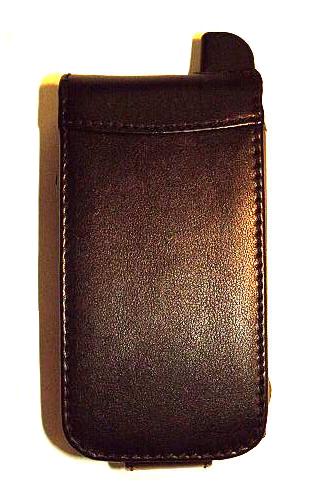
The Piel Frama case is composed of smooth cowhide, and it is available in
black, tan, red and a combination of black and tan. I was sent the solid black
version. When inserted in the case, the 6700 measures 4.5" tall x 2.4" wide x
1.4" thick. When not in the case, the 6700 measures 4.25" tall x 2.3" wide x
0.92" thick, so while the case does add a bit of bulk to the PDA, it is not an
unreasonable amount.
The black case has complimentary black stitching, and there are cutouts on
the rear for the camera, LED flash and the speaker-mirror. A removable black
metal nub is in the center, and it acts as the catch point for the belt-clip
system. The case is kept shut with a snap that is affixed to the flip-lid’s tab.
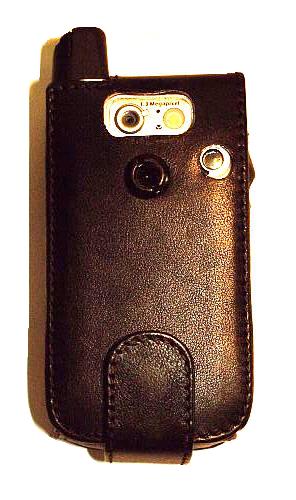
The belt-clip system includes a heavy black plastic 2.5" long x 1" wide
spring loaded clip which attaches to the nub on the back of the case. Those that
do not use a belt-clip can simply unscrew the nub, and insert one of the three
included small plastic plugs to fill the hole left in the leather. I like that
the user is not locked into either type case, and that there is an option for
completely removing the clip altogether.

Once inserted, the 6700’s screen is protected by a double layer of leather
reinforced with ABS plastic in the case’s flip lid. This should be sufficient
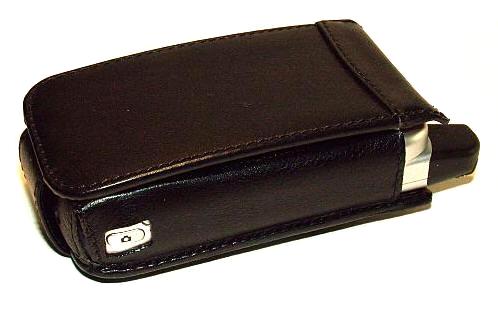
protection to stop most bumps and shocks from damaging the screen. On the right
side, the case has a U-shaped cutout for the 6700’s antenna, as well as one for
the camera button. The camera button appears to be cut at a bit of an angle, it
is slightly more rhombus than rectangle.
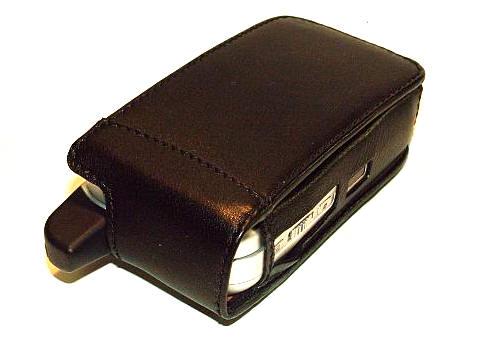
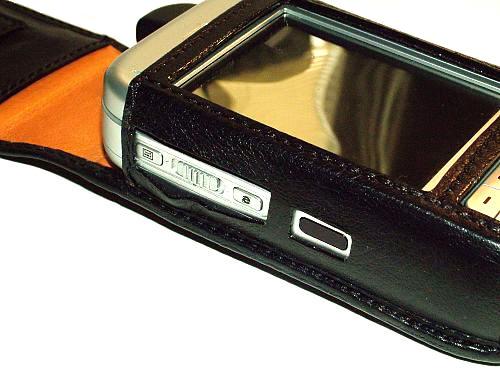
Here is a shot showing the left side of the case. When in the case, there is
access to the 6700’s recorder button, volume slider and Explorer button, as well
as the IR port further down. Once again, the cutouts are more rhombus than
rectangle, and there is a bit of a gaping gap between the Explorer button and
volume slider.
Here is another shot of the gap. It is possible that the gap will calm down
over time as the case is used, but I can’t say for sure that this will be true –
or that every case shipped will have this exact gap.
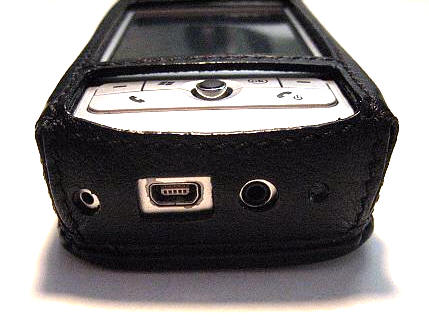
The bottom of the case has cutouts for the reset button, miniUSB port,
headphone jack and microphone. The 6700 can be left in the case when a sync and
charge cable is used, but it must be removed by those that are using the OEM
cradle. Notice all of the paint that has flaked off the miniUSB port? That is
from using the 6700’s cradle for approximately four months; I have since
stopped. Once again, the miniUSB port cutout is slightly more rhombus than
rectangle.
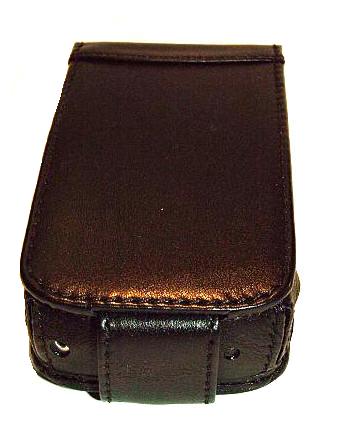
When closed, the tab of the flip-lid covers the miniUSB port and the
headphone jack, which may be an issue for someone that is using the wired
headset that came with the phone.
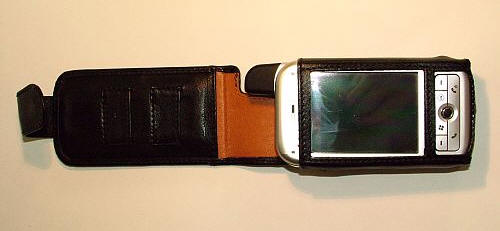
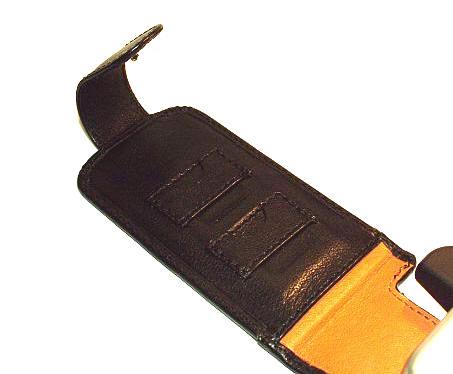
The interior of the case’s cradle is lined in soft tan leather, and the
reinforced flip-lid features an approximately 2.25" wide x 3.75" deep open slash
pocket suitable for holding a bill or two. The inside of the flip-lid has two
built in miniSD card slots, which should be kept from rubbing the screen
due to the padding afforded by the leather around the screen. With that said, I
tend to never use these slots because I am paranoid that the inserted cards will
defy their buffer and rub against my PDA’s screen. Call me paranoid…
Here is a close-up of the two card slots…
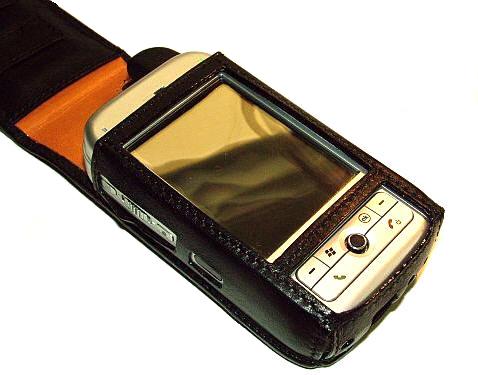
The leather holster which cradles the PDA has cutouts for the button cluster
on the lower front as well as the screen. My only objection to the cutouts is
that the bar between the button cluster and the screen seems a bit low – almost
like it should be raised a couple of millimeters. The bar across the top of the
PDA screen also seems like it should be raised a couple of millimeters, so
perhaps a general shift up of a couple of millimeters would solve the
slight claustrophobic feeling I get when using the screen.
The biggest complaint I have against this particular case is that it does not
allow for the use of the sliding keyboard when the 6700 is inserted. While I am
sure that there are 6700 owners that rarely if ever actually use the keyboard, I
happen to be one that does.
Overall, the Piel Frama is not "my" perfect case. For its price, I would have
liked to have seen more rectangular cutouts, a better framing of the PDA’s
screen, and no gap on the left side cutout. The limitation of having to remove
the PDA and reinsert it every time the keyboard feature is accessed is a
deal-breaker for me.
The 6700 case is available for 70 Euros from Piel Frama, but it can be found
for less in the US by ordering from
Cases.com.