
Product Requirements:
Sony CLIÉ PEG-NZ90 / PEG-NX80V /
PEG-NX73V / PEG-NX70V / PEG-NX60, a wireless router, requires 118K RAM
It didn’t take long for the CLIÉ NZ90 became my "daily driver." I could
go on and on about what makes this PDA work so well for me, but instead I am going to
focus on the NZ’s wireless capabilities for this review.
As most of you know, the NZ90 comes with built in Bluetooth as well as both a
Memory Stick and a Compact Flash slot. The CF slot, with the addition of the
EruWare driver can be used for
storage, but it was originally intended to house the
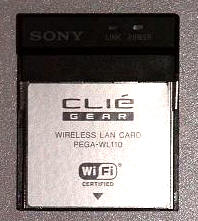
Sony PEG-WL110 Compact Flash
wireless LAN card.
Shortly after I purchased my NZ, Brando
sent me a WiFi card from his store. As much as I liked my NZ before and as good
as my user experience was already turning out to be, the addition of this card
was what put this PDA on my short list of favorite PDAs ever.
It should go without saying that in order for a wireless card to work on your
PDA, you must be in an area offering wireless 802.11b access. I have my DSL modem hooked
up to a wireless router, so that is my access point.
When you purchase this WiFi card you will receive the card itself, a small
plastic storage box, and the CD driver that must be installed on your CLIÉ via
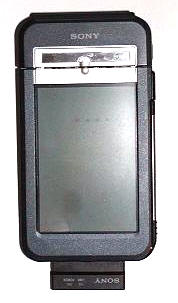
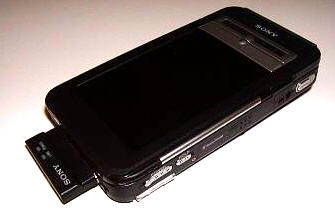
hot-sync. After installing the driver, you simply remove the plastic CF slug at
the bottom of the NZ and insert the card. Obviously on different CLIÉs the CF
slot will be in a different location, so keep that in mind.
Set up on the CLIÉ is easy: After installing the driver, you go to
Preferences, select Network from the pull-down menu, and choose
Wireless LAN. Tap Details, and then make sure that Infrastructure
is checked. This is where you can also name your Profile. Pressing Advanced
Setup allows you to check additional items.
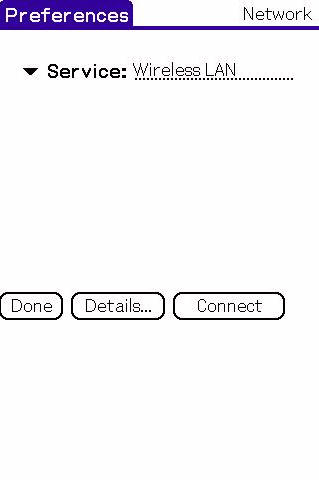
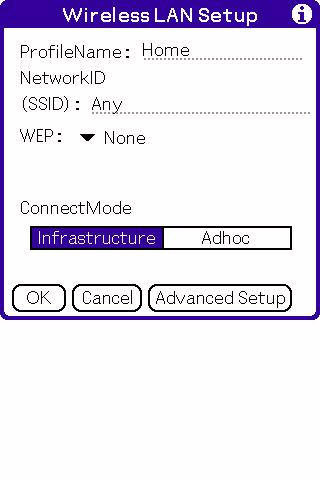
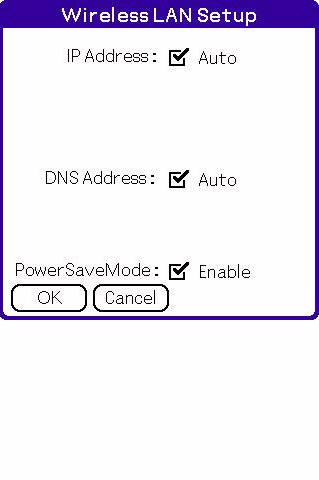
Once you have completed this setup, you now have a wireless profile. There
are some additional steps you may have to take depending on your network and its
level of encryption, but my set-up was quite easy. After entering these items I
hit connect, and then I was online. ☺
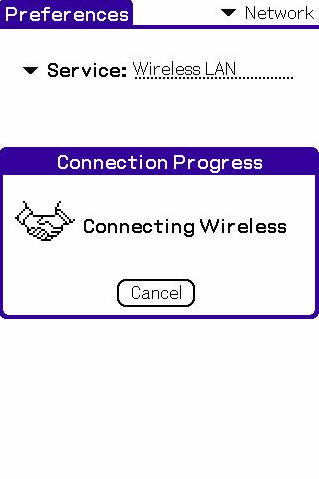
Okay, so you have the card working – now what?
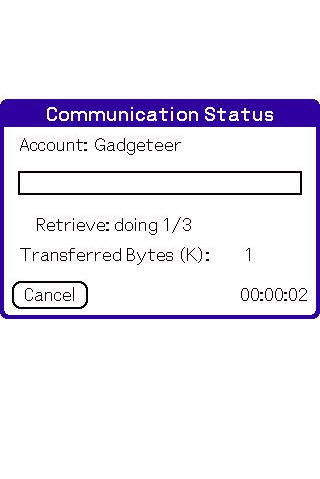
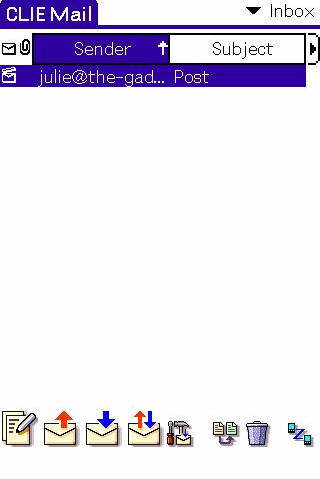
Well, you can check your e-mail, as I am doing here with the CLIÉ Mail
program that came bundled with my NZ…
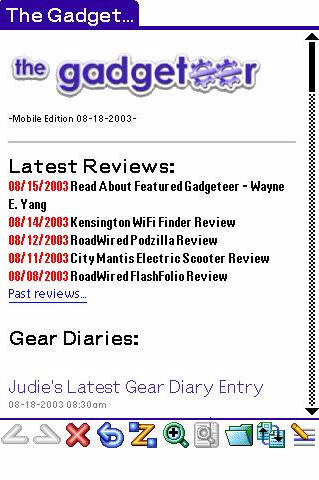
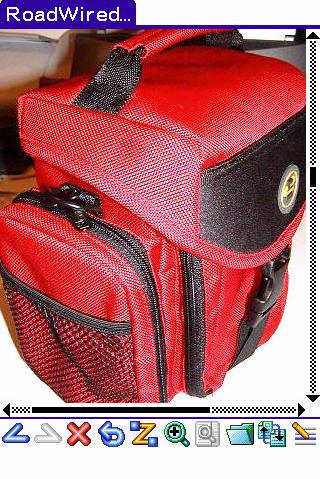
You can surf the web, as I am doing here with NetFront, the browser that came
with my NZ…
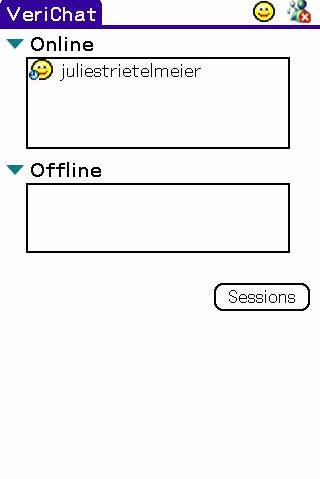
Or you can chat wirelessly with your friends. I use
VeriChat, which allows me to check my
Yahoo, MSN Messenger, ICQ, and AIM instant message accounts…
You can even sync your CLIÉ to your PC wirelessly if your PC is connected to
a wireless network…unfortunately, for safety reasons mine isn’t, so that is
the one feature I didn’t test.
The LAN card pokes out about 0.75" from the bottom of the NZ, but does not
affect the CLIÉ’s ability to sync or charge in the cradle. Most of the cases
available for the NZ are incorporating a slot specifically for this card,
so the location is no hardship.
There are two lights on the card that should be solid green when you are
connected. The first is a power light (which shows the card is on and receiving
power, the second is a link light that displays that you are receiving a
wireless signal. The link light will blink green when you first connect or when
your signal is weak. This light will go dead if the signal is non-existent. The
only thing I think is missing is an actual software product that shows the
signal strength.
The WL110 is billed as 2.4GHz, but of course it’s ability to get a signal
will be determined by where you have your wireless router placed and how strong
its signal is. I was able to get good reception throughout most of my house and
through as many as three walls (almost 30 feet) – which was better than I got
with the Tungsten|C – so I am not
complaining. Those of you that are lucky enough to work in an industrially wired
for WiFi area will most likely be very pleased with the card’s reception. Those
of you that would like to surf at your local "hotspot" should also be
satisfied
with the reception.
Overall, I am extremely happy with the Sony PEGA-WL110. It has been a
wonderful addition to my CLIÉ and has completely enhanced my ownership
experience. If you are interested in accessing 802.11b wireless networks your
CLIÉ, and you have the necessary CF slot, then this is a great solution.
The Sony PEG-WL110 Compact Flash Wireless LAN Card is available from
Brando, and other
retailers.
Price: $149.99 MSRP
Pros:
Wireless access for your CLIÉ that is easy to set up and easy to use
Cons:
Expensive
No software product that shows actual WiFi signal strength
![[MINI SIZE. ULTRA PORTABLE CHARGER]: Roughly the size of an AirPods Pro case, this smallest power bank packs 10,000mAh of long lasting power into a tiny, nano footprint. Easily slide this ultra slim, credit card size charger into your skinny jeans, a...](https://m.media-amazon.com/images/I/41rATpm6dyL._SL160_.jpg)
INIU Portable Charger, Ultra Mini 10000mAh 45W Fast Charging with Detachable Cable, Flight-Safe Travel USB C Power Bank External Phone Battery Pack for Xiaomi iPhone 17 16 Samsung S26 Google iPad etc
(as of June 12, 2026 18:49 GMT -05:00 - More infoProduct prices and availability are accurate as of the date/time indicated and are subject to change. Any price and availability information displayed on [relevant Amazon Site(s), as applicable] at the time of purchase will apply to the purchase of this product.)
tomtoc 7L Sling Backpack Crossbody Bag for Men Women, EDC Daypack Chest Shoulder bag for 14-inch MacBook Pro M5 Pro/Max, 13" MacBook Air/Neo, 13" iPad Air M4/Pro M5, Organized, Daily Use, Work, Travel
(as of June 12, 2026 18:42 GMT -05:00 - More infoProduct prices and availability are accurate as of the date/time indicated and are subject to change. Any price and availability information displayed on [relevant Amazon Site(s), as applicable] at the time of purchase will apply to the purchase of this product.)Product Information
| Price: | 149.99 |
| Manufacturer: | Sony |
| Pros: |
|
| Cons: |
|

Gadgeteer Comment Policy - Please read before commenting
Post your comments here on the Sony PEG-WL110 Compact Flash Wireless LAN Card.
http://www.the-gadgeteer.com/sony-wifi-cf-card-review.html
Just click the POST REPLY button on this page.
how about battery life? was it really draining to use the wireless connection. i am using a NX60 and the battery life for it is only adequate, without powering connections.
dotdotdot,
I use the WiFi card sporadically. I will check e-mail then turn it off, check a web site then turn it off, or chat from my living room for a little bit and then turn it off, several times a day. With that type of use, battery loss is minimal. Plus I keep my backlight on the dimmest setting (which on the NZ is actually as bright as my Tungsten T was on the middle setting).
If you would like me to test a certain scenario – name it and I will give it a shot. Just be aware that I am using an NZ90, which may not have the same battery life as your NX60.
Judie :0)
Hi,
I have the WL100 (the predecessor to the WL110 that was reviewed) on my NX70. I find that I can ~2h of surfing time on a full charge. I say ~ since I never run my battery all the way down. After 2h of surfing, the battery is low enough that I discontinue usage.
I would prefer the battery life to be better but based on what I know, it’s the best that the NX70 (or the NX60) can deliver. I do have a homebrew battery extender that work quite well…
The bigger criticism I have for Sony is the lack of any signal strength indicator (as on Palm-branded device or the newer UX-50) and/or sniffers (as on PPC). The absence of both makes me think that WiFi is kinda half-baked on the current CLIE.
George
I totally agree with you that there should have been a signal strength indicator – of some kind…but I won’t go so far as to say that its abscence makes this CLIE’s WiFi half-baked. It’s just not as elegant as it could have been.
Judie :0)
Well, it may be a harsh judgement but it’s also out of frustration of being so close and yet so far. My other gripes:
1. PTL (Page Too Large) errors crop up far too often. Granted, this is really Acess’ problem but someone needs to work this out in the real world.
2. Management of popup and/or new windows is kinda hit-and-miss. For example, it renders my office’s internal portal kinda useless.
3. Sony needs to make the WiFi API public to allow third-party to fill in the missing pieces.
4. Sony needs to improve the driver and/or network setup. Given Sony’s track record though, I’m quite fearful that when WPA supersedes WEP that my card will be relegated to the dustbin for lack of a new driver.
George
PTL errors occur because the web page is too large to view in portrait mode…if NetFront (or some other browser) would (please!) create a landscape mode, then I bet those errors would go away. Correct me if I am wrong.
I am afraid that with the upcoming UX model, which includes built-in WiFi, Sony may not pursue any improvements for those that are using the CF WiFi cards. Hopefully developers will step up to the plate – as they so often have to.
Judie :0)
How does the WL-100 card compare to using the Tungsten C? I’m thinking of getting a NX-70 and would like to do Wi-Fi. I’ve tried the Tungsten C and it works very well as far as finding a Wi-Fi network and connecting. Does the Sony PDAs with the WL-100 work as easy? BTW. I used to live in San Angelo and taught at ASU. How hot is it?
Dan
Dan,
I think that the WL-110’s range is at least as good as the Tungsten C’s – in my case it seemed even better. The biggest difference is that the C has WiFi built in, so there is no extra part to loose. Also, there is no software indicator for signal strength when you use the Sony WiFi card. Otherwise, service is comperable between the two, and just as easy to connect.
I went to ASU from 85-87 and 97-2001. What did you teach?
Today is nice (78 & sprinkling!), but it has been over 100 far too many days this summer. I’ve been wishing we were freezing our tushes off in Scotland again. 😉
Judie :0)
For those not willing or able to make their own extenders, this one seems interesting. Could be helpful on a long flight for a pda or laptop, extended or repeated wireless sessions, quick AC-free top offs, or field use, if the cord is long enough to keep the charger in a bag or on a belt. It doesn’t look too big a deal to carry, especially if it can extend the life of a high-end Sony 3-4 times.
Herer it is if you folks haven’t seen it. Same product, same site, different descriptions of use and specs:
http://web1.applelaptopbattery.com/ccp5/cgi-bin/cp-app.cgi?rrc=N&pg=prod&ref=PR2
http://www.laptopsforless.com/pr2-ipaq38details.htm
Short review from PocketPC Mag:
http://www.pocketpcmag.com/Mar03/guptas.asp
Hi
I want to buy the NZ-90 plus the WL110 wifi card, but I see last week a review in wich there said that with this wifi card yo can’t recognized the posibles wireless network. That will limit me to conect in some places out of my house.
Is that true???
There exist an extra software for recognizing wireless networks??
Thanks.
Jaime.
Hi, where can i download the right NetFront Internet Browser for Sony Clie NZ90??? A trial or anything please, Thanks!