
Many new cars come with GPS navigation
systems. But what if you don’t have one? Adding it might not be
practical-perhaps you drive more than one vehicle, travel and rent
often, or just don’t want an expensive piece of electronics
permanently and visibly stuck to your dash. Today’s smartphones and
PDAs are powerful enough to do the same job, with a little help
from software and a pocketable GPS
receiver. CoPilot Live by
ALK Technologies is a complete
GPS navigation system for Bluetooth-ready
handhelds, which provides on-the-go routing with voice prompts.
Package Contents
The CoPilot Live system is available in a variety of different
configurations, with versions tailored for Windows Mobile
Smartphones, Pocket PCs, laptops, and the Treo 700W. The software
is available by itself or with a Bluetooth GPS receiver, and bundles are available that also
include a 1GB memory card for map storage. The package I evaluated
is the Smartphone version with GPS
receiver; I used it with an iMate SP5m Windows Mobile 5
Smartphone.
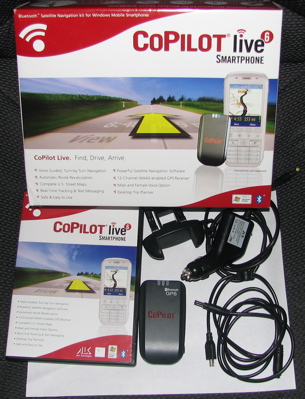
The box includes:
- CoPilot Live software
- CoPilot Bluetooth GPS receiver
- 12V car adapter for GPS receiver
- Power splitter
- Vent mounting clip for phone
The power splitter is an extension cable which connects to the
12V adapter and provides power to both the GPS and phone (through a mini-USB plug), so you can
use the system on long trips without running down either device’s
battery.
Software
The CoPilot Live software for handhelds has two parts: an
application for your PDA or smartphone
that handles in-car navigation, and a map downloader for your
Windows desktop. The handheld software is the most important part
of this package, so I’ll cover it first. Please note that I only
reviewed the Windows Mobile Smartphone version; the others should
have the same features but a somewhat different user interface.
The CoPilot smartphone application is a complete navigation
system; the only thing you have to use the desktop for is
downloading maps, and if you have a large enough memory card (1GB
or more) you probably only need to do that once. On a smartphone it
is somewhat cumbersome to enter addresses to search for (it’s much
easier on a Pocket PC, I’m sure) but you can bookmark your favorite
locations and use addresses from your contacts as well. Once you’ve
entered a destination, CoPilot will figure out a route.
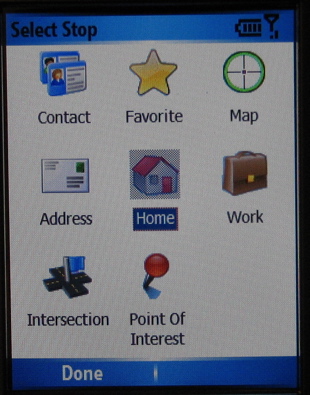
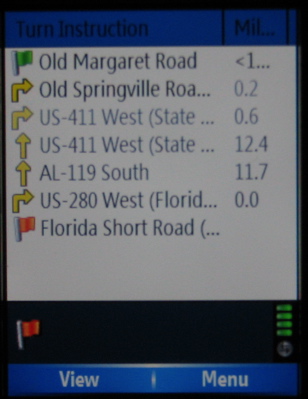
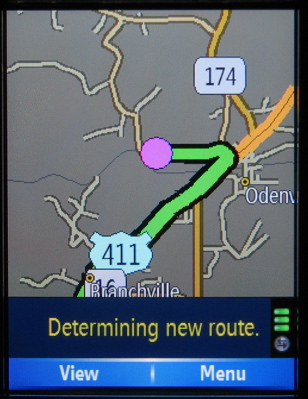
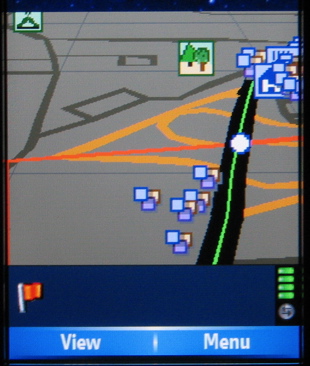
Once you’re on the move, the map display tracks your location.
Both two- and three-dimensional maps are available. In the screens
below, notice the markers on the 3-D view of a highway interchange;
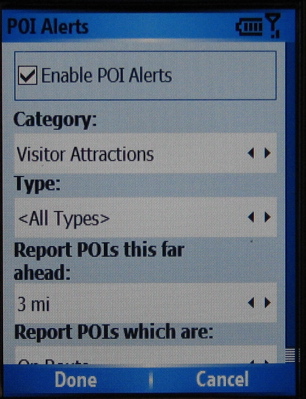
the CoPilot point of interest database is quite extensive and you
can easily search for gas stations, restaurants, and other such
places, or get a voice alert when you get close.
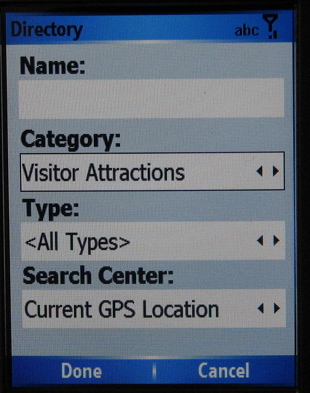
CoPilot’s voice alerts are clear and, providing your smartphone
has a decent speaker, loud. You can choose male or female voices in
a number of different languages, downloading only the one you want
to your memory card.
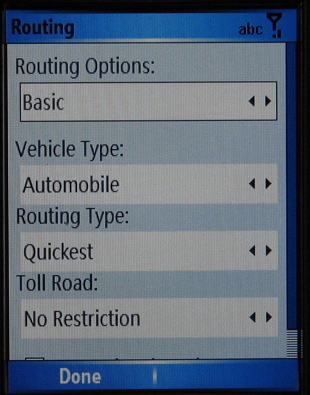
I didn’t get a chance to test CoPilot in a truly unfamiliar
place, but in testing it on routes I knew well I found that it did
a good job of figuring out where to go. When I deliberately went
the wrong way, it handled rerouting quickly and accurately, even
when I persistently ignored its suggestions of where to turn.
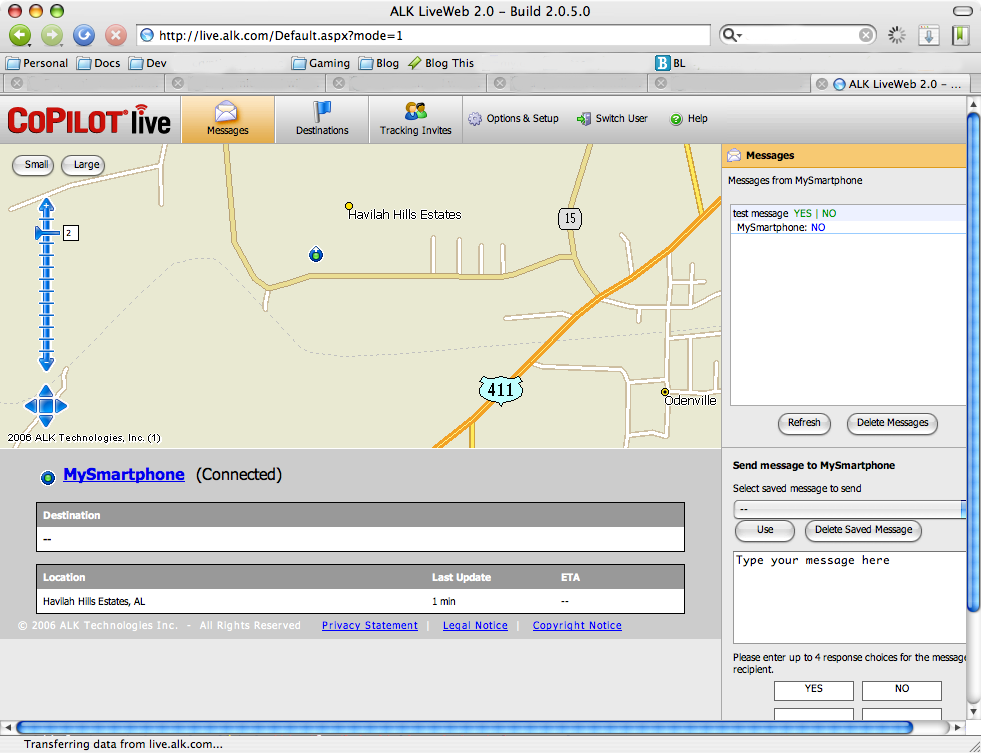
One notable feature of CoPilot Live is, as the name implies,
live tracking. With live tracking enabled, authorized users can see
your location on a web-based map and send text messages and
location updates while you are driving. There is not, as far as I
can tell, any extra cost for this feature other than whatever you
pay for mobile data. (Click the thumbnail below to see a full size
image of the live tracking web site.)
The Windows desktop software is used primarily to download maps,
points of interest, and voices to the handheld. It can be used to
plan trips as well, but it isn’t required for that; the handheld
software can do that on its own. One thing of note is that maps are
not directly downloaded through ActiveSync; the software writes
them to a directory on disk which you can drag and drop into
ActiveSync’s explorer. You can download maps by region, selected
area, or a radius around a zip code. As you can see from the
screenshots below, a single city map is not very large at all, so
if you don’t drive cross-country and don’t mind downloading a new
map when you travel, you might not even need a memory card. On the
other hand, a 1GB card is big enough to hold maps of the entire
continental USA.
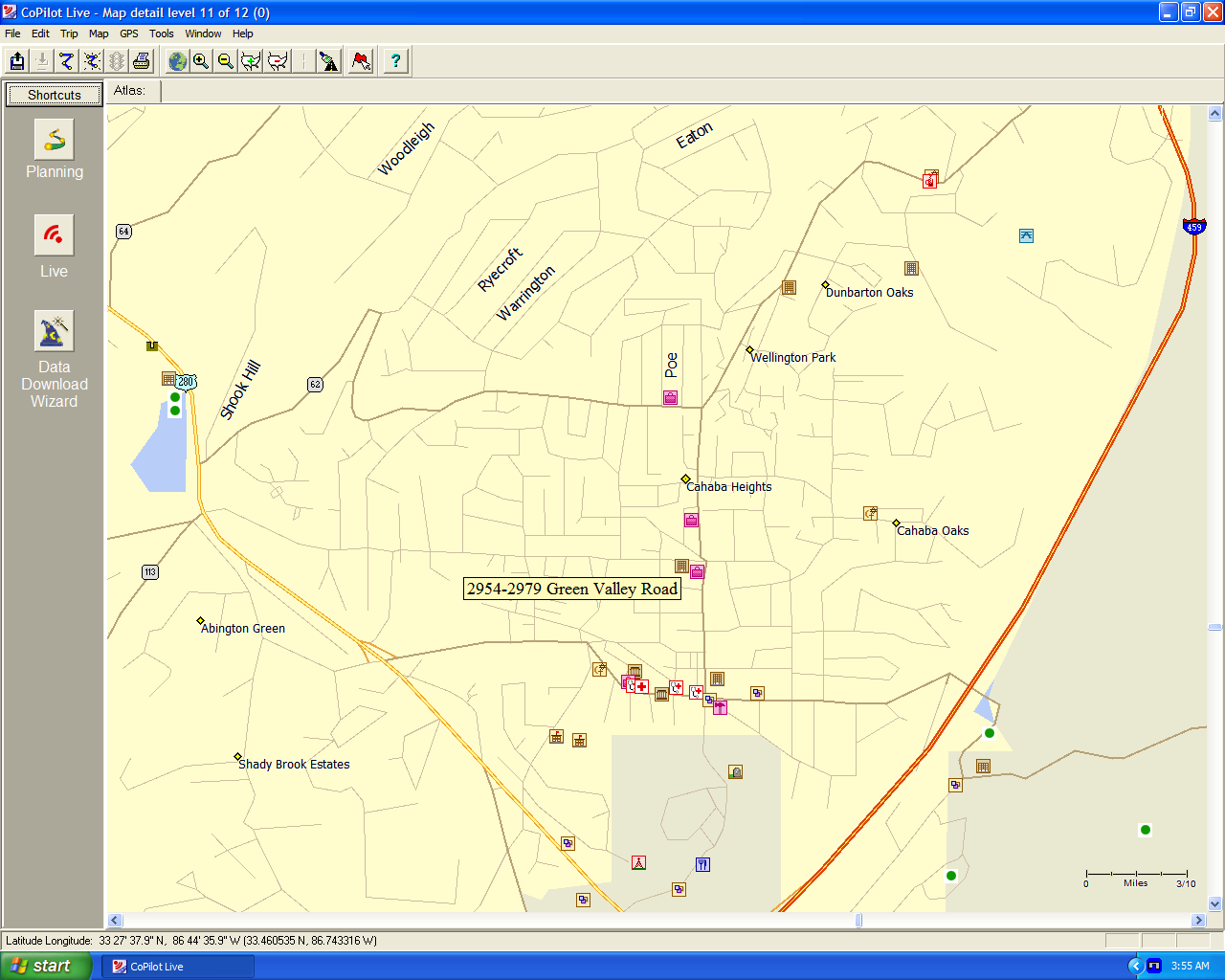
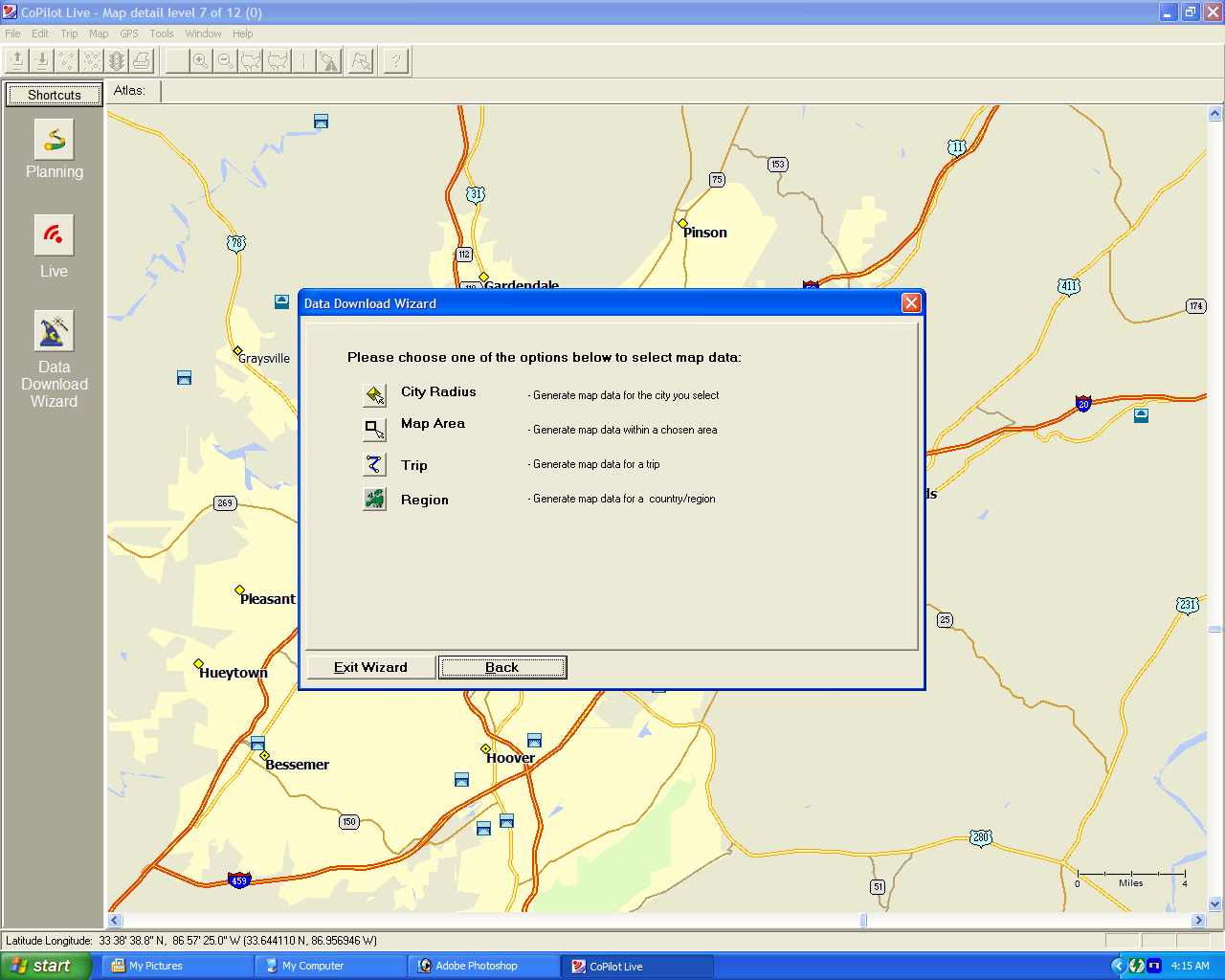
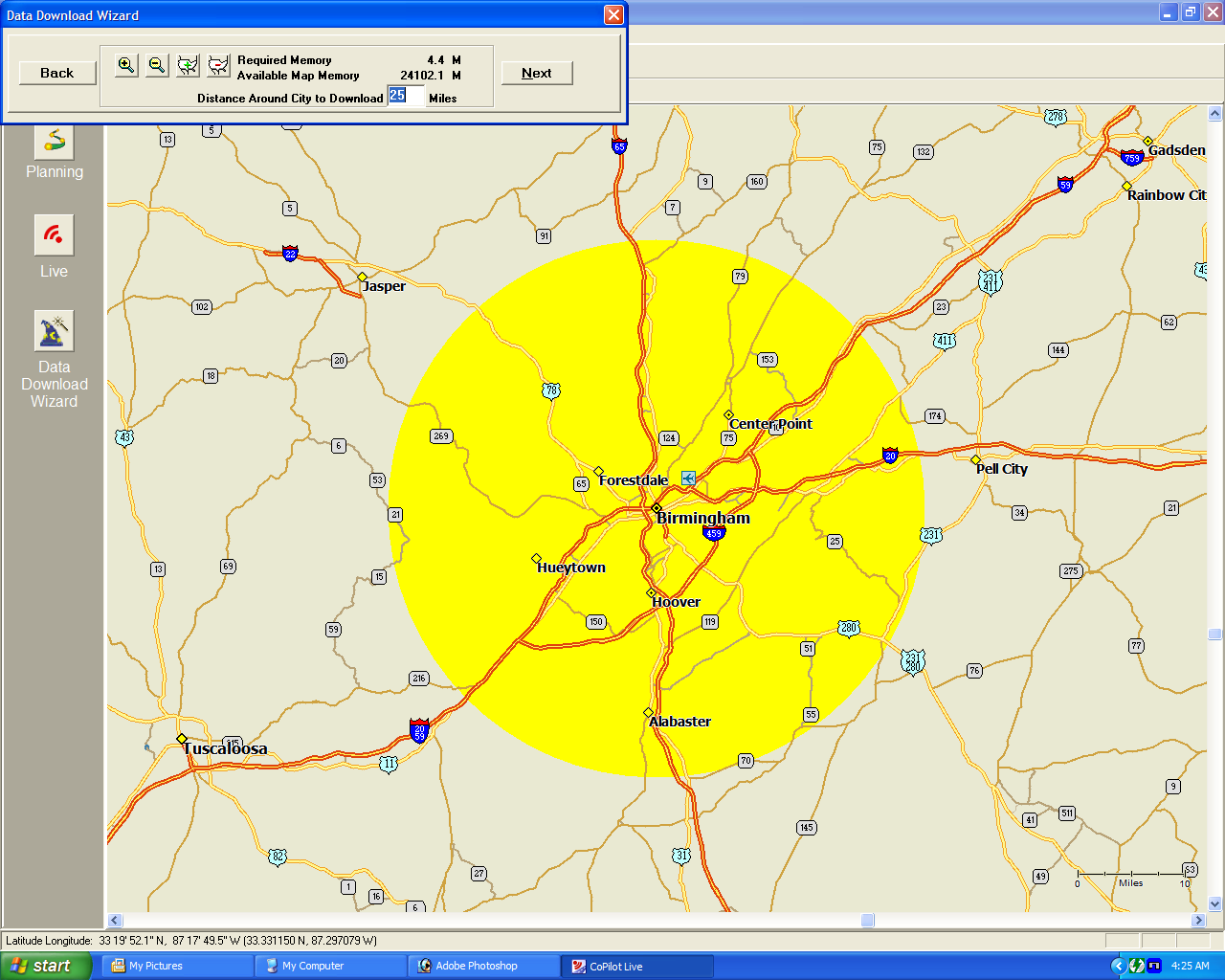
(Click on screens above to see them at full size.)
GPS Receiver
The CoPilot GPS receiver is a compact
black box, about as thick as a deck of cards but somewhat narrower,
which communicates with a PDA,
smartphone, or laptop using Bluetooth. Operating it is simple: turn
it on and put it somewhere with a view of the sky, and run the
CoPilot software on your handheld or laptop. It is completely
wireless, unless you tether it to its 12 volt power adapter or
attach an external antenna.
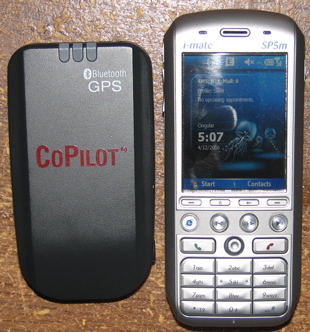
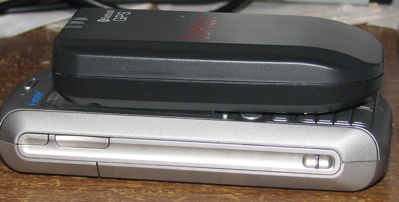
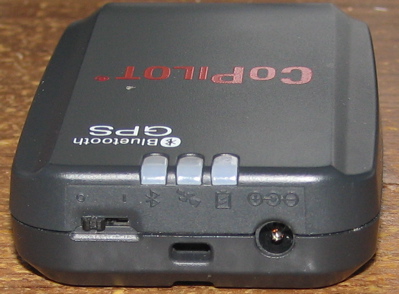
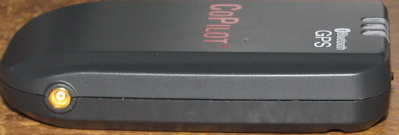
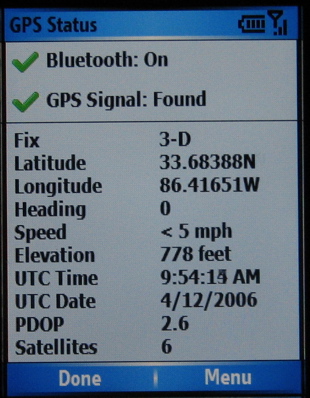
The performance of the CoPilot GPS is
quite good. It starts fast and lasts a long time on its internal
battery, and it seems to usually get a better fix than the other
Bluetooth GPS (a Nokia LD-1W) I currently
have to compare it to. (GPS geeks will probably want to know that
it is a 20-channel receiver with WAAS and
uses the SIRFStar III chipset.) It
outputs standard NMEA position
information so you can use it with any GPS-ready device and application.
Conclusions
I quite like both parts of the CoPilot Live navigation system.
The smartphone software is easy to use, looks nice, and works well.
The GPS receiver has good battery life
and seems to be quite sensitive and accurate. What I like most is
the portability of it. The receiver is much less cumbersome than a
dedicated unit, the software does more than a typical handheld GPS,
and it goes with you in whatever vehicle you’re driving. Also, if
you already have a smartphone or PDA (and
if you’re reading this, you probably do) the price of CoPilot Live
is less than a standalone navigation system. Although the CoPilot
system is good enough to deserve a recommendation just based on its
core performance, the live tracking features add an interesting
dimension which you can’t get from a standalone GPS navigator.
The CoPilot Live software is available directly from ALK
Technologies for $199, or bundled with the Bluetooth
GPS receiver for $299.





Gadgeteer Comment Policy - Please read before commenting
Post your comments here on the CoPilot Live GPS Navigation System review.
http://www.the-gadgeteer.com/review/copilot_live_gps_navigation_system
Just click the POST REPLY button on this page.
I’m surprised that you list no Cons for this when it has two key limitations. It doesn’t run on the most prevalent PDAs, those with Palm OS. And the host application doesn’t run on Mac OS X or *nix.
The Gadgeteer is not a Palm-specific review site; products for a variety of platforms are covered here. Therefore, the advantage or disadvantage of a developer’s platform choice is purely a matter of perspective. If you only have a Palm, you consider lack of PalmOS support to be a disadvantage; someone else who uses Windows PDAs might think exactly the opposite.
Should we put “con: doesn’t fit the iPod” on reviews of cases for non-Apple music players? Or how about “con: doesn’t work with Windows” on reviews of Mac accessories, since Windows XP is clearly the prevalent desktop OS? Of course not. Except in extraordinary cases, there is no reason to use system requirements as a general criticism of the product; that’s why there is a separate place on the page for them.