
I don’t think I am wrong when I make the claim that the Apple iPod has generated more accessories than any other electronic device on the market today. There’s always room for one more iPod accessory right? Today I’m going to review the iHome iH5. This is a clock radio compatible with all iPods that have a docking connector. Hey, you you don’t even need an iPod to use this device. It’s a lot more fun if you do though.
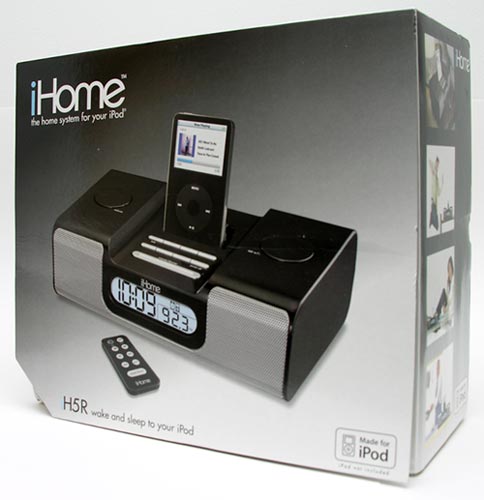
Hardware Specifications
AM/FM Radio
Built-in Automatic frequency control (AFC) for enhanced FM reception
PLL Digital radio tuning
6 watts total power
Dimensions: 10.2 x 3.0 x 6.1 in (258 x 77 x 156 mm)
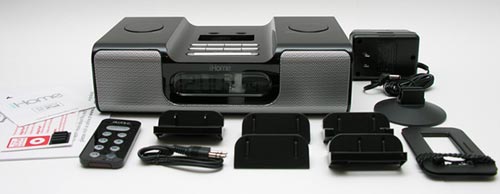
Package Contents
iH5
IR Remote
5 iPod adapters
Audio patch cord
AM antenna loop
AM antenna stand
AC Adapter
Manual
Available in Black and White, I was sent the Black version. Upon unpacking the device, I was happy to notice that the time and date were already set. Come to find out, that the radio is set by default to EST at the factory. Two AA batteries are installed to keep the time / date and alarm settings in the event of a power outage. I think this is an nice touch to have the clock already configured. It’s always a pain to dig out the manual to figure out how to set the time.
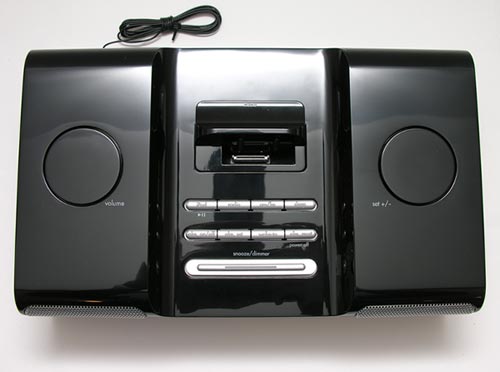
The majority of the controls are located on the top of the radio. Two large wheels control volume (left wheel) and the alarm time setting (right wheel).
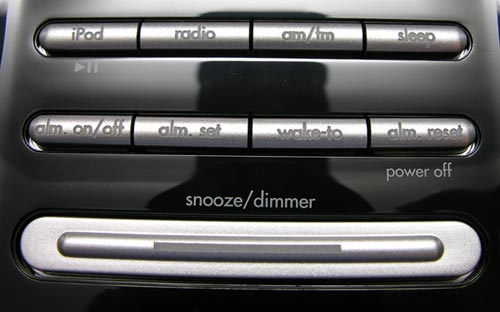
Two rows of buttons and one long bar beneath them give you control over the docked iPod and radio. If you have an iPod docked, you can press the left top button to toggle play / pause. The iPod will begin playing music where ever it left off… in a playlist, album, podcast, etc. Pressing the next button will toggle power to the radio. The button next to the radio button will cycle between AM and FM. I was impressed with the FM reception on the iH5. I was able to pull in stations I normally have problems with on other radios. This was even with the attached antenna cable still rolled up. I do wish the iH5 had radio station presets. As is, you have to use the wheel to change the current station. The channel frequency will be shown on the display, so it is easy to change if needed.
The last button on the top row is the Sleep button. You can use this button to keep the iPod or radio playing for 15, 30, 60, 90 or 120 minutes before automatically turning off. It will also gradually decrease the volume before it shuts down. This is a nice feature if you like to fall asleep while listening to music. Another bonus is the fact that the volume you use for the sleep function is independent of the wake-to or regular listening volume.
The 2nd row of buttons are the alarm set buttons and wake-to button. Pressing the wake-to button cycles between iPod, radio and buzzer. If you choose iPod and don’t have one plugged in, the alarm will default to the buzzer. This will also happen if the power goes out. Once an alarm is triggered, it will continue to sound for 1hr before it automatically turns off. The snooze / dimmer button has 2 functions. After an alarm is sounded, pressing this button will snooze for 9 minutes. You can continue to press the snooze button several times during the 1hr alarm cycle.
I really wish that this clock radio had dual alarms. I like to wake up to music, but then have a buzzer go off about 30 minutes later to make sure I’m awake. As a result, I have to use a 2nd alarm clock with the iH5.
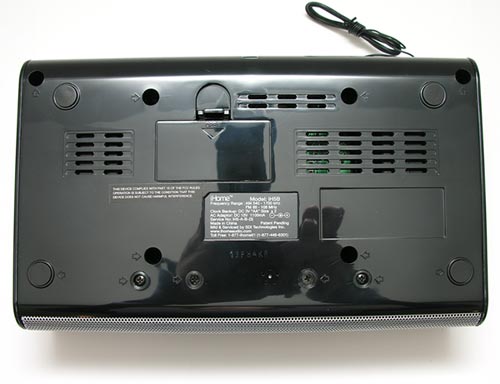
On the bottom of the clock, you will find the back up battery compartment.
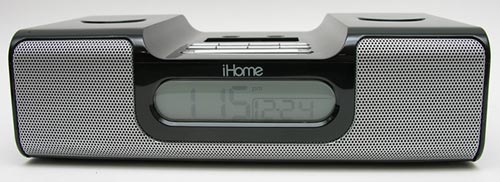
On the face, you see a nice sized LCD display that shows the current time and date. The snooze / dimmer bar controls the backlight for the display. In the image above, the backlight is off.
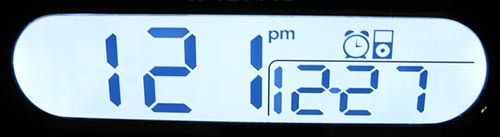
Here is the display at full bright (there are 3 settings, bright, medium and off). Nice huh? In this image you can also see that the clock is set to wake up with the iPod.
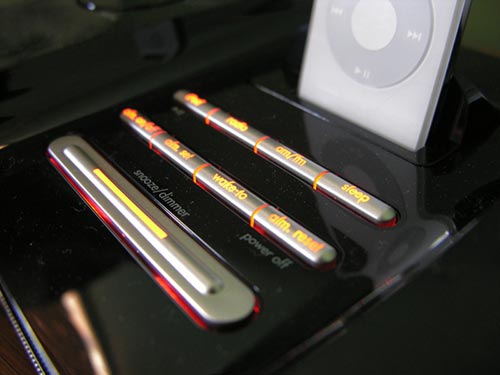
The control buttons are also backlit in amber. FYI: Changing the display brightness has no effect on the button backlight brightness.
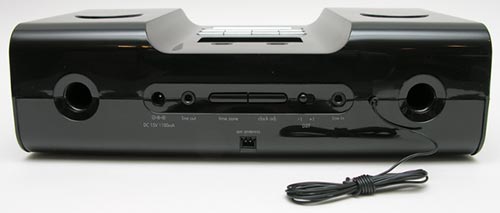
On the back of the iH5, you’ll find the back side of the speakers, AC Adapter jack, Line out jack, Time zone button, Clock adjust button, DST switch, Line in jack, FM antenna cable and AM loop antenna socket.
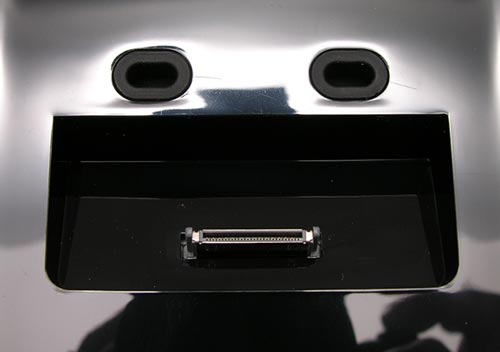
The iPod dock has the familiar connector that will allow you to connect 3g, 4g, and 5g players. To get the right fit, you need to use one of the included 5 adapters. These adapters are made of matching Black plastic and easily snap in place.
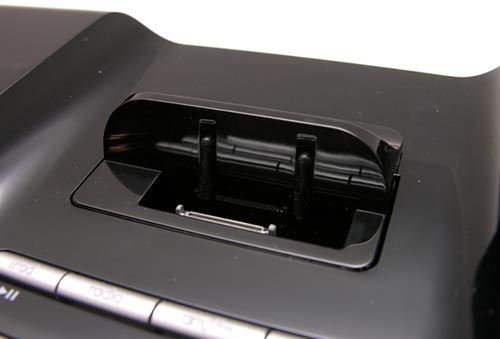
Here you see the Nano sized adapter fitted into the docking cavity.
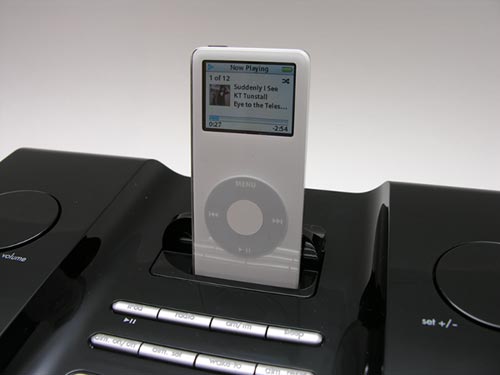
And the Nano securely docked. The iH5 is a great place to keep your iPod because it also charges the batteries while it’s connected.
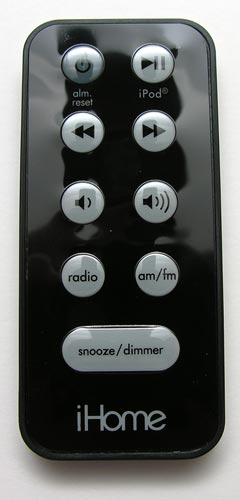
A small membrane style Infrared remote is also included with the clock radio. You can’t use the remote to set the alarm time, but you can use to set the radio frequency, turn the iPod and radio on / off and adjust volume.
The iH5 uses matched 2 inch Strontium-Ferrite speakers with acoustically tuned deep-port Reson8 chambers. I think you’re supposed to be impressed by that last sentence, but it really doesn’t mean much to me… I can just tell you that this little clock radio has really good sound. I’m pretty spoiled by my Audioengine 5 speakers, but the iH5 is a good sounding little system that works great as a clock radio and even as your only iPod speaker system for a smallish sized room / dorm, etc.
The iHome iH5 clock radio would be perfect if it had a few extra features: radio presets, dual alarms and even a way to specify which playlists, artists, etc. to wake up to. As it is, if you happen to be listening to metal rock before you go to bed, that’s what you’ll be awakened by. I don’t know about you, but I prefer to be woke up by something a little more mellow ;o) All that said, I like the iH5 and am going to leave it on my night stand as my primary clock radio… at least till something better comes along.
Gerber Gear Suspension 12-in-1 EDC Multi-Plier Multitool with Pocket Knife, Needle Nose Pliers, Wire Cutters and More, Gifts for Men, Camping and Survival, Grey
(as of June 12, 2026 18:39 GMT -05:00 - More infoProduct prices and availability are accurate as of the date/time indicated and are subject to change. Any price and availability information displayed on [relevant Amazon Site(s), as applicable] at the time of purchase will apply to the purchase of this product.)

Gadgeteer Comment Policy - Please read before commenting
Post your comments on the iHome iH5 Clock Radio review.
http://www.the-gadgeteer.com/review/ihome_ih5_clock_radio
Just click the POST REPLY button on this page.
The iH6 has dual alarms.
I asked for the iH5 for Christmas, but got the iH6 instead. 😉 As mentioned, it supports dual alarms, plus it has a port for the shuffle and the backlight has more gradients. And mine came preset to Central time. And it doesn’t appear to support playlists – I just selected one on the iPod, docked it, pressed play on the remote, and it started playing from all tracks. The only thing I’d do differently if I was the manufacturer is make it so that the backlight on the buttons can be turned down or off, and fix the playlist thing. I haven’t had reason to test the alarm function yet, though, as I don’t have to actually be awake for another week yet.
I don’t even see the iH6 on iHome’s site. Figures that they would send me the older version… grrrrr 🙂 Oh well…
We’ve had one of these on display at my Radio Shack for a while now, and it’s usually the one left on by default.
(We have a distribution system that ports our Sirius radio to speakers and headphones on display for trying ’em out.)
It is a really nice piece, and a steady seller.
I particularly like how it also has a line out that allows it to be used as a component in a larger system or to provide signal for a subwoofer, if one is so inclined. 😉
I have had this since June. I use it mainly as a alarm and to listen to my Ipod when in the bedroom working. The only problem I’ve found is that it is on the same fequency as my cable remote. When I turn the channel or turn off the tv the Ipod will start playing!:)
Really the only thing I would need dual alarms for would be a weekday alarm and a weekend alarm, without having to reset it.
I got one of these (but white) for Christmas, and I absolutely love it! I think it will work out nicely in my college dorm room 🙂
i purchased a white iH5 last summer. i gotta admit, i love it. the only problem is the backlit light is too bright. i lights up the whole room. its set to the lowest dim too. what i’ve done was, i cut a electro-static bag and stuck it to the screen. its less brighter now, but it was it was more dimmer.
The backlight on the iH6 goes to nothing. But, as I mentioned previously, I’d like it if you could adjust the backlight on the buttons as well.
This review makes me think that someone out there know what I’m looking for.
I recently failed in my effort to buy my wife and I a nice CD/alarm system for our bedroom this Christmas.
My needs list goes like this:
– max $200
– shelf-type system, smallish
– classy looking: wood frame if possible, no “alien plastic” looking stuff
– alarm clock
– CD player (also can play MP3 CD’s)
– USB drive input
These would be pluses but aren’t deal killers:
– iPod or audio input
– detachable L/R speakers
– separate sub or audio out f/ sub
– casette deck
– DVD player (w/ video out)
Has anyone seen a system like this?
-Dan.
Julie,
Is the remote for your iH5R not working properly? On mine, I have to press the buttons several times before they register. It seems to only happen whil it’s on iPod mode though. I am wondering if mine just came with a weak battery, or if it’s normal.
Tyler:
Mine works fine as long as I’m pointing the remote at the clock and am in the same room 🙂
Ah, I may need a new battery for mine then. Thanks 🙂
My iH6 remote is also unresponsive. If I’m a bit away from it, I can generally get it to do what I want after two or three presses, but if I’m directly in front of it where I can just use the buttons on the unit itself, the remote sometimes takes seemingly twenty to thirty presses to do one thing. I’m also still using the factory battery.
I got the iH5 when it first came out, and over the last year-plus have come away with two views of the unit.
First, in terms of an iPod player, it works well. The speakers aren’t great (but you’re not paying Bose prices!) but it does what it is meant to do in terms of music. And, as noted in the review, I keep my iPod in the unit since it’s convenient and charges it as well.
Second, though, the clock has failed at its basic purpose: Keeping time. I have cable TV, so know that Time Warner Cable is keeping track of the exact time for me on my cable box. Sadly, the clock in the iH5 continues to slow down regularly, requiring me to re-set it frequently to keep up with the real world. This is not something one should have to do on a $100 time-keeping device!
Just beware of that aspect of the iH5…again, it’s a fine music add-on for an iPod, but it’s a lousy clock!
Sadly, I purchased an iH6 last weekend – and took it back to the store within a few hours of the purchase. I discovered one MAJOR shortcoming of the device – sure, it has dual alarms, but you can only set Alarm 2 to the radio. Alarm 1 defaults to the iPod if one is docked. Since the idea behind buying this was to use it to charge my iPod as I listen to it at night . . . I NEED a buzzer alarm! If the volume on the clock is set loud enough that music will wake me, I can’t exactly listen to it to fall asleep by (I have to use headphones, as otherwise my partner gets annoyed – she doesn’t like noise while she’s trying to sleep).
So I took it back to the Apple store and purchased a Macxtreme Luna alarm clock instead.
The other annoyance that I have I find is common to both clocks – no headphone jack on the clock itself. To use headphones at night, I must plug them into the iPod itself, which means that I’m still stuck using my AC adaptor until I can run out and buy headphones with a longer cord!
I need an AM antenna for the iHome. Do you sell them or know where I can get one?
thanks.
Poor radio. I love the classic station of Chicago, WFMT 98.7FM. Good sound on all my radios, either the box or the clock radio in the bedroom, but this radio, in my den, has a hissing sound I can not get rid off.
WFMT comes in on two wave length, either 98.7 or 98.9, neither is good.
What do I do? Given as a gift, no receipt. Now I have an expensive alarm clock, which I have not tried either. I do not have an Ipod or alike.
Sell it on ebay.com to get rid off? Sad, some or most of the stuff we get from China lately.
Same with an over-the-sink light from GE, made in China. The bulb, my second one, does not click/connect to light up with the
contacts, even after I tried the old trip of using thin film of silver paper from cigarette pack(had to find it as I do not smoke
I forgot how to set the alarms and I lost the instructions!
@LIzz!! Go to the iHome web site here http://www.ihomeaudio.com/manuals.asp and you can download a manual for your iHome. Just choose the iH5 from the drop-down list and you can save a copy of the manual.
To scribe54 I’m also having that problem. every week or so I have to reset my clock because it gradually gets further and further behind real time. Apple should probably make sure it can do its main function before adding extra bells and whistles. I’m about one reset away from throwing the damn thing threw those incompetent idiots window
I see that several others have also experienced the clock malfunction by running perhaps a minute slow every week. I agree that this is very frustrating and there’s no reason for this problem in these units.