
We all know or remember seeing someone at one time or another that has worn a medical alert ID bracelet or necklace. I think I vaguely recall my Dad buying one for my Mom when she was first diagnosed with Diabetes. These days you don’t really see people wearing this method of medical identification. I don’t know if they are
just considered old fashioned or if the companies that make them have stopped promoting them. That’s why I was
intrigued when the folks at CWI Medical asked me if I would review the MedicTag.
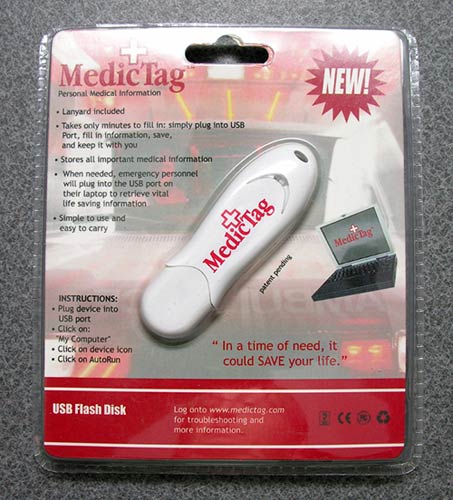
The MedicTag is basically a 32mb USB flash drive that includes an AUTORUN.exe program that pops up to allow you to store
and print medical history and information.
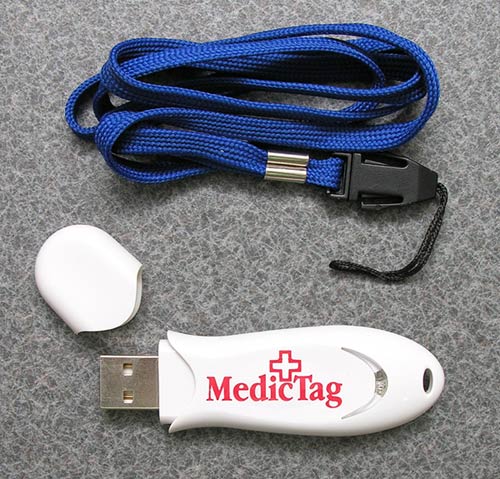
The flash drive looks like an ordinary USB drive, but it is made of White
plastic with bold Red print. There is a attachment hole for the included lanyard
strap if you want to wear the MedicTag.
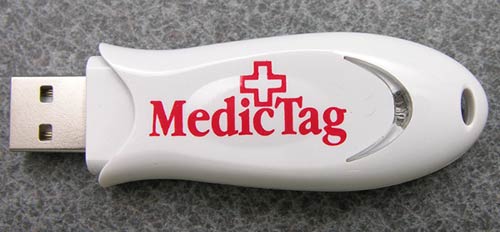
A Red LED is built into one end of the drive. This LED blinks when data on the
drive is accessed.
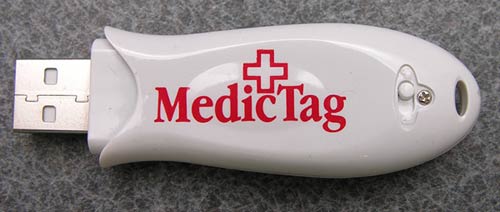
On the back of the drive, you will find a Lock switch. Flip this switch into the
Lock position and you’ll not be able to overwrite the medical data contained on
the flash drive.
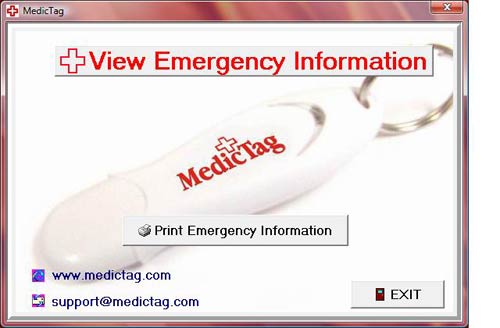
When you insert the MedicTag into a USB port on a Windows PC, it will
automatically launch the autorun.exe program on the drive and within a few
seconds, you’ll see the popup window shown in the image above. The MedicTag
interface is very simple and gives you 3 options. You can View emergency info,
Print the emergency info or Exit the application.
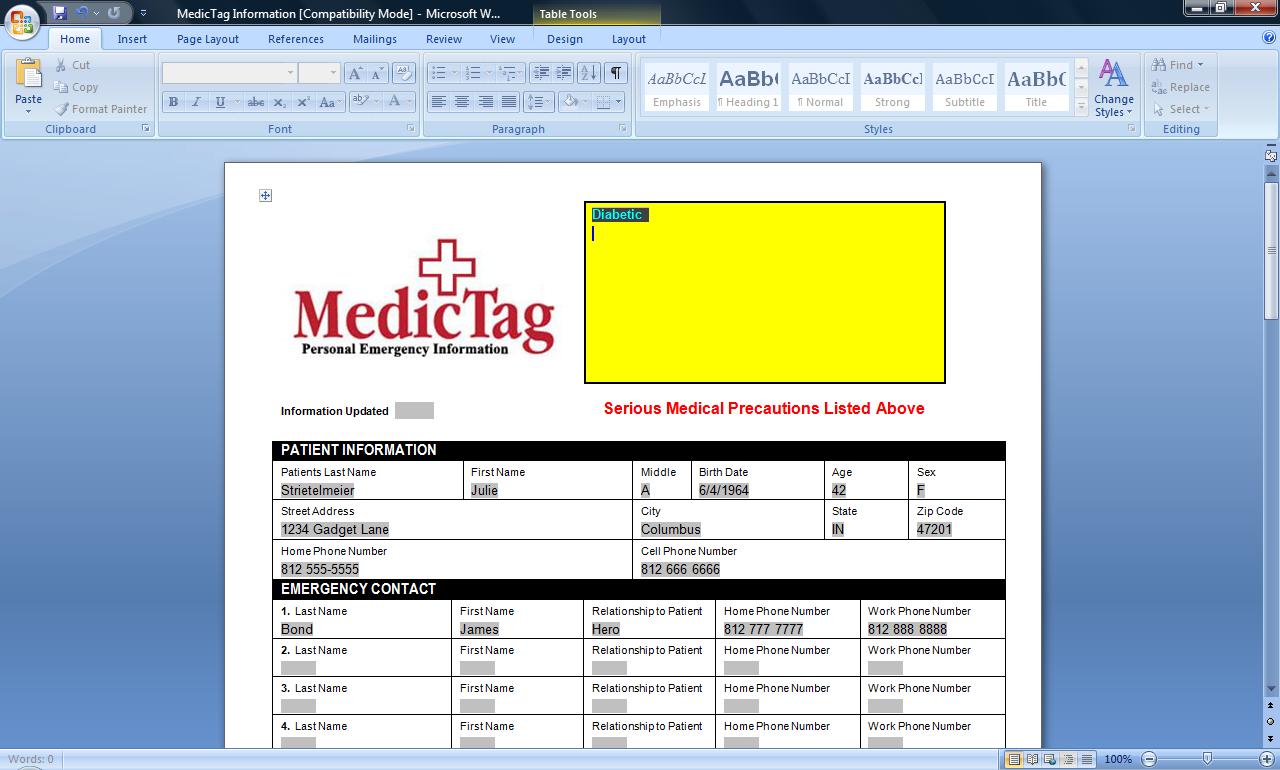
When you click the View option, Microsoft Word will automatically launch and
display a special document with fields that you can fill out with your personal
medical information. The problem here is that you need Microsoft Word or a
Microsoft Word compatible application that can load and edit Word (.DOC) files
in order to access the medical data.
Click thumbnails to see full-size images
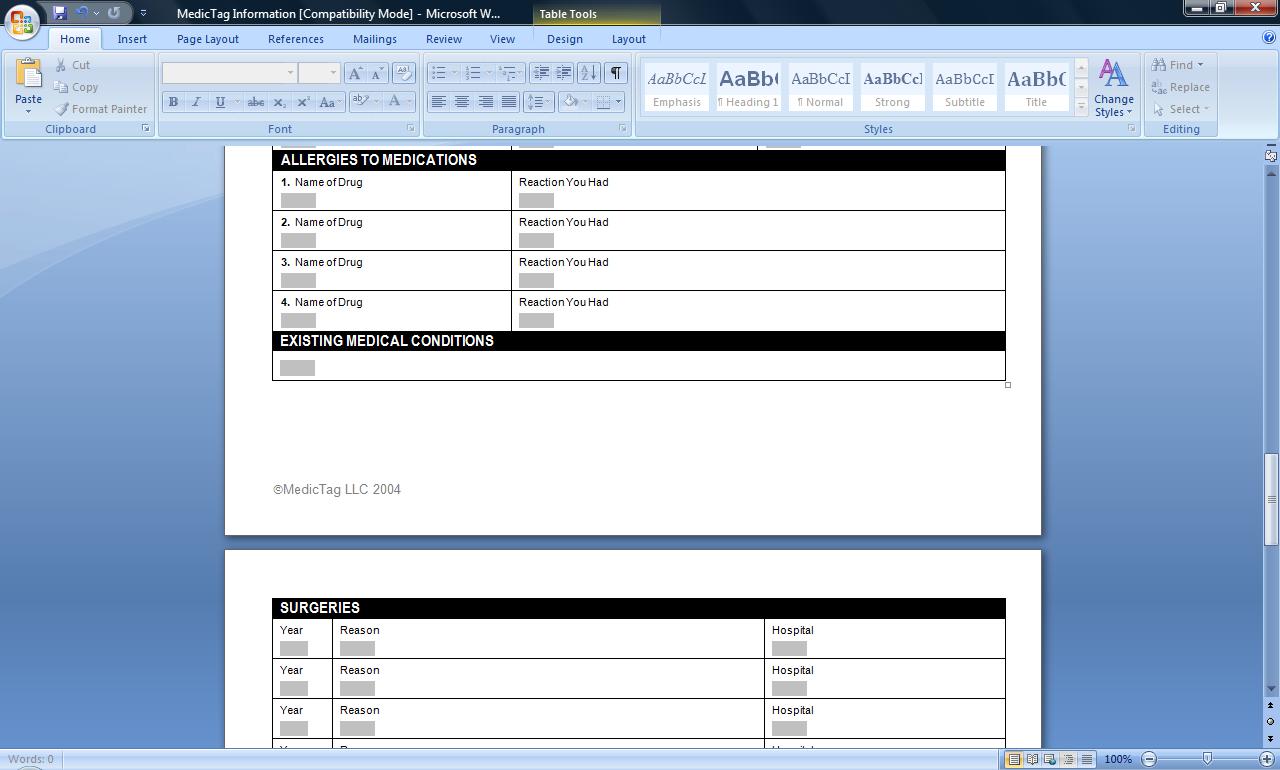
The special form that loads up in Word has a big Yellow box at the top where you
can add important information regarding medical conditions. Since this is the
first thing that anyone accessing the MedicTag will see, it’s important to be as
descriptive as possible. You can also see that there are fields for all the
regular information that people will need to see, such as name, birthday, sex,
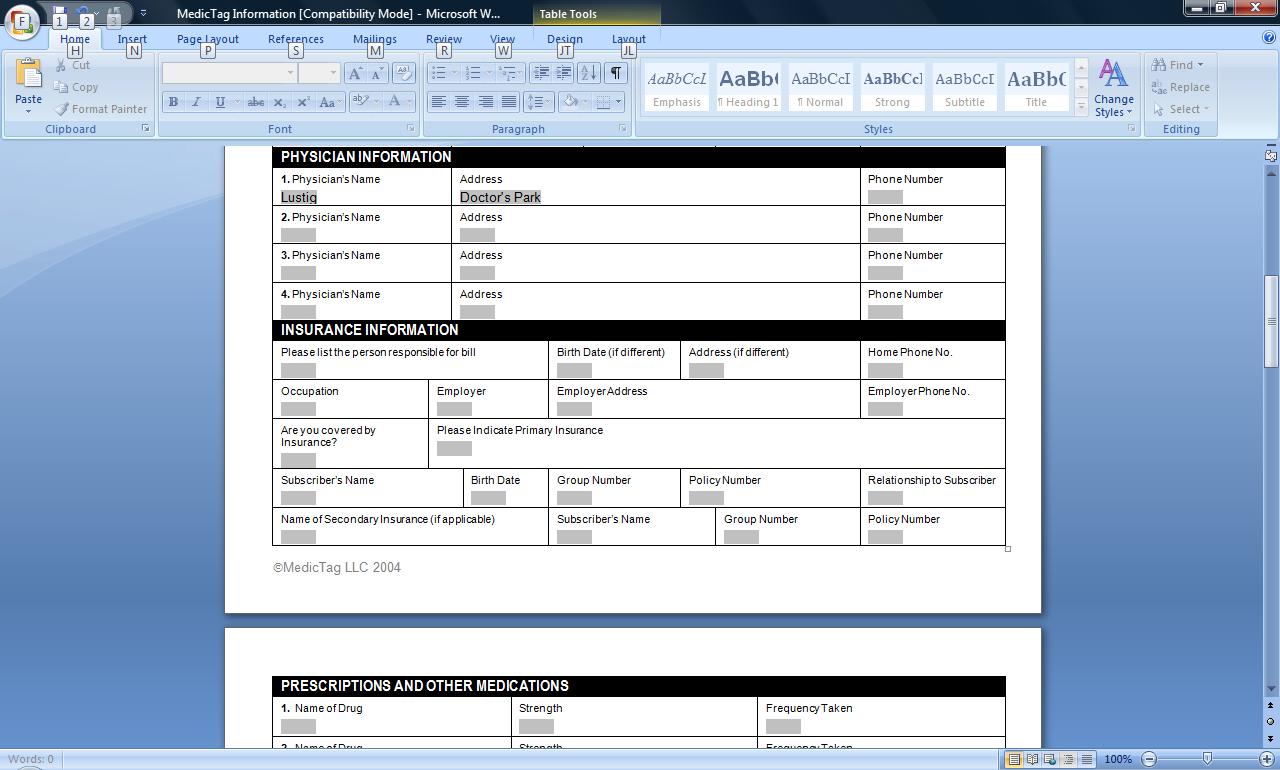
address, phone number, etc. Scroll a bit farther down the form and there are
fields for emergency contact numbers, physician contact info and medical
insurance information.
Click thumbnails to see full-size images
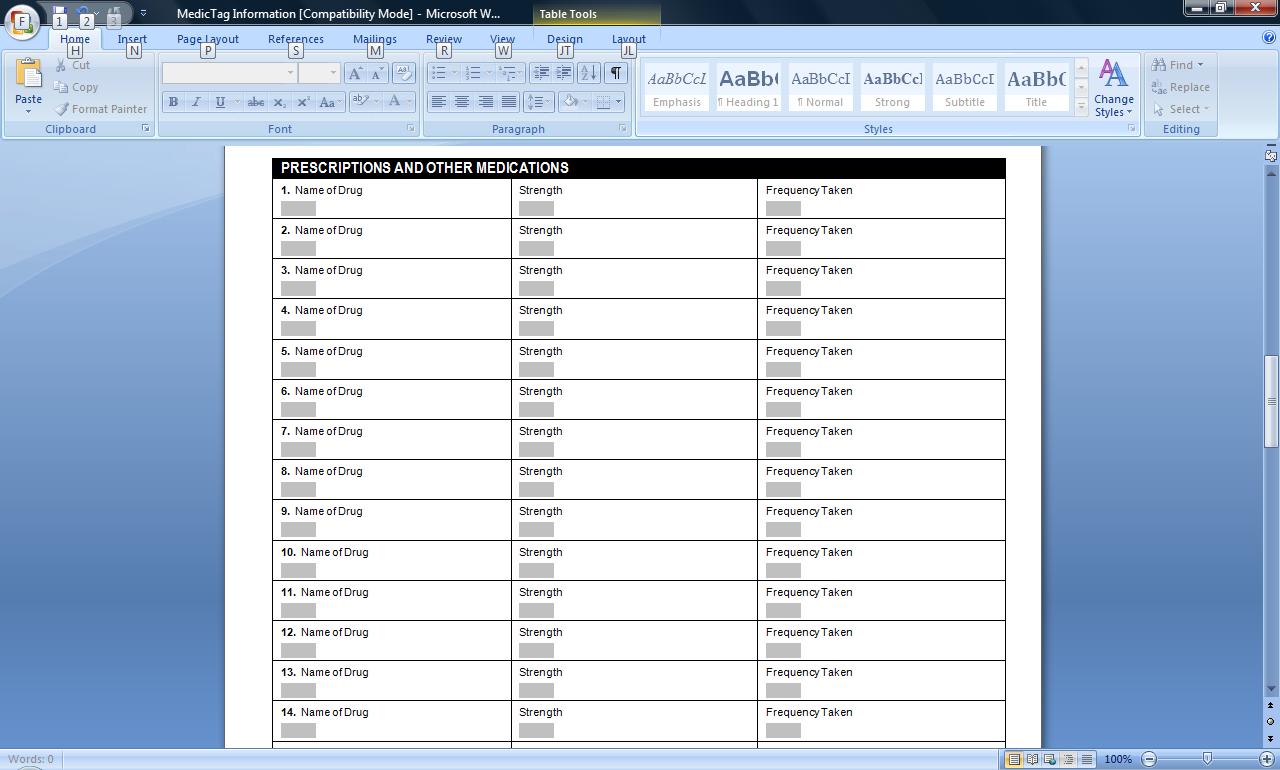
Even farther down, there are fields to list your current prescriptions and
medications. And even
farther down, there are places to list allergies, existing conditions and surgeries.
At the very bottom there is even a field that you can use to add any additional
information that you deem necessary. As far as the information allowed, I think
this form pretty much covers everything that any emergency medical technician,
emergency room technician or hospital might need to know in the event that you
were unable to relay that information yourself.
I really do wish that the folks that created the application and form would have
made it a bit more computer generic than they have. The inclusion of the
autorun.exe, MedicTag Windows based interface and .DOC (Word formatted form) can
present a problem. Yes, I understand that most (if not all) EMTs and hospitals
probably use Windows based computers, but the person that buys the MedicTag
might not. This results in a bit of confusion when that person goes to
initially add their information. As a Mac user myself, the first thing I did
when I received the MedicTag was to pop it into a free USB port on my iMac. The
result was a popup from Codeweaver’s
CrossOver Windows virtual machine software that I had only halfway installed on
my machine. It told me it didn’t know what to do with the autorun.exe. I then
popped it into my Macbook Pro which was running
Parallels Desktop (another Windows VM
program). It kept giving me an error saying that a file was being used by
another process and to kill the process and try again. Well crud… since I
wasn’t getting very far with ‘fake’ Windows machines, I decided to try it with
my Acer Ferrari running Windows Vista. Finally I was able to launch the app, add
my info and exit.
Click thumbnail to see full-size image
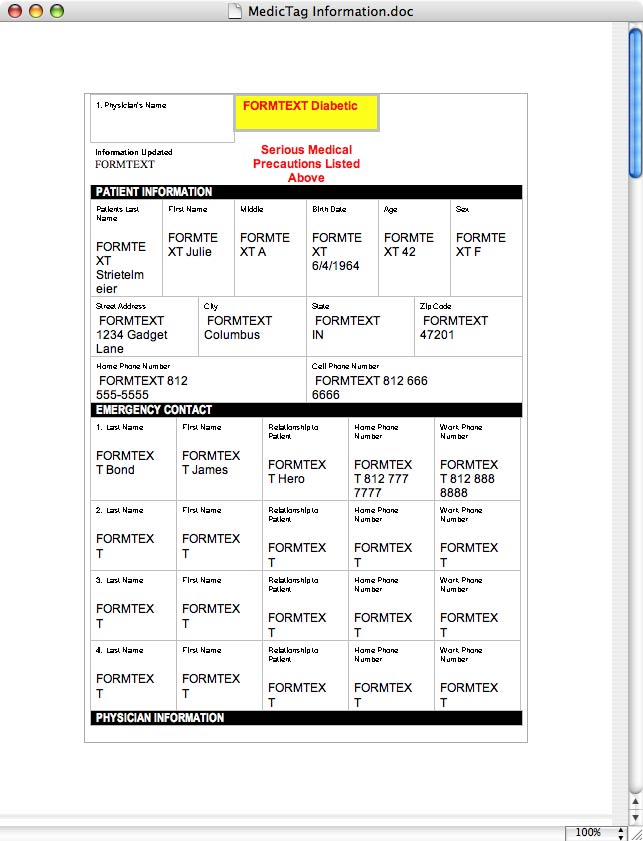
After I added my info and plugged the MedicTag back into my iMac, I opened the
MedicTag Information.doc file directly by using TextEdit and it
appeared as shown above (ugly isn’t it?). It’s interesting to note that the file
was set to read-only and would not allow me to edit it. I was unable to edit it
with NeoOffice
as well. Plugging it back into another Windows XP machine with Word (my DualCor
CPC), it allowed me to directly edit the .doc file. Go figure…
The ultimate question is: Is the MedicTag worth the ~$40 price tag? While I
can’t dispute the fact that this product is a good idea, I think you’re mainly
paying for the actual look of the product and not the functionality product.
Being White with the Red +, it’s easily noticeable to emergency personnel. But
it’s only 32mb and the application / form are not that useful for those of us
that do not use the Windows OS. I think I’d rather just get a cheaper / bigger
USB drive, put a label on it saying something like: Julie Strietelmeier’s
Medical Info and then on the drive save a generic .txt file with all my
information that I can more easily edit and format however I would like.




Gadgeteer Comment Policy - Please read before commenting
Post your comments here on the MedicTag Review.
http://www.the-gadgeteer.com/review/medictag
Just click the POST REPLY button on this page.
MEDIC-ALERT has the advantage of being very well known with a large user base.
Have enjoyed your reviews for years.
Ron:)
Medic-Alert seem to have something similar which is also PC based. I guess this just shows how healthy using a mac keeps you 🙂
http://www.medicalert.org/E-Health/
Comparing the two MedicAlert seems to be the bigger organisation with a 24 hour emergency phone numbers and a long tradition of doing this kind of thing. I used to see the bracelets in our local pharmacy — haven’t seen the USB’s.
Enjoyed your review as always.
Michael
Julie,
I received a MedicTag as a gift and I’m a mac user. I inquired on their site and was told: ” This was a problem with older versions of the Medic Tag. It seems newer versions of the Medic Tag work with the mac.” And, did I want to buy a newer one.
No, I’d like to use this one but I am not able to manipulate my computer as you did yours. I never even got a pop-up. Any suggestions? Give it back to the gift-giver?
Thanks.
@Alison I wish I could help, but I no longer have a MedicTag, so I can’t try it again on my macs.