
Last summer I had the opportunity to review a very small Windows XP computer from Sony. The Vaio VGN-U71P made a good travel companion, but wasn’t perfect due to the fact that you had to also pack a folding keyboard, AC adapter brick and docking station with you if you wanted access to all its features. When it was all said and done, all of these components ended up taking as much space in my gear back as a regular smallish laptop. As a result, I sold the Vaio and continued the search for my next travel buddy.
Why not go ahead and just buy a regular small notebook? Well, I want something even smaller than a notebook. I like to pack as light as possible when I’m on the road. Even my 12″ Apple Powerbook is too bulky for my liking when I have to carry it on my shoulder while running through an airport to get to my next gate.
When Judie and I first saw the OQO advertised in late 2004, we were both pretty interested in it. The size looked perfect, and the built in keyboard was way convenient. But when we finally got to see one in person at CES 2005, we weren’t impressed at all with the display. It was just too dim. We decided to wait till the next generation, hoping for massive improvements. The improved model 01+ has been available for awhile now and late last year I decided to pick one up from one of the coolest gadget shops on the net: Dynamism.
Hardware Specs
Processor: 1GHz Transmeta Crusoe TM5800
Memory: 512MB DDR RAM
Hard disk: 30GB hard drive (shock-mounted)
Display: 800 x 480 W-VGA 5″ transflective display (indoor/outdoor readable),
3D accelerated graphics with 8MB of video RAM
Communication: 802.11b wireless, Bluetooth wireless
Expansion: 4-pin FireWire (1394), USB 2.0
Audio: 3.5mm stereo headphone jack, Microphone, Speaker
Dimensions: 4.9″ x 3.4″ x 0.9″
Weight: 14 ounces
Power: Removable lithium polymer battery (Battery life up to three hours, depending on usage)
Package Contents
OQO Model 01+ Ultra Personal Computer
Universal power supply (air/auto adapters included)
Docking cable
Desktop stand
Digital pen
Carrying sleeve
Windows XP Pro (with Service Pack 2) reinstallation CD
Start guide
I have to admit that when the OQO first arrived, that I was pretty excited. The package opening experience ranked right up there with opening a new Apple computer.
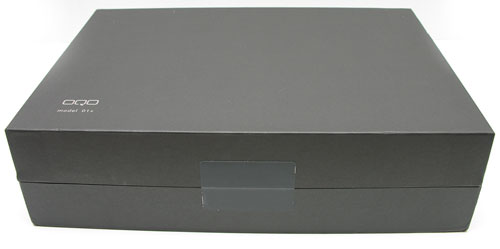
Presentation is everything. All of the items were enclosed in a sealed black box with the stylized OQO logo on top.
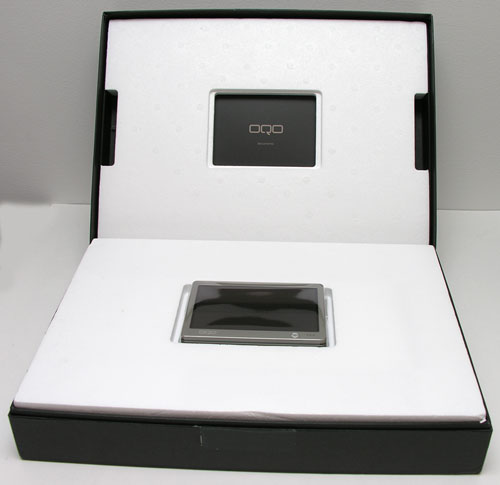
Upon opening the box I was greeted with the OQO in a very Apple-like pose.
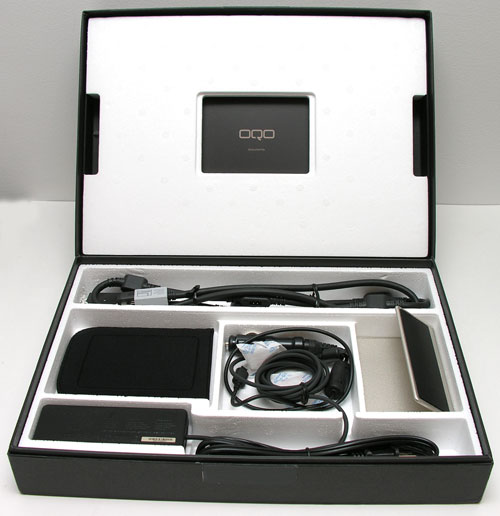
Removing the tray that holds the OQO, I found all the included accessories. It actually ships with pretty much everything you need for desktop and travel use. More about all the bits later.
The OQO is small. Smaller than I had remembered (it’s been a year since I had one in my hand). However, weighing in close to one pound, this little guy has some definite heft to it. Not that this is a bad thing, as weight can sometimes be equated to quality. The device does feel solid and well made. The OQO had no problems with the Gadgeteer creak test.
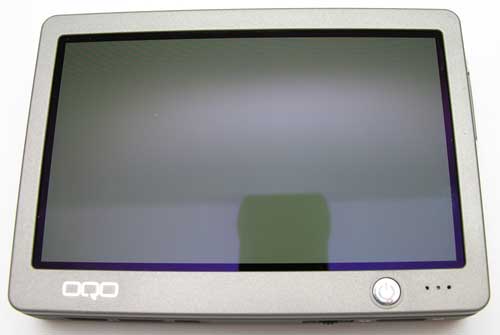
I’m not quite sure what type of metal the OQO is constructed of, but it has a Titanium hue. Sort of gold or bronze, with a slightly rubberized feeling on the back and sides.
In hand, the OQO is definitely bigger than a PDA, but not uncomfortably so.
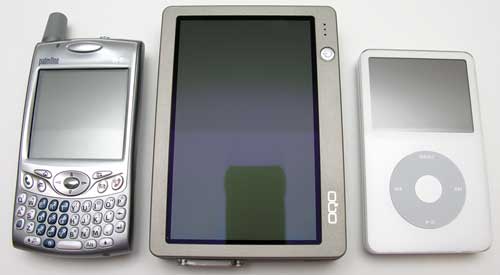
The picture above gives you an idea of the size of the OQO in relation to other devices. Here you see the Treo 650 on the left and a Video iPod on the right.
Except for the small round power button and the microphone next to it, the front of this device is almost entirely taken up by the 5in diagonal 800 x 480 VGA display. When Judie and I saw the OQO at CES, we were really disappointed with how dim the screen was. Unfortunately, this new model has not been improved in that particular area. It’s not dark enough to render it too dark to see, but it’s just not comfortable for my eyes. I like bright displays and this one makes me feel like squinting. Even set to the highest brightness setting, it is still dim.


The pictures above were taken without flash. The display is set to the maximum brightness level.
Despite the brightness issue, the display is crisp and clear. If it were just a bit brighter, it would make a nice ebook reader!
The OQO’s display is pen based. It’s not exactly a touch screen like a PDA, as it requires a special magnetic stylus (included). This is where another disappointment with the display makes itself known. The calibration of the digitizer is not 100% accurate even after re-calibrating multiple times. The start guide does say to use the stylus at a right angle to the screen (quite difficult to do in practice), but even so, the calibration drifts at the edges of the display. This makes scrolling up and down in full screen windows frustrating because it’s hard to tap the scroll arrows.
I should also mention that the display is very spongy. And if that weren’t bad enough, touching the display with the stylus results in a dark mark under the stylus. If you’ve ever had someone touch your laptop display with their finger, it’s the same type of result. The OQO makes PDAs seem advanced in this respect. Kinda sad…
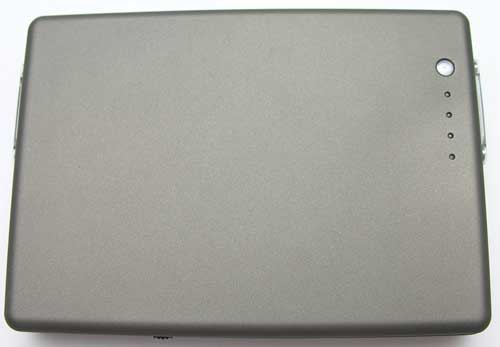
The back of the OQO is also the rechargeable / removable 4000mAh lithium polymer battery with LED fuel gauge. Pressing the small round button will cause the LEDs to light up. Four lit LEDs mean a fully charged battery. A full charge will power the OQO for approximately 2-3hrs. If you opt for a 2nd battery, it will set you back $149. Ouchy.
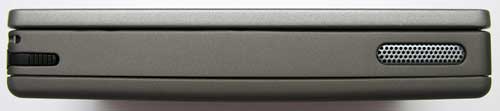
The top edge of the OQO has the stylus slot and an air vent. There’s also a lanyard attachment point right above the stylus slot. The stylus seems like your standard run of the mill plastic stick. It is actually a special magnetic stylus. You can’t use a regular stylus on the display, so don’t lose the included one.
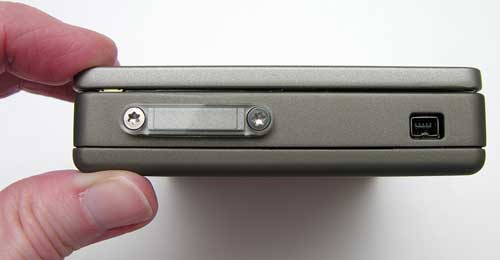
On the left side of the device is a FireWire port and a strange clear plastic bar attached via special screws. This bar is actually the WiFi / Bluetooth antenna. There is a matching one on the opposite side of the OQO.
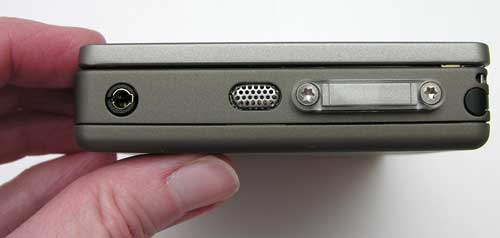
The right side has a standard sized stereo earphone jack, battery release latch (looks like an air vent) and the other WiFi / Bluetooth antenna. Sound through the earphone is very good. There is also a built in speaker (a feature that was lacking with the 01 model), so that you can listen without earphones. Maximum volume is decent too.
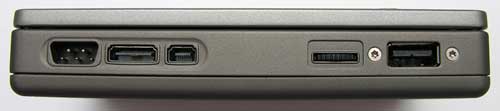
On the bottom edge of the OQO is the power connector, docking cable connectors, multi-function thumb-wheel and USB 2.0 port. The docking cable that is included with the OQO is pretty cool. It’s one long cable with connections for power, audio, Ethernet, VGA out, FireWire and USB.
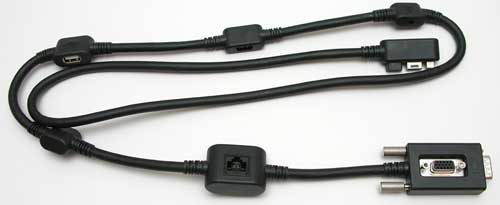
If you want to use the OQO as a desktop computer, you can attach an external monitor or projector to the docking cable. With the cable you can drive a monitor with a max resolution of 1280 x 1024.
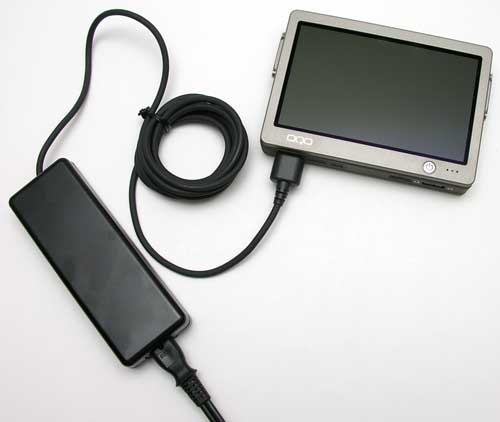
The OQO comes with a car power adapter (cigarette lighter adapter). To use it, you have to plug it into the power brick and then plug the brick into the OQO. Not exactly all that convenient if you ask me. The same goes for the included airplane power adapter. I really wish the OQO used a smaller power adapter. Something that would more easily fit in a gear bag. Something with folding prongs. Something better…
As a “touch screen” ultra small computer, the OQO is already pretty impressive, but then there’s the sliding display, which reveals a thumb keyboard. Ok, now things just got really interesting…
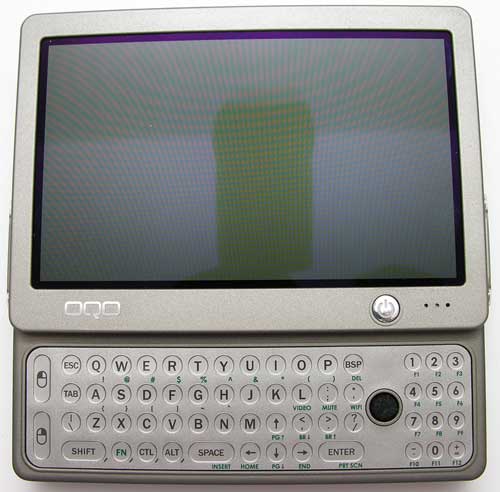
The display slides up quite smoothly to reveal a membrane style QWERTY keyboard with a number pad, mouse buttons and an eraser head TrackStik pointing device. The keys are small, but not difficult to press with my thumbs when holding the OQO in between my hands. Each key is slightly raised and provides good tactile feedback when pressed. The TrackStik has a rough texture so that your thumb does not slip off while you are moving the cursor around on the screen.
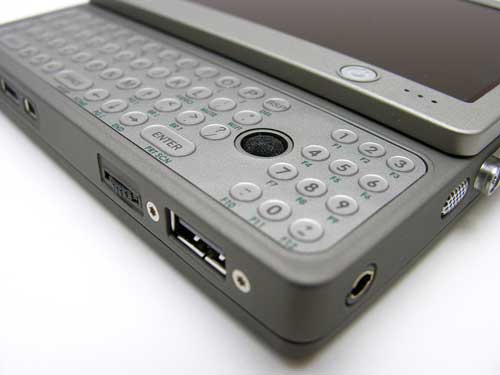
Using the TrackStik in combination with the left and right mouse buttons on the left side of the keyboard is actually pretty easy to get used to. It’s much easier than using the stylus due to the calibration problem.
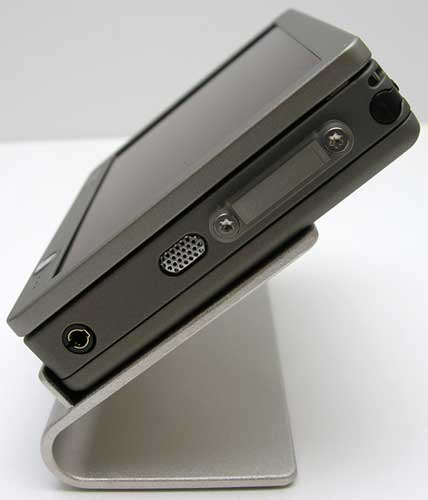
Also included with the OQO is a nice metal stand. The only thing that could make the stand even nicer would be if it could fold up flat for easy packing. Even so, it puts the OQO in the correct viewing angle to be used on a desk. You can even plug in a full sized keyboard and mouse into the USB slot, docking cable or via Bluetooth.
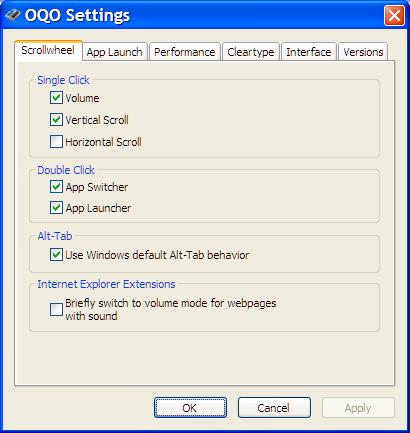
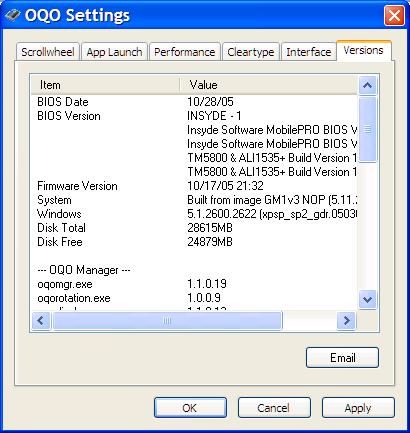
The OQO is available with a choice of Windows XP Home, Windows XP Pro and now Windows XP Tablet Edition too. My OQO has XP Pro. The only additions to the installation are 2 special settings / properties control panels. Below are some screen shots…
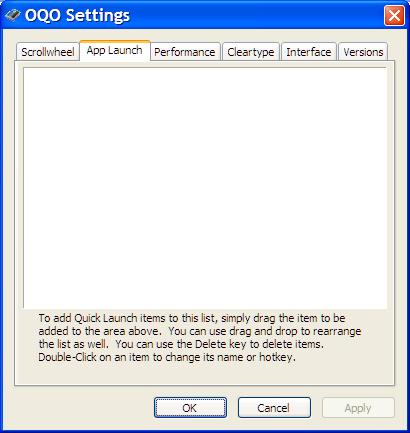
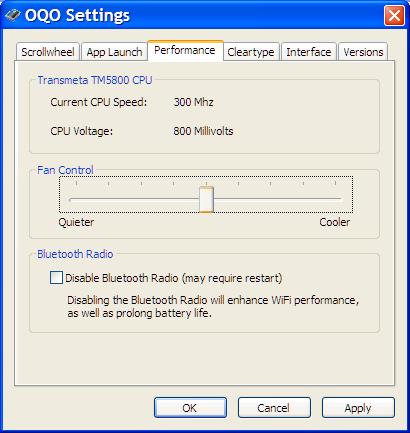
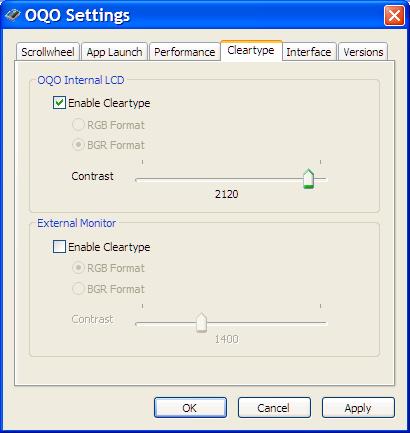
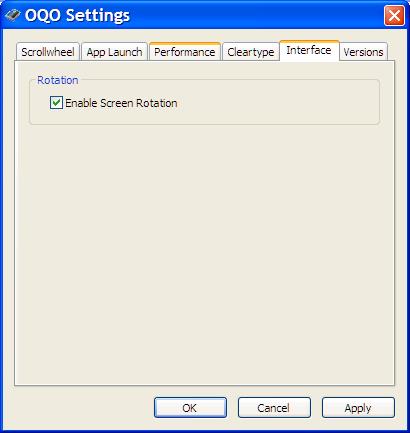
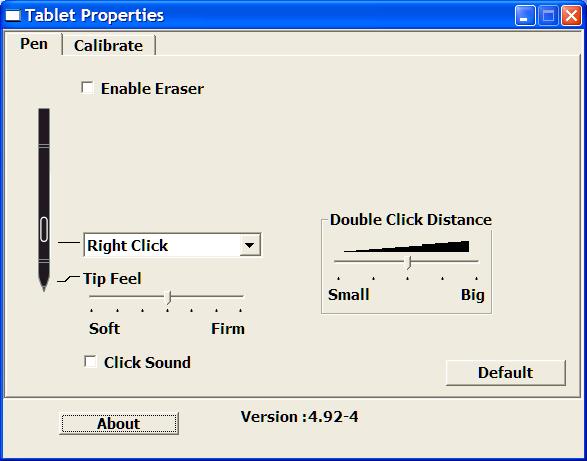
The Tablet Properties application allows you to adjust the sensitivity of stylus. This is also where you calibrate the stylus (not that it will help that much…).
As far as performance, the OQO isn’t a speed demon, but it’s fine for surfing, emailing, and most tasks. I wouldn’t use it for hardcore gaming or heavy duty photo editing though.
After using the OQO for a couple of weeks now, I’ve become both very impressed and very disappointed by it. You can’t help but be impressed by such a small device that can run Windows XP Pro, has WiFi, Bluetooth, and a keyboard built in. I remember back before the days of The Gadgeteer, when my friend Dave Simpson and I would dream of the ultimate computer (when we were supposed to be working during our 2nd shift job). The computer would be about the size of a deck of cards, it would have tons of storage space and would plug into a docking station at home and work. You would just take it out of your pocket and whichever dock you plugged it into, that would become your computer with all your info, files, etc. It’s funny because the OQO is pretty much the computer we lusted after. Actually an even better one as the OQO has a display and a keyboard too. That’s what makes the OQO a great device, the ability to go from mobile to desktop usage by way of the docking cable or built in keyboard. BUT, as a mobile device, the OQO has some real deficiencies. The screen is much too dim. Much too spongy and not the best for stylus input. Then there is the fact that this little powerhouse gulps battery juice like I gulp Diet Coke. It runs pretty warm too. So it is hard to imagine cramming an even speedier processor in that package. You’d probably have to wear asbestos gloves and carry a couple spare batteries in your pocket. All that said, the OQO is a real marvel. I’m really looking forward to their next model!
See it in action…

Click on image to play the QuickTime video (2min 03sec, 4.6mb).
Product Information
| Price: | 1999.0 |
| Manufacturer: | OQO |
| Pros: |
|
| Cons: |
|

Gadgeteer Comment Policy - Please read before commenting
Post your comments on the OQO Model 01+ Ultra Personal Computer review.
http://www.the-gadgeteer.com/review/oqo_model_01_ultra_personal_computer
Just click the POST REPLY button on this page.
Great Video! Great review!
More reviews should include videos!
F.
Very interesting. It is so much better to see this stuff in action! I have not seen any reviews that spoke of the battery meter, so that was a neat surprise! The bit with the soft screen is a little freaksome…I think that I would likely stick with the keyboard and mouse with this little guy. Seems like a major oversight to me! I use a Fujitsu P1120 with a touchscreen, but it is a resistive touchscreen rather than a magnetic one. Works very nicely. You would think that OQO would use that style, too. I am now on the fence about what to do…get a Model 01+ or the Fujitsu P1510D! Yikes. Perhaps I will just put up with the crawl of my P1120 for a bit longer until things get sorted out with OQO. Will give me enough time to sock away enough dosh to actually afford one!!!! 🙂
Thanks, Julie! 🙂
The OQO is boxed up and ready to go back to Dynamism. I guess I’ll just sit tight for the DualCor… or not. I really do need a Windows XP device right now as I don’t have one at all. I’ll probably just spring for a small / inexpensive Averatec notebook since it won’t get a lot of use.
Julie,
Thanks for a great review, the first one I’ve read about the OQO that made any mention of its deficiencies.
After reading it, I too am sorely disappointed with the device.
I currently use the Sony U750P, purchased from SonyStyle the moment they were orderable two Novembers ago. It has served me well and is even better now that I have a Socket CF Bluetooth card in it to use the ThinkOutside BT mouse and keyboard with it. The handwriting recognition works well enough that I only use the keyboard when I know that I have a lot of E-mail to write.
I dismissed the original OQO due to its USB 1.1 ports (I use USB hard drives for backup and external storage and need USB 2.0 speed) and small memory. I was disappointed that the 01+ only has 802.11b instead of the 11g that my Sony has. Also, the screen on the Sony is awesome and doesn’t suffer from the poor digitizer calibration or “black spot syndrome” that you found on the OQO. Plus, it has more pixels which is always good.
At this time, there’s no suitable device to replace my Sony U, and I’m surprised that Sony doesn’t have a replacement for it as the U750P’s sold out rather quickly here. My U goes everywhere I do, and I would be hesitant to carry anything larger than it.
Too bad the 01+ has so many deficiencies…
Brian
I shouldn’t have gotten rid of the Sony Vaio U71P that I had. It was so much nicer than the OQO, even without the keyboard. Does the U750P have Windows XP Tablet?
Julie,
No, the U750P only came with XP Pro.
Many users have installed Tablet on it, though, and you should consult the following webpage for instructions and tons of info on the U’s:
http://www.greyhat.com/sonyu/
Search for “Tablet OS on the Sony U” on that page.
Brian
Like NakMan, I have the U750P with XP Pro and it has served my needs well. The keyboard & dock stay on my desk because I find the HWR to be excellent. And I rarely carry the charger, either. I’ve got 3 batteries (2 double capacity ones) so running out of juice usually isn’t a problem. I do wish that I could charge the batteries when they are NOT attached to the unit.
Even so, I’ve been lusting after the 01+ since its release, mainly due to the size (… and gadgetitis 🙂 ) Maybe Model 02 will have a brighter screen.
I am glad for this review…I think I will leave my OQO lust in the dust and pick up a Fujitsu Lifebook P1510D at some point to replace my P1120. I like the specs of the 1510, and with the extended battery, 60 GB hard drive, 512 MB RAM, Windows XP Tablet, I can be in great shape. Total cost after taxes is still less than the base model OQO Model 01+. I get a 1024 X 600 screen, passive digitizer, a usable keyboard, 2 USB 2.0 slots, a CF and SD slot, VGA…the only thing more I could want would be a Firewire port and a PCMCIA slot so I could use my current slimline PCMCIA external CD-ROM drive.
Mark
Mark, I agree with you on the Fuji. If the DualCor actually comes out, but it isn’t the “end all be all”, then I will probably spring for another mini-laptop from their line.
The old P2110 is still going strong, and it has been thouroughly used over the years.
As has my trusty old P1120. I think I am going to hold on to it a lot longer than I had anticipated. I don’t think I will be able to afford a new laptop for quite a long time. This one is still doing the trick, albeit somewhat slowly, so I will get as much use out of it as I can. Fujitsu really knows how to make a great tiny notebook. I used it today to do the chemical inventory at my school. After 4 hours of straight data entry, the battery was at half capacity. To recharge it to full took less than an hour. I use the extended battery. I can keep the P1120 on standby over the weekend and when I fire it up on Monday, it’s right where I left off, with virtually no battery drain. I use it every day to do Powerpoint work, to keep my students’ grades, to do document creation…most of what I use it for involves Office. My only wish…is that it had 512 MB RAM instead of 256. It is the first laptop I have ever had with truly unbelievable battery life.
Mark
How about the Nokia 770? (nokia.com/770). Just picked one up for my wife and it’s great. Runs a version of Linux, and does web, email, audio, video and anything else you want to install. Its the first in their line of Internet Tablets.
Doesn’t have a built in keyboard (does bluetooth tho), and the screen is firm (not spongy). it also has some handwriting recognition that was pretty hot.
I just love this site, Julie. I have been a reader since the beginning and it just keeps getting better and better. Great, great, great review.
I have one of these, too. Not in the same class as the OQO, IMHO. And the HWR is horrible.
But the real question is. Is it penguin friendly?
Yes, it is penguin-friendly 🙂
I picked up an 01+ immediately when they were announced (my first-run 12″PB died a second time, so it was time for an upgrade… and the 01 *really* had too little memory…)
I’ve never run XP on it at all: plugged in a USB cdrom drive and a Ubuntu (debian-based linux but with a lot more end-user polish) CD, and it booted right up. There is some amount of tweaking (wacom driver, accellerated video driver (though VESA does work), patches to the atmel driver) but really surprisingly little, as linux laptops go. There’s an “unsupported linux stuff” page on oqo.com with plenty of info from one of their engineers (who you’ll find on the handtops.com forums too.)
I’ve been wearing it on my belt the whole time. The armored case is a win; heat hasn’t been a problem mostly because of the linux tools for using the Crusoe “thermal management” support and cranking it way down. The screen protector is a must. I haven’t had calibration problems — I’m no artist, but I sketch out designs with TuxPaint with great skill (I can’t draw with a *mouse* at all, this convinced me that whatever follows it *has* to have a tablet screen – none of my PDAs have ever had large enough screens to convince me.)
One note about the keyboard – it’s rather like the old Clie NX keyboard, with one important difference – the modifiers work right. If you hit shift, it stays on for just the next key. if you hit shift twice, it locks. If you press shift and another key and release them both – you get the shifted key, and shift is released. That latter bit is the key thing that the Clie got wrong.
I do hook up a real keyboard when I’m at a desk… actually, I’ve built a cradle that attaches it to an IBM Clicky keyboard, which looks kind of insane (pictures on flickr) but works pretty well. Being able to pull it out and get work done anywhere, without having a gear bag at all, has been a real win for me.
Unfortunately, it just went back to oqo for repair; their support process has been pretty good so far, though.
Well, I finally did it. I ordered a Fujitsu P-1510D. Should be here in a week or so. 1.2 GHz Centrino processor, 512 MB RAM, 60 GB hard drive, XP Tablet, 802.11 a/b/g, fingerprint sensor…all for about $400 less than a similarly configured OQO. My P1120 will be up on Ebay after I do a file transfer to the new machine. Now I have to write up the ad! 🙂
Mark
Well, the Fujitsu P1510D is here, and it’s pretty cool. A tiny bit larger than its predecessor, the P1120, it’s a very capable convertible. There are a few quirks that I am trying to get ironed out, but I will be doing that this weekend. I am glad I opted for this rather than the OQO…it’s nice, fast and easy to type on. My Fujitsu P1120 will be going up for sale on Ebay this weekend, LOADED with accessories, in more or less perfect condition.
Mark
Mark:
Glad you got your new notebook! Send me the link to your P1120 auction. I may be interested. I’m still looking for a notebook for review purposes. 🙂
Just thought it was kind of interesting…I saw MI: III today and I believe I saw Ethan Hunt using an OQO on one of the missions. Even had the spongy screen effect that Julie was talking about in her review! :wow:
(vVv)
banzaiboy:
I’ve seen the OQO popping up on a couple TV shows lately. I just watched an episode of Alias last night (it was TIVO’d) and Syndey used one for a few seconds. You only saw her slide of the screen from the back, but there was no mistaking what device it was. I saw it earlier this week on another show, but now I can’t recall what the show was…
LOL…Hmmm…JJ Abrams is the director for Alias and MI: 3. You think he owns one or is a fan of one?
(vVv)
Oqo just dropped their prices on the Model 01+…$1199 with XP Home, $1299 for XP Pro and $1399 for XP Tablet.
Mark
Are you going to get one?
I had one for a few weeks back in the late spring…and while it is a neat device,the keyboard is essentially useless and the digital pen is so inaccurate as to make it virtually unusable. The mouse is really good, the screen is nicely transflective and the response is reasonably zippy on many apps…but I don’t think I can justify plopping down that kind of dosh when I have a Lifebook P1510D…which is not getting as much use as it has been, thanks to the Toshiba M115 I got three weeks ago (the largest notebook I have ever owned). If I had known about the new Dell XPS 1200, I would have sold my Lifebook and gotten that. It’s a great machine…i saw it in action at Digital Life. The Oqo is pretty tasty, but it’s still not worth the money, IMHO. With the price dropping so much, can the next model be that far off?
I still want my Flipstart.
Mark
That little Lifebook that you showed your contest video looks like a perfect size for traveling! I’d stick with something like that before going for the OQO.
Aren’t they selling the Flipstart? Or am I thinking Flybook? Whichever one it is, it’s crazy expensive if I remember correctly.
I took the Lifebook travelling last summer and it worked out really well. I had my larger camcorder on that trip, so the Lifebook stayed with my clothing in my carry-on. Next summer, my Xacti will become the camcorder of choice, so the Lifebook will take up residence in the main compartment of my Ellington bag, and my Treo, Kestrel, Xacti and Canon SD700 IS digicam in the padded electronics compartment. The nano will be in the top flap pocket, along with its earbods, and a 1-day pill case will go in the underflap pocket. I will be carrying my 60cs gps with me, but that will stay in the carryon, as I will only be geocaching in the morning before we leave for a day of chasing. Next summer, my Treo 650 may be replaced by what comes next on Verizon.
The Flybook is selling, at a ridiculous price. The Vulcan Flipstart is the epitome of vaporware, though it is my idea portable machine.
Why the Xacti AND the SD700IS? The Xacti takes excellent video but terrible pictures…the SD700IS takes mediocre video but fantastic pictures.
Mark
Recently I bought a QOQ 01+ and upgraded with PhotoFast 1,8″ V4 50-Pin SSD with 64 GB. Now it boots faster than any available netbook I have seen and battery life is around 1ß to 15 minutes more. Awesome! I love this machine. Okay its not made for xls sheets, but perfect for everybody who needs a real small PC on the way.
i have been offered a OQO 01+ for £100 is this a good price?
Do you know where I can get a charger for it? Or the name of it so I can find it. Thanks
Unfortunately I no longer have this computer so I can’t help.