
Do you still write your weekly grocery shopping and errands lists on scraps of paper, only to lose them before it’s actually grocery day? Or maybe you keep your lists on a PDA or Smartphone, which requires time for formatting and sorting? If you would like an easier solution than those two methods, I have something really cool to show you today. It’s the SmartShopper Grocery List Organizer from SmartShopper Electronics, Inc.
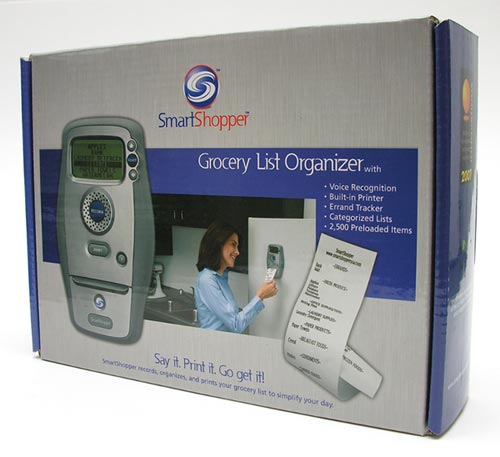
The SmartShopper is an all-in-one battery powered device that records your items, sorts them and then prints a paper list that you take with you to the store.
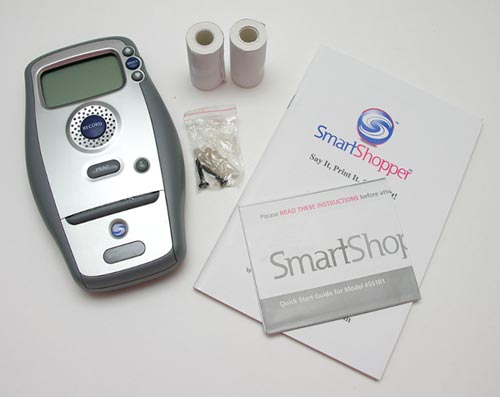
Package Contents
SmartShopper unit
2 rolls of extra paper
Wall mounting hardware
Quick start guide
Grocery item master list book
You have everything you need to start using this device except for 4 AA batteries that are needed to power it.
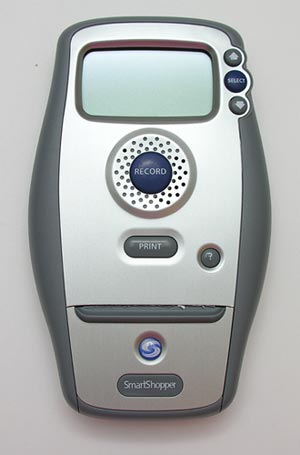
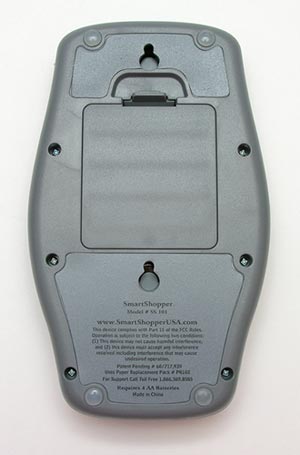
The SmartShopper device is 7.5 x 4.0 x 1.25 inches and is made of plastic with a brushed aluminum front. On the face of the unit, there is a mono backlit LCD, 6 buttons and a printer. On the back there are mounting holes if you want to mount the SmartShopper on the wall and hidden magnets if you would rather stick it right to your refrigerator. The battery compartment is also located on the back of the device.
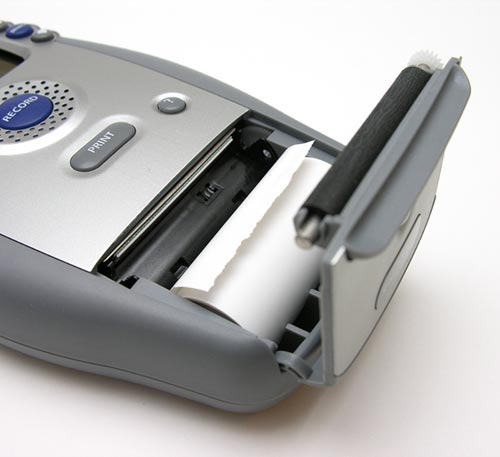
A thermal printer (no ink needed – yay!) is built into the device and is easily accessed by opening the hinged door on the front of the unit. One of three included rolls of thermal paper is housed there. Removing and installing rolls is very easy. Replacement paper rolls are available through the SmartShopper site for $7.99 (for 3 rolls).
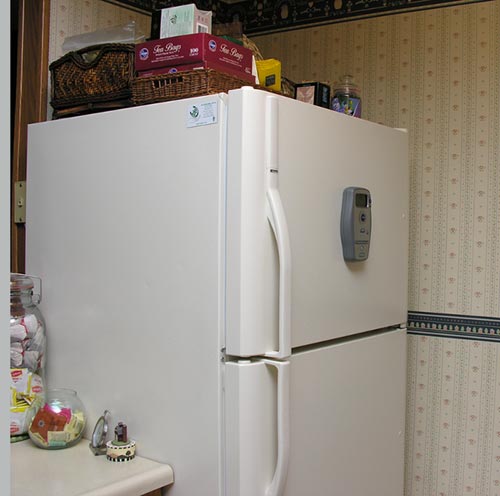
To use the device, you first mount it either on your refrigerator or wall.
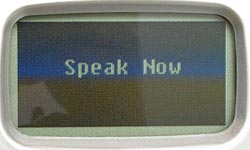
Then you press the big Blue Record button in the center of the device. A beep will sound and then the screen will show the words “Speak Now”. At this point, you say the name of an item or errand that you want to add to your list. That’s right, you don’t have to train the SmartShopper to recognize your voice. It uses Nuance’s Vocon 3200 voice recognition engine.
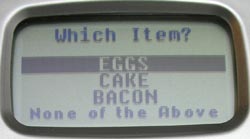
For example, if you want to add ‘eggs’ to your list, just say the word eggs. The device will beep again and you’ll be shown a list of words that hopefully contain the one you just said. If the word is in the list, you use the up and down arrow buttons to highlight the word and then the select button to select it. That’s it. Now that item is on your list.
The SmartShopper’s internal database has approximately 2500 items stored in it. Luckily, the master list is included in booklet form, sorted both by category and alphabetically.
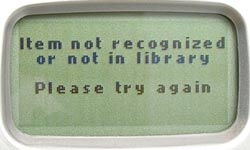
If your item isn’t in the database, you can add it by going into the library management settings screen.
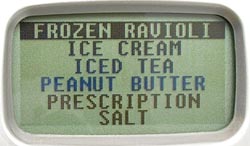
As you add items to the list, you will see them on the display. Even when the SmartShopper automatically powers off after 30 seconds, the list till remain on the screen sorted in alphabetic order.
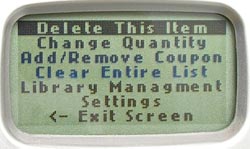
You can scroll through the list with the up and down buttons. Pressing the select button on an entry will give you various options such as changing the quantity, deleting it from the list or even marking the entry as having a coupon available for it.
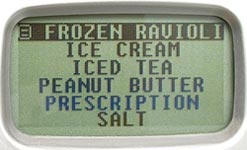
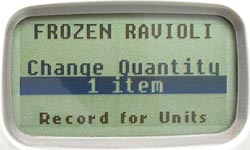
If you mark an item as having a coupon, a small icon will appear next to that item in the list. Very handy for those of us with crummy memories ;o)
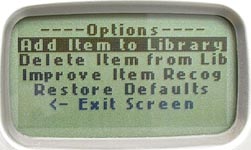
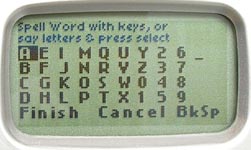
Selecting the library management option gives you the ability to remove items, improve item recognition and add new items. To add a new item, you first have to type in a name for it. Then you record the word and chose the category that it belongs too.
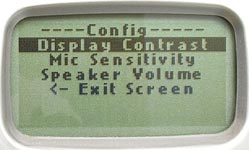
Using the SmartShopper is easy and intuitive. Anyone (including kids) can figure out how to use it without looking at a manual.
The only thing that you will probably look at once in awhile is the master list booklet. It is very helpful if you have problems finding the word for what you want to add to your list. For example, I wanted to add a mop to my list. After trying to add it without success, I then tried the words floor mop and viola, there it was.
Like I mentioned above, the SmartShopper has almost 2500 items in its database. They are not all just grocery items either. There are many errand items such as: Dentist, Pay Bills, FedEx, Gas Station etc. The grocery items are as simple as grapes, to as detailed as Granny Smith apples.
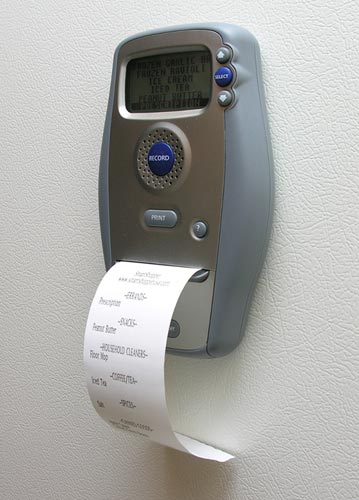
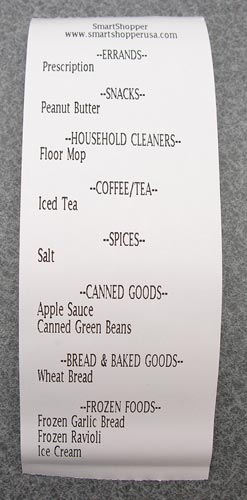
When you’re ready to go to the store, just press the Print button on the front of the device and out will come your categorized, alphabetic list. Tear it off and out the door you go. I love how the list is sorted by category. This really helps you save time when you get to the store because you won’t need to scan up and down your list constantly as you wander the aisles. Everything you need from each area will be grouped together. You can print the list as many times as you like. Printing it does not clear it. You have to clear it manually. Even pulling out the batteries did not clear the list. Granted, I didn’t leave them out very long, so your mileage may vary…
$150 might be a lot of money to pay for device that does the same thing as a pad of paper and a pen, but the SmartShopper is a more convenient in my opinion. You don’t have to worry about sloppy hand written lists, the lists get sorted automatically, and it’s just plain fun to use.
Auto Amazon Links: No products found.
Product Information
| Price: | 149.99 |
| Manufacturer: | SmartShopper |
| Retailer: | SmartShopper |
| Pros: |
|
| Cons: |
|

Gadgeteer Comment Policy - Please read before commenting
Post your comments here on the SmartShopper Grocery List Organizer review.
http://www.the-gadgeteer.com/review/smartshopper_grocery_list_organizer
Just click the POST REPLY button on this page.
Interesting gadget. That is until I took a look at the price.
Under cons suggest listing:
– price
– paper and pencil does the same thing
I’m trying to think of who this would really be good for. I’d actually be interested in it, though as I read the review I definitely had visions in my head that one of my daily staples like “diet pepsi” would not be recognized when I dictated it.
Sure you can add words to the database, but would I really want to do that versus keeping a piece of paper next to my refridgerator?
I think I’d be much more interested in a bar code scanner that would let me scan in something I needed to re-order it — though I’m sure that may have some shortcomings as well.
Thanks for the review – it is an interesting gadget.
ps — sorry – just noticed that you did mention price and pad/paper toward the end of the review.
mas90guru:
It’s often true that convenience = $$’s.
A bar code scanner is actually a cool idea. 🙂
My mother doesn’t drive anymore and her arthritis limits her ability to write and walk; even her mind would forget where she placed a piece of paper that she had written something on. Other people are always asking her if she needs something at the store — this “gadget” will be the best thing ever for her! This way she won’t have to remember what she told “so and so” to get or if she told them at all. What a neat idea for an elderly woman on her own! Thank you to the creator!
For the price, one could purchase a Palm PDA and shopping list software. Then, as we do, you enter the items once and as you pick them up at the grocery store you check them off on the PDA. Now you can see at a glance what you still have to get.
Personally, I see this product as a solution looking for a problem. As others have said, pencil and paper work just as well and cost a LOT less.
Just my 2 cents…
One thing about thermal rolls, fyi: depending on the size of the rolls that printer takes you can probably get them at your local office supply store, where you can get more bang for your buck and you don’t have to mail order them. Just make sure you get the right size rolls. You’d be shocked at how well stocked a staples or office max is with thermal paper.
You’re right. I will have to take a look at my Office Depot before ordering replacements…
Don’t leave those thermal printed notes in the sunshine – they will turn all black.
I find the easiest way is to use the free program Handyshopper on a pda. You tap the items you need.
tOM 😀
I heard from a friend that there is another device out there does the same thing plus more using barcode scanner as inputs in stead of voice. The product is called ScanAndShop. I wish they can review it and tell us whether is works.
[Edited at January 24, 2008 09:43:07 AM.]
Hi
can anyone tell me where I can buy a “Smart Shopper” in England UK without having to pay shipping charges from the USA.
I love this!!! I bought mine used from Amazon.com for $19.99 and WE LOVE IT! What a deal. Three rolls of thermal paper only cost about $6 on amazon.com also. This is a true bargain. I have a PDA, and this blows it away for the purpose. BUY THIS!!!!
Piece of junk. Do NOT purchase. Only a few items are recognized. I see other people saying to buy it, I don’t know what is different but the majority of items are not recognized, even if i have 3 different people try it. I’ve even re-recorded product items – still no change. Do NOT buy this product or from this company.
@Randy Weird, works great for me. Maybe it just doesn’t like your voice 🙂
Should have listened to Randy….nice idea but way to many problems to even justify having let alone paying the $150. How does anyone get away with selling something like this that is so unreliable.
We’ve got one and find it to be pretty useful. It recognizes most of the words we use. And it streamlines our shopping due to the categories Our biggest complaint is that if there is much background noise it has difficulty recognizing what we are saying. With 3 young children there is often background noise but we have learned how to account for that issue. One weird issue is that sometimes after use it will make a belching sound. We are pretty sure that this is a real built in “feature” that some of the engineers at Smartshopper arranged. Hasn’t embarrassed us in front of guests to date however. We recommend it.
Subject, SmartShopper
Let me know if this unit records in Portuguese
thank you
Paul Hilario
12/02/2011
Have used product and never had a problem until now. When I go to print list, all I get is black lines where the grocery item should be listed. Any ideas how to correct?
HOW CAN I GET AN INSTRUCTION BOOK?
how do you power off the machine. mine never seems to shut down and at this rate the batteries will not last long. otherwise i really like the item although it was a bit frustrating when first using. just wondering where the power button is. thanks.
I love my ss-101 and relied on it daily…BUT, now it just says “list full” when I attempt to use it when I only have one item on the list! How do I empty the list?
My smart shopper keeps saying it’s full, but it isn’t. Even if I delete items, it still says it’s full. Help!